Image to Image AI – AI Photo Transformer & Style-Transfer Platform

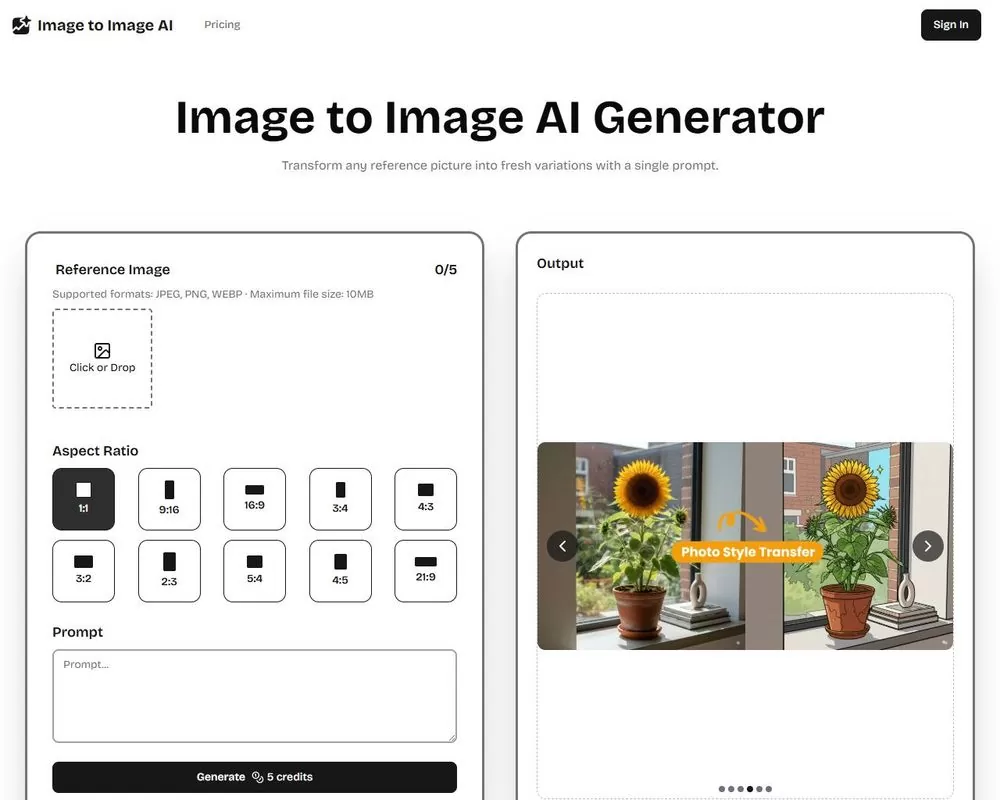
Image to Image AI enables you to take any photo — a portrait, product shot, landscape or sketch and instantly transform it into a stylised, enhanced, or reimagined version. No editing skills required; just upload, describe your vision, and get high-quality results in seconds.

  • Upload images and apply style transfer, background change, upscaling or creative re-imagination
  • Keep original composition intact while applying new looks, from photoreal to stylised art
  • Web-based, cloud-powered, works on desktop or mobile without installing software

Start Transforming with Image to Image AI – Free Plan Available

Quick Facts - About Image AI

Attribute Details
Category AI Photo Transformer & Style Transfer Tool
Platform Web-based (cloud processing)
Core Capabilities Style transfer, background change, upscaling, editing, image-to-video (beta)
Input Formats Supported JPEG, PNG, WebP; typical max resolution up to 4096×4096 px
Use Cases Photo retouching, product mockups, social media visuals, creative artwork, background swaps, and upscaling old photos

What is Image AI ?

Image to Image AI is a generative AI tool designed to transform existing photos into reimagined visuals. Unlike text-to-image generators, it starts with your own image, preserving composition and subjects, then applies styles, corrections or creative edits based on your prompt. This makes it ideal for retouching, stylisation, background swaps, upscaling, or creative experimentation.

The tool also supports additional functionalities like background removal, object removal, and upscaling, making it versatile for both creatives and marketers.

Description

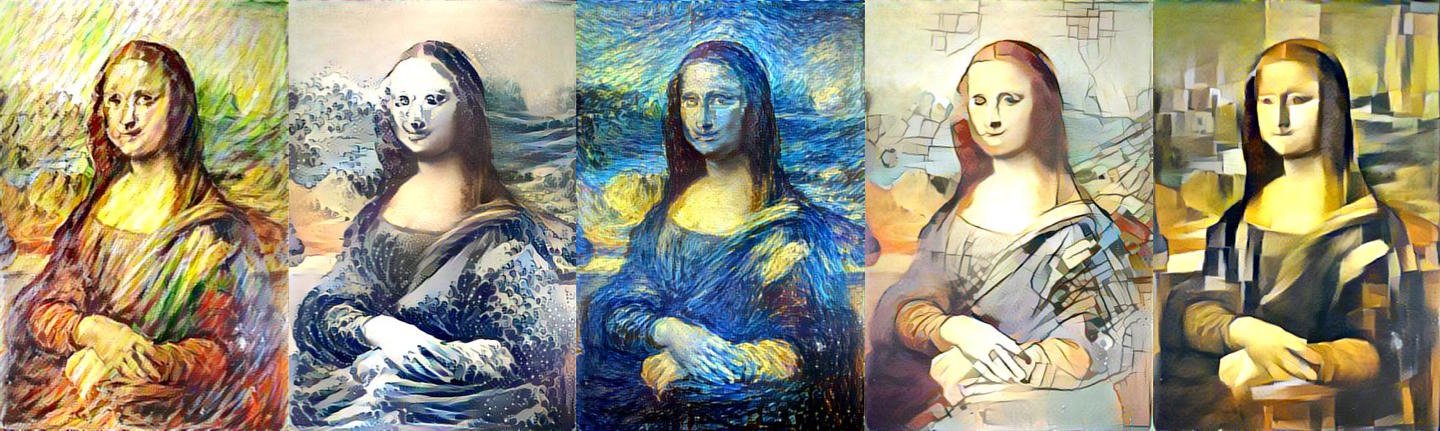
  • AI Style Transfer & Restyle – Transform photos into artistic styles (e.g., painting, cartoon, cinematic, dramatic lighting) while keeping the original layout.
  • Background & Object Editing – Replace backgrounds, remove unwanted objects or people, or change environmental elements seamlessly.
  • Image Upscaling & Enhancement – Improve resolution and clarity, making images sharper and print-ready.
  • Batch Variations & Rapid Prototyping – Generate multiple variations from a single photo for A/B testing, social media posts, product galleries, or creative direction.
  • Cloud-based, Device-Agnostic Editing – Since processing happens on the cloud, you can use the tool on any device, desktop, tablet, or smartphone, with no installation needed.
Reviews

There are no reviews yet.

Be the first to review “Image to Image AI – AI Photo Transformer & Style-Transfer Platform”

Pricing & Plans Of Image AI

Pro's

  • Easy, intuitive, no design or editing skills required
  • Works fast: create new versions in seconds instead of hours of manual editing
  • Versatile works for photos, product images, portraits, backgrounds, mockups, and stylised art
  • Cloud-based, no heavy hardware or software installation needed

Con's

  • Free plan outputs may be lower resolution or watermarked
  • AI output quality can vary best results require good input (clear, high-res photos)
  • Over-editing or extreme prompts may produce unnatural results; manual refinement may still be needed

Popular Use Cases of Image AI

  • E-commerce & Product Photography – Quickly generate multiple background or style variations of product images for testing or listings.
  • Social Media & Content Marketing – Create stylised visuals, consistent brand aesthetics, or unique posts without hiring a designer.
  • Photo Retouching & Restoration – Remove unwanted objects, improve quality, upscale old photos, or restore damaged images.
  • Creative Art & Design Projects – Turn sketches, concept art, or photos into paintings, illustrations, or stylised visuals.
  • Mockups & Visual Prototyping – Visualise products in different environments or styles before a real photoshoot or production.

Alternatives of Image AI

Alternative Type Best For Where Image-to-Image AI Wins
Traditional Photo Editors (Photoshop, Affinity) Manual, meticulous edits Faster, no skill required, less manual work
Text-to-Image AI Tools Generate new images from scratch Preserve original composition + quick retouching
Dedicated Background/Style Tools Single task (e.g. background removal) All-in-one: style transfer + editing + upscaling


Choose Image to Image AI when you want a quick, versatile, easy-to-use tool for transforming existing images, especially when you need many variants or don’t have editing expertise.

Feedback

Perfect for quickly restyling my product photos – the background swap feature saves me hours.”

I restored two old family photos using the enhancer shocked at how clean the results were.

FAQs related to Image AI

1. What types of images can I upload?
You can upload portraits, product photos, sketches, landscapes, and more. The tool works best with clear, high-resolution images for accurate style transfer and enhancements.
2. Does Image to Image AI keep the original composition?
Yes, one of its biggest strengths is maintaining the image’s structure while applying style changes, background swaps, or enhancements.
3. Can I remove or change backgrounds?
Absolutely. You can replace backgrounds, remove unwanted objects, or isolate the subject with transparent output.
4. Do I need design or editing experience?
No, the tool is designed for beginners as well as professionals. Just upload your photo, select a style, and let the AI handle the rest.

Start your creative journey with Image to Image AI today and see what you can transform.

Whether you're a creator, marketer, or small business owner - Image to Image AI makes photo transformation accessible and fast. Upload a picture, pick a style (or describe your effect), and get ready-to-use visuals in seconds.

Related Tools