PDF Merge Files – AI Productivity Tool for PDF Management

PDF Merge Files is an AI-powered PDF productivity toolkit that merges, splits, and converts PDFs with 100+ professional tools to streamline document workflows in seconds.

Quick Facts - About PDF Merge Files

Category AI Productivity Tool
Pricing Freemium
Platform Web-based, cross-platform
Main Features Merging, splitting, conversion, batch processing, compression, security
Best For Individuals and teams managing PDFs
Language Support UI in English, Spanish, French
Integrations Cloud storage, email, document workflows
Deployment Cloud-based

What is PDF Merge Files ?

PDF Merge Files is an AI-powered PDF productivity platform designed to simplify document handling.

PDF Merge Files offers fast merging, precise splitting, and versatile conversion along with 100+ pro tools to organize and optimize your PDF workflows.

Description

1. Robust Merging

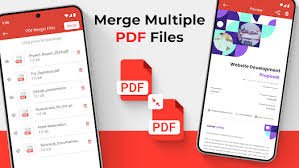
  • Combine multiple PDFs into a single file with high fidelity.
  • Preserve bookmarks, links, and metadata during merge.

2. Precise Splitting

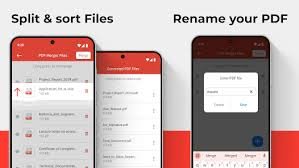
  • Split documents by pages, ranges, or bookmarks.
  • Keep original formatting intact across split files.

3. Flexible Conversion

  • Convert PDFs to Word, Excel, PowerPoint, images, and more.
  • Preserve layout and fonts for professional results.

4. Batch Processing

  • Process dozens of files in one go to save time.
  • Queue tasks and download results in seconds.

5. Compression & Optimization

  • Compress PDFs without quality loss for easy sharing.
  • Optimize file size while preserving readability.

6. Security & Compliance

  • Secure transfer with encryption in transit and at rest.
  • Privacy-first design with automatic deletion options.

Reviews

There are no reviews yet.

Be the first to review “PDF Merge Files – AI Productivity Tool for PDF Management”

Pricing & Plans Of PDF Merge Files

PDF Merge Files offers a flexible pricing model with a free tier and affordable paid plans to fit individuals and teams.

  • Free: $0 – Basic merging, splitting, and limited conversions.
  • Starter: $9.99/mo – Full access to batch processing and common conversions.
  • Pro: $19.99/mo – OCR, advanced tools, higher limits, priority support.
  • Business: $49.99/mo – Team features, admin controls, enhanced security and SLA.

Pro's

  • 100+ tools provide a comprehensive PDF workflow solution.
  • Fast, cloud-based processing saves time on repetitive tasks.
  • Strong security and privacy controls protect documents.

Con's

  • Free tier has usage limits and feature access.
  • Some advanced tools require a paid plan.

Popular Use Cases of PDF Merge Files

  • Personal use
  • Business
  • Marketing
  • Education

Alternatives of PDF Merge Files

Tool Best For How It Compares
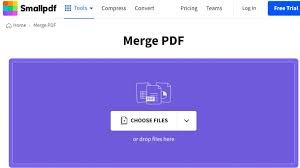
Smallpdf All-in-one PDF tasks Broad feature set with competitive pricing
Adobe Acrobat Professional editing Industry standard; advanced controls
PDFsam Open-source basics Free core merging/splitting; lighter on features

Feedback

From G2:
“Intuitive UI and fast results, ideal for frequent PDF tasks.”

From Capterra:
“Solid feature set and reliable performance for daily document tasks.”

FAQs related to PDF Merge Files

  1. Is PDF Merge Files free?
    There is a free tier with basic features; paid plans unlock advanced tools and higher limits.
  2. Does it support OCR?
    Yes, OCR is available on Pro and Business plans.
  3. Is my data secure?
    Yes, data is encrypted in transit and at rest, with privacy controls.

Boost Your PDF Productivity Today

Try PDF Merge Files now to accelerate your document workflows. Merge, split, convert, and manage 100+ tools in one secure, fast platform—designed for real work.

Related Tools