Premiere Assistant – AI-Powered Rough Cut Automation for Adobe Premiere Pro

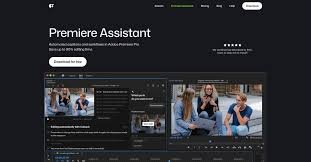
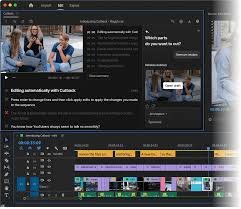
Premiere Assistant brings AI-powered rough cut automation to your Premiere Pro workflow. It transcribes dialogue, removes silence and filler words, and lets you edit by text directly in the timeline.

Quick Facts - About Premiere Assistant

Category AI Productivity
Pricing Freemium
Platform Adobe Premiere Pro (plugin)
Main Features Transcription, Silence Removal, Text Edits, Auto Rough Cut
Best For Editors and content creators
Language Support Multi-language transcription (varies by plan)
Integrations Premiere Pro timeline, project assets
Deployment Desktop plugin

What is Premiere Assistant ?

Premiere Assistant is an AI-powered rough cut automation tool built for Adobe Premiere Pro. It helps editors speed up core tasks by turning dialogue into editable text and offering automated trims.

Premiere Assistant is an AI-powered solution that transcribes, removes silences and fillers, and lets you apply edits by text without leaving Premiere, keeping your project in one place.

Description

1. Transcription and Search

  • Automatic transcription of spoken content with timestamped text.
  • Search within transcripts to locate scenes quickly.

2. Silence and Filler Removal

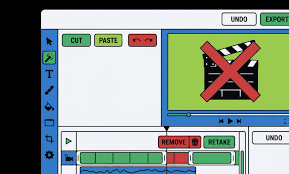
  • Auto-detects and removes pauses and filler words to tighten pacing.
  • Preserves natural speaking style with optional preserves.

3. Text-Based Editing in Premiere

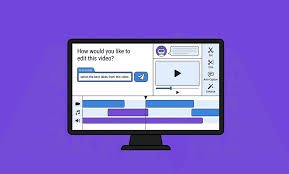
  • Edit the video by editing the transcript; insert, delete, or rearrange with simple commands.
  • Timeline updates in real time as you edit text.

4. Auto Rough Cut

  • Generates a rough cut based on transcript cues and markers.
  • Customizable rules for scene boundaries and transitions.

5. Speaker Labeling and Multilingual Support

  • Identifies speakers where possible and supports multiple languages.
  • Export-ready captions and transcripts.

6. Collaboration and Workflow

  • Share presets, notes, and edits with teammates within Premiere.
  • Supports project-wide export settings and presets.
Reviews

There are no reviews yet.

Be the first to review “Premiere Assistant – AI-Powered Rough Cut Automation for Adobe Premiere Pro”

Pricing & Plans Of Premiere Assistant

Premiere Assistant follows a tiered pricing model designed for individuals and teams. Start with a free tier to test core features, then upgrade for deeper editing capabilities and collaboration.

  • Free: $0 – Basic transcription and trimming with limited monthly minutes.
  • Starter: $9.99 – Full transcription, silence removal, and text edits with moderate usage.
  • Pro: $19.99 – Unlimited exports, advanced text-based edits, and priority support.
  • Team: $49.99 – Collaboration features, shared presets, and admin controls for teams.

Pro's

  • Speeds up rough cut workflow by automating key steps.
  • Transcription and search boost accuracy during editing.
  • In-premiere text-based editing keeps your timeline in one place.

Con's

  • Requires an active Premiere Pro subscription for full use.
  • AI-generated transcripts may require manual review for perfect accuracy.

Popular Use Cases of Premiere Assistant

  • Personal projects and vlogs needing fast rough cuts.
  • Marketing videos where quick turnarounds matter.
  • Educational content with captions and searchable transcripts.
  • Documentaries and longer-form videos requiring efficient editing.

Alternatives of Premiere Assistant

Tool Best For How It Compares
Descript Transcription-first editing Not embedded in Premiere; editing happens in Descript
Frame.io Collaboration & review Excellent for team feedback, but lacks in-app AI rough cut within Premiere
Blackmagic Resolve Studio All-in-one editor Different workflow; no native Premiere plugin for AI rough cuts

Feedback

From G2: ‘Game-changing workflow for editors using Premiere Pro; saves hours per project.’

From Capterra: ‘AI-assisted rough cuts save time and reduce tedious edits for editors.’

FAQs related to Premiere Assistant

  1. What is Premiere Assistant?
    Premiere Assistant is an AI-powered rough cut automation tool for Adobe Premiere Pro that transcribes, removes silences and filler words, and edits by text inside Premiere.
  2. Does it work inside Premiere Pro?
    Yes, it integrates directly into your Premiere Pro workflow, no external apps required.
  3. What formats are supported?
    Supports common video formats for import and export within Premiere Pro.

Boost Your Editing Speed with AI in Premiere Pro

Try Premiere Assistant today and cut rough cut time in half with AI-powered transcription, silence removal, and text-based editing—right inside Premiere Pro.

Related Tools