
PhotoAny – AI Image Toolkit for Fetch, Crop, Convert and ID Photo AI

PhotoAny is a free online AI-powered image toolkit designed to simplify everyday photo tasks. Fetch images, crop precisely, convert formats, and generate compliant ID photos with country-specific sizes, all in a single browser experience.

Quick Facts - About PhotoAny

Category AI Productivity Tool
Pricing Freemium
Platform Web
Main Features Fetch, crop, convert, ID photo AI, background removal, instant downloads
Best For Individuals, students, small teams
Language Support English, Spanish, French
Integrations No external integrations
Deployment Web-based

What is PhotoAny ?

PhotoAny is an AI-powered image toolkit that streamlines common photo tasks in a single web app. It combines fetch, crop, convert, and ID photo generation with intelligent background removal for clean, ready-to-use images. It is designed for students, professionals, and small teams who want fast, reliable image workflows without software installs.

Description

1. Image Fetch and Quick Cropping

  • Fetch images from URLs or paste links for fast sourcing.
  • Auto-crops to common aspect ratios with precise manual tweaks.

2. Format Conversion and Export

  • Convert between JPG, PNG, and WEBP with adjustable quality.
  • Export directly to your device or clipboard for easy sharing.

3. Country-Specific ID Photo Generator

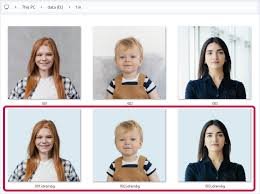
  • AI-powered ID photo creator with presets for multiple countries.
  • Guidance and compliance hints to meet standard document requirements.

4. Background Removal and Edge Refinement

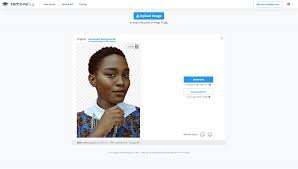
  • Smart background removal for clean subject isolation.
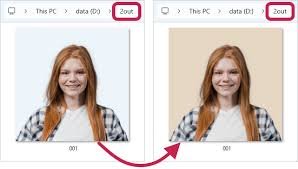
  • Options for solid color or transparent PNG outputs.

5. Image Quality and Metadata Control

  • Preserve or remove EXIF data based on your needs.
  • Automatic sharpness and noise reduction options for web use.

6. Instant Downloads and Sharing

  • One-click downloads in your chosen format and size.
  • Direct share links and quick social-ready exports.

Reviews

There are no reviews yet.

Be the first to review “PhotoAny – AI Image Toolkit for Fetch, Crop, Convert and ID Photo AI”

Pricing & Plans Of PhotoAny

PhotoAny offers a freemium model with core features available for free and optional paid upgrades for advanced ID photo presets and batch processing. Plans provide extended color profiles, higher resolution exports, and priority support.

Pro's

  • All-in-one image toolkit in the browser
  • Country-specific ID photo presets
  • Simple, fast workflows with instant downloads

Con's

  • Requires internet access for all features
  • Advanced features may require paid plans

Popular Use Cases of PhotoAny

  • Personal photo edits and quick image preparation
  • Student ID photo creation to meet country rules
  • Small business image workflows and social media assets
  • Education and training material visuals

Alternatives of PhotoAny

Tool Best For How It Compares
PixExec Image Studio Basic edits Strong cropping and format options, lacks ID photo presets
ClipMage ID Photo ID photos Country presets focused on ID photos, limited general image tools
ImgSwift Online General image edits Versatile, good for quick edits but fewer ID-specific features

Feedback

From ProductHunt: PhotoAny makes image edits surprisingly simple and fast, saving hours of routine tasks.

From TrustPilot: The ID photo presets are accurate and the browser workflow is smooth and reliable.

FAQs related to PhotoAny

  1. Is PhotoAny free to use?
    Yes, there is a free tier with core image tools and limited downloads.
  2. Can PhotoAny create ID photos for different countries?
    Yes, it includes country-specific ID photo presets and sizing guidance.
  3. Do I need to install software?
    No, PhotoAny runs directly in your web browser.

Start creating high-quality images today

Try PhotoAny now to fetch, crop, convert, and generate ID photos with country-specific sizes — all in one fast, browser-based workflow. No download required, just instant results.

Related Tools