
Selects – AI Video Generation Tool for Fast Auto-Editing Prep

Selects is an AI-powered video prep tool that auto-syncs, organizes, and trims footage into a ready-to-edit timeline in seconds, helping editors, creators, and teams save hours.

Quick Facts - About Selects

Category AI Video Generation
Pricing Subscription-based with Freemium entry
Platform Web-based SaaS
Main Features Auto-sync, Auto-organize, Smart cuts, Timeline export, Collaboration
Best For Editors, content creators, marketing teams
Language Support UI in English; captions/transcripts in multiple languages
Integrations Exports to Premiere Pro, Final Cut Pro, DaVinci Resolve
Deployment Cloud-based

What is Selects ?

Selects is an AI-powered video prep tool that automatically syncs, organizes, and trims raw footage into a ready-to-edit timeline. Selects analyzes clips, aligns audio, and batches sequences so you can move quickly from footage to storytelling. Selects is an AI-powered solution that analyzes clips, matches audio cues, drops in smart cuts, and pre-frames your edit so you can focus on crafting your narrative.

Description

1. Auto-sync and align

  • Automatic syncing across audio and video tracks for perfect alignment.
  • Smart waveform cue detection to keep edits tight and accurate.

2. Intelligent organizing

  • Auto-tagging, labeling, and ordering clips for easy timeline assembly.
  • Visual storyboard view to quickly plan your edit.

3. Precision cutting

  • Smart cuts based on action, dialogue, and pacing cues to reduce filler footage.
  • Batch cutting to generate an initial timeline in seconds.

4. Timeline readiness

  • Automatically generates a clean, export-ready timeline in your preferred format.
  • Preserves edits with robust metadata for seamless collaboration.

5. Collaboration and export

  • Shareable pre-edits for fast team feedback and iteration.
  • One-click export presets to popular editors and platforms.

6. AI insights and suggestions

  • Pacing, shot order, and breathing room recommendations to improve flow.
  • Quality checks for audio levels and color consistency.

Reviews

There are no reviews yet.

Be the first to review “Selects – AI Video Generation Tool for Fast Auto-Editing Prep”

Pricing & Plans Of Selects

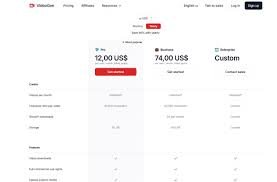
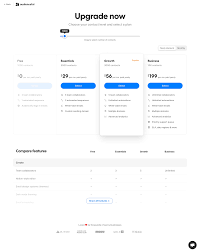
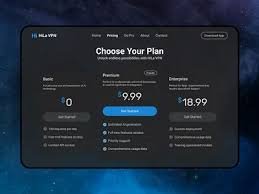
Pricing is subscription-based with a Freemium entry, allowing individuals to try core auto-prep features before upgrading. Plans scale by project quota, export options, and team collaboration.

Pro's

  • Saves editors hours by automating syncing and cutting.
  • Keeps footage organized with smart tagging and sequencing.
  • Facilitates collaboration with shareable pre-edits and presets.

Con's

  • Occasional mis-detections in complex or low-contrast footage.
  • Dependent on cloud processing; offline workflows are limited.

Popular Use Cases of Selects

  • Personal use
  • Business marketing
  • Education and training videos
  • Social media content production

Alternatives of Selects

Tool Best For How It Compares
ClipSync Pro Fast bulk edits Higher automation, fewer manual tweaks
EditFlow AI Story-driven editing Strong narrative cues, but less raw speed
ShotPrep AI Pre-production sequencing Excellent planning tools, lighter on post-edit automation

Feedback

From PlatformName: “Saves hours automating rough cuts and syncing audio quickly for editors.”

From PlatformName: “Intuitive AI that fits workflows for busy content teams and scales across projects.”

FAQs related to Selects

  1. What is Selects?
    Selects is an AI-powered tool that auto-preps footage by syncing, organizing, and cutting into a ready timeline.
  2. Does Selects integrate with major editors?
    Yes, it exports to popular NLEs and supports common file formats for seamless handoffs.
  3. Is there a trial or free plan?
    Yes, there is a Freemium entry that lets you explore core features before upgrading.

Start Auto-Prepping Your Footage Today

Sign up for Selects and experience how seconds of prep turn raw footage into an edit-ready timeline. No more tedious syncing or endless trimming—just faster workflows and better collaboration.

Related Tools