
OpenCode – Terminal AI Coding Assistant for Devs

terminal AI coding assistant OpenCode runs in your CLI to help you write, navigate, and execute code efficiently. It minimizes context switching for developers who work in the terminal and speeds up prototyping.

Category
For Open-source terminal coding agent

Quick Facts - About OpenCode

Category Terminal / CLI Agent
Pricing Free to use with paid plans
Platform Cross-platform (Windows, macOS, Linux)
Main Features OpenCode CLI Agent, prompt-driven coding, terminal integration, BYOM API options, open-source
Best For Developers who code primarily in the terminal
Language Support English UI and prompts
Integrations BYOM API, local tooling
Deployment On-premise or self-hosted via BYOM

What is OpenCode ?

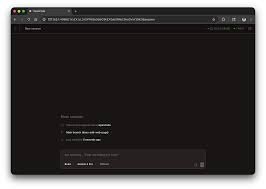
OpenCode is an AI-powered terminal coding assistant that runs inside your command line to help you write code, navigate projects, and execute commands. OpenCode helps developers stay in the terminal workflow, reducing context switching and speeding up prototyping for individuals and teams who live in the shell.

Description

1. OpenCode CLI Agent

  • Runs inside your terminal to assist coding tasks as you type.
  • Supports prompt-driven code generation, navigation, and command execution in the shell.

2. 95K GitHub Stars and Active Community

  • Indicates strong adoption and ongoing development.
  • Enables community plugins, extensions, and quick fixes.

3. Free to Use with BYOM Costs When Needed

  • Core features are free to start; BYOM API usage costs apply for advanced tasks.
  • Easy to upgrade by enabling BYOM API access as your needs grow.

4. Cross-Platform CLI Experience

  • Works on Windows, macOS, and Linux terminals.
  • Integrates with common shells and dev workflows.

5. Open-Source Core

  • Code is accessible for review and customization.
  • Invite contributions and tailor to your project needs.

6. Fast, Lightweight Runtime

  • Designed for quick feedback in terminal loops.
  • Minimal dependencies to install and maintain.
Reviews

There are no reviews yet.

Be the first to review “OpenCode – Terminal AI Coding Assistant for Devs”

Pricing & Plans Of OpenCode

Pricing is usage-based and BYOM API costs apply for extended features.

  • Free: Free to use with core features; BYOM API usage costs apply.
  • Starter: Contact for pricing – Adds optional BYOM API access for small teams.
  • Pro: Contact for pricing – For heavier usage and priority support.
  • Business: Contact for pricing – For teams needing collaboration and governance.
  • Enterprise: Contact for pricing – Scales for large organizations with dedicated support.
  • Team: Contact for pricing – Shared workspace and team features.

Pro's

  • Integrates directly in the terminal, saving context switches
  • Open-source core allows customization and verification
  • Large community presence signals ongoing development
  • BYOM API-based scaling lets you pay for what you use
  • Cross-platform compatibility keeps your workflow consistent

Con's

  • Advanced features rely on BYOM API usage, which adds cost
  • Terminal-based tools may have steeper learning curves for new users

Popular Use Cases of OpenCode

  • A developer uses OpenCode in a Linux terminal to generate boilerplate code for a Python CLI tool.
  • A team automates shell tasks in a Node.js project using OpenCode prompts.
  • An indie developer prototypes new ideas directly in the terminal without leaving the shell.
  • A data scientist preps command-line data processing steps with OpenCode assistance.

Alternatives of OpenCode

Tool Best For How It Compares
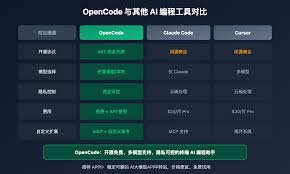
GitHub Copilot AI pair programming in IDEs Copilot integrates with editors; OpenCode focuses on terminal CLI workflow.
Kite Python and JS code completion in editors Kite is editor-focused; OpenCode runs inside the terminal for shell workflows.
Tabnine Broad language support in multiple IDEs Tabnine spans editors; OpenCode emphasizes terminal-based coding.

Feedback

Representative user feedback:
“OpenCode fits my terminal workflow and speeds up coding tasks significantly daily.”

Representative user feedback:
“OpenCode has a solid open-source core, though BYOM usage matters for heavy tasks.”

FAQs related to OpenCode

  1. What is OpenCode and what does it do?
    OpenCode is a terminal-based AI coding assistant that runs in your CLI to help write and manage code.
  2. Can I use OpenCode for free?
    Core features are free to use; BYOM API usage costs apply for advanced tasks.
  3. What platforms does OpenCode support?
    It runs in standard terminals on Windows, macOS, and Linux.
  4. How do BYOM API costs work with OpenCode?
    BYOM API costs are separate and depend on usage of your own model hosting.

Start Coding in Your Terminal Now

Try OpenCode in your workflow today to write faster, stay in the shell, and automate repetitive tasks. See how it fits your coding style and start reducing context-switching right away.

Related Tools