Qwen Code – CLI coding agent for the terminal

CLI coding agent Qwen Code streamlines coding tasks for developers working in the terminal. It automates command workflows and taps Alibaba-backed open-source tooling to save time and reduce manual steps.

Category
For Alibaba’s open-source CLI coding agent

Quick Facts - About Qwen Code

Category Terminal / CLI Agent
Pricing Freemium
Platform Cross-platform (Windows, macOS, Linux)
Main Features Open-source CLI integration; AI-assisted coding in terminal; Command automation; Lightweight agent
Best For Developers who work primarily in the terminal
Language Support Shell languages; supports multiple shells
Integrations Open-source tooling and shell integrations
Deployment Local deployment with optional cloud API

What is Qwen Code ?

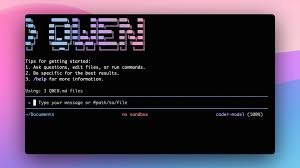
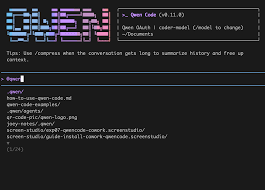
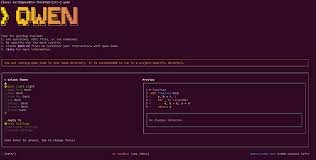
Qwen Code is an AI-powered terminal and CLI agent that runs in your shell to suggest commands, generate code snippets, and automate routine tasks from the command line. It integrates with your shell and uses AI prompts to streamline workflows.

The main problem it solves is reducing context switching and speeding up coding workflows in the terminal, especially for teams relying on automated scripts and template-driven tasks.

Description

1. Terminal Command Automations

  • Automates repetitive shell tasks with smart prompts and templates.
  • Integrates directly into your existing shell workflows to minimize setup.

2. Real-time Code Snippet Generation

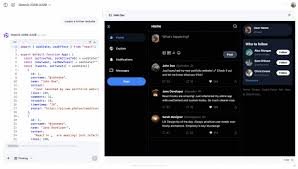
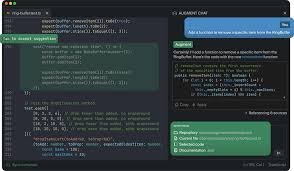
  • Generates code templates and snippets on demand for multiple languages.
  • Helps you scaffold projects faster from the command line.

3. Open-source Alibaba-backed API Access

  • Provides a free API access tier backed by Alibaba to test and scale usage.
  • Leverages cloud-backed capabilities while staying lightweight locally.

4. Lightweight Local Agent

  • Runs as a small footprint process in your terminal without heavy dependencies.
  • Works with common shells like bash, zsh, and fish.

5. Cross-Platform Shell Support

  • Runs on Windows, macOS, and Linux environments.
  • Consistent behavior across different terminals and setups.

6. Easy Template Library and Plugins

  • Offers reusable templates and plugins to accelerate workflows.
  • Can be extended with user-contributed templates to fit team needs.
Reviews

There are no reviews yet.

Be the first to review “Qwen Code – CLI coding agent for the terminal”

Pricing & Plans Of Qwen Code

Pricing starts with a free tier and scales with usage.

  • Free: Free – Basic CLI coding agent features for individuals.
  • Starter: Contact for pricing – Increased API limits and templates for small teams.
  • Pro: Contact for pricing – Higher limits and priority support for growing teams.
  • Business: Contact for pricing – Enterprise-grade features and governance.
  • Enterprise: Contact for pricing – Custom SLAs and on-prem options.
  • Team: Contact for pricing – Collaboration features and role-based access.

Pro's

  • Reduces context switching by running commands directly in the terminal.
  • Free API access provides a no-cost way to test ideas at scale.
  • Works across Windows, macOS, and Linux with common shells.
  • Transparency from open-source backing improves trust and visibility.
  • Low-resource footprint that fits alongside your existing CLI tools.

Con's

  • Has a learning curve for mastering terminal prompts and workflows.
  • Some features depend on network API, limiting offline use.
  • Open-source project activity varies, which can affect long-term support.

Popular Use Cases of Qwen Code

  • Auto-generate boilerplate code for a new CLI project directly from the terminal.
  • Generate deployment and automation scripts while staying in the shell.
  • Prototype data processing pipelines with quick code snippets in place.
  • Practice coding tasks and templates in a terminal-driven workout session.

Alternatives of Qwen Code

Tool Best For How It Compares
GitHub Copilot CLI Official CLI coding agent with deep GitHub integration Strong code completion and ecosystem, but tied to GitHub.
OpenCode Terminal-native AI coding agent with focus on open-source workflows Open-source oriented; may require setup.
Pi-go Lightweight terminal AI coding agent for quick tasks Minimal footprint; fewer features than full agents.

Feedback

Representative user feedback:
“Love the open-source CLI focus, but onboarding could be easier.”

Representative user feedback:
“Free API access makes testing practical for solo devs today.”

FAQs related to Qwen Code

  1. What is Qwen Code and how does it run in the terminal?
    Qwen Code is a terminal-native AI coding agent that runs in your shell to assist with commands, code snippets, and automation.
  2. Is Qwen Code free to use?
    Yes, it includes a free API tier with paid options for higher usage.
  3. What tasks can it automate?
    It can automate repetitive shell tasks, generate code templates, and scaffold project setups from the terminal.
  4. Which platforms and shells are supported?
    It supports Windows, macOS, and Linux with common shells like bash, zsh, and fish.

Start coding in the terminal today

Try Qwen Code now and see how it speeds up terminal workflows and coding tasks. You will get lightweight AI help directly in your shell with a free API tier to test ideas.

Related Tools