Figma AI – AI-powered UI/UX design tool for teams

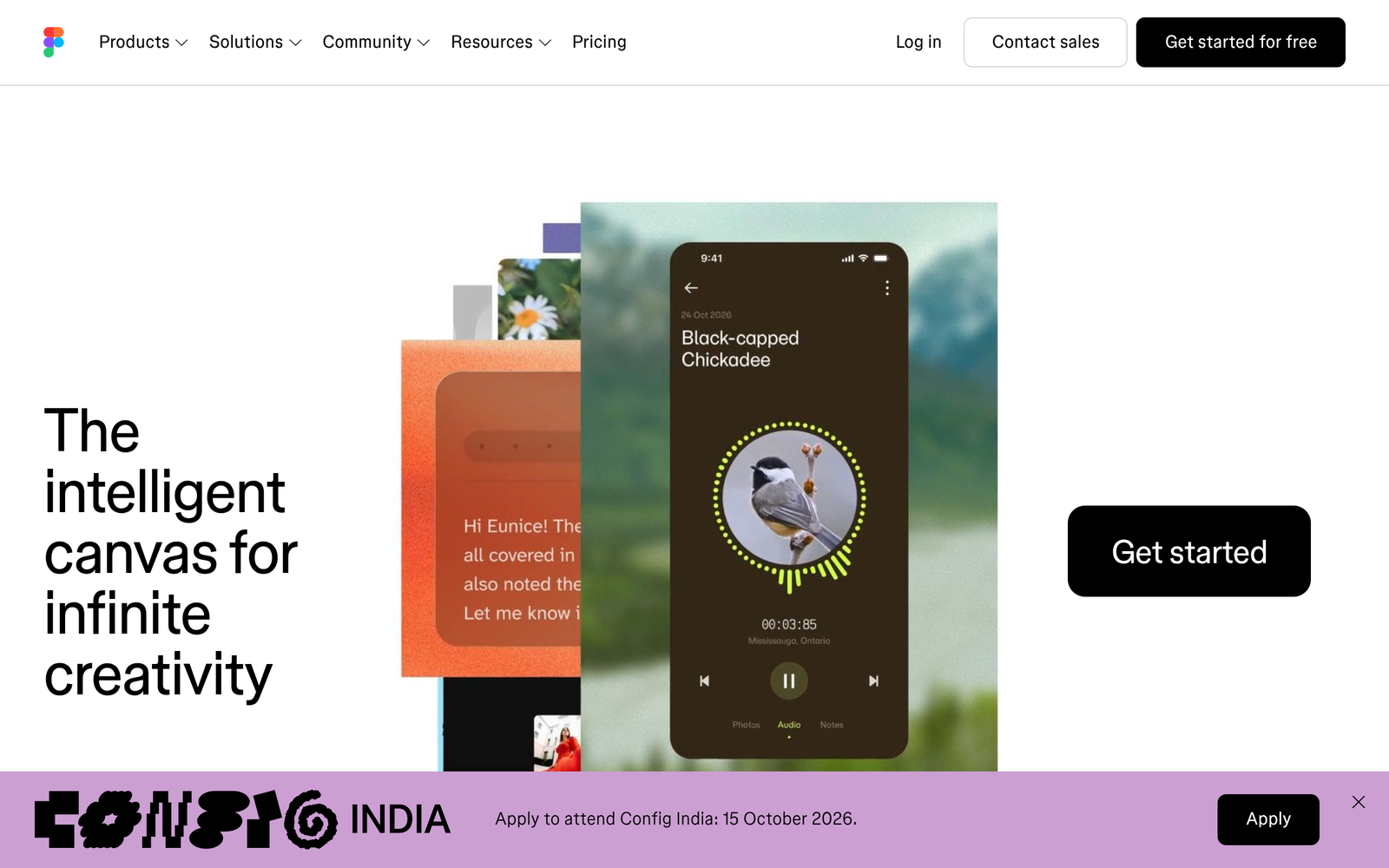
AI-powered UI/UX design tool for teams, Figma AI helps designers create and iterate faster while maintaining brand consistency. It integrates into your existing Figma workflow, offering AI-assisted design suggestions and smart layout refinements.

Category
For AI-augmented professional UI/UX design

Quick Facts - About Figma AI

Category UI/UX Design & Prototyping
Pricing Freemium
Platform Web
Main Features AI-assisted design, real-time collaboration, design system sync, prototyping
Best For Design teams, product designers
Language Support English
Integrations Figma ecosystem, plugins
Deployment Cloud

What is Figma AI ?

Figma AI is an AI-powered UI/UX design tool that blends automation with collaborative design workflows inside the Figma ecosystem. It uses AI to generate design suggestions, rapid prototyping, and smart layout recommendations to speed up workflows. The main problem it solves is helping design teams deliver consistent interfaces faster, while enabling non-designers to contribute ideas without breaking brand guidelines.

Description

1. AI-assisted design generation

  • Generates layout and component suggestions from briefs and existing assets.
  • Remembers brand styles and tokens to propose consistent updates.

2. Real-time collaboration with AI insights

  • Inline AI comments and rationale speed up design reviews.
  • Tracks decisions and suggests alternatives during edits.

3. Auto-layout and responsive previews

  • Automatically adapts layouts for different screen sizes and devices.
  • Live previews with one-click device toggles.

4. Design system sync and tokens

  • Syncs components to a shared design system with tokens for typography and colors.
  • Enforces consistency across all files and teams.

5. Prototyping and handoff automation

  • Generates micro-interactions and transitions for prototypes.
  • Exports specs and assets for developers with notes.

6. Version history and change insights

  • AI-driven change summaries help reviewers understand evolution.
  • Allows quick rollback to previous design states.

7. Integrations and extensions

  • Connects with the Figma plugin ecosystem and popular tools.
  • Supports exporting to multiple formats for handoff.

Reviews

There are no reviews yet.

Be the first to review “Figma AI – AI-powered UI/UX design tool for teams”

Pricing & Plans Of Figma AI

Pricing plans vary by plan and usage.

  • Free: Free – Access core AI UI/UX design features with limited projects and storage.
  • Starter: $15 per seat/mo – Core AI features, shared team libraries, and collaborative tools for small teams.
  • Pro: $45 per seat/mo – Advanced AI design generation, design system support, and enhanced collaboration.
  • Business: Contact for pricing – Scales to larger teams with admin controls and enterprise-grade security.
  • Enterprise: Contact for pricing – Custom terms, SLA, and priority support for large organizations.
  • Team: Contact for pricing – Flexible options for growing design teams with added governance.

Pro's

  • Strong integration with the existing Figma workflow and design systems.
  • AI-assisted generation speeds up ideation and iteration.
  • Real-time collaboration with AI-driven insights improves review cycles.
  • Token and typography enforcement helps maintain brand consistency across files.

Con's

  • Advanced features may require paid plans and larger teams to realize full value.
  • AI suggestions may need human oversight to align with brand voice.
  • Reliance on cloud-based platform may affect offline workflows.

Popular Use Cases of Figma AI

  • Rapidly generate multiple mobile app layout options for a product sprint and gather stakeholder feedback.
  • Synchronize a company-wide design system across dozens of projects with unified tokens.
  • Create AI-assisted wireframes from a user research brief to accelerate discovery sessions.
  • Prototype a new checkout flow with AI-suggested micro-interactions and hand off to developers.

Alternatives of Figma AI

Tool Best For How It Compares
Framer High-fidelity prototyping and interactions Framer excels in interactions; AI features vary by plan compared to Figma AI’s design-system focus
Adobe XD Design systems and cross-platform prototyping Strong ecosystem; AI features not as integrated into a single workflow as Figma AI
Sketch Lightweight UI design with plugins Great for Mac users; lacks built-in AI-assisted design depth of Figma AI

Feedback

Representative user feedback:
“Design teams love the real-time collaboration and AI suggestions that cut revision time.”

Representative user feedback:
“Admins appreciate the design-system support, but want clearer admin controls and security options.”

FAQs related to Figma AI

  1. What is Figma AI used for?
    It adds AI-assisted capabilities to UI/UX design inside Figma, speeding up ideation and prototyping.
  2. Does Figma AI require paid plans?
    There is a Freemium model; advanced features are available on paid tiers.
  3. Can I use Figma AI with existing design systems?
    Yes, it can sync to your design system and maintain token consistency across files.
  4. How is pricing structured?
    Pricing uses a Freemium model with per-seat paid plans; exact terms vary by plan.

Start designing faster with Figma AI today

Try Figma AI now to see how the AI features blend with your design system, speeding up iterations and keeping brands consistent. You will ship polished interfaces faster and coordinate with teammates more effectively.

Related Tools