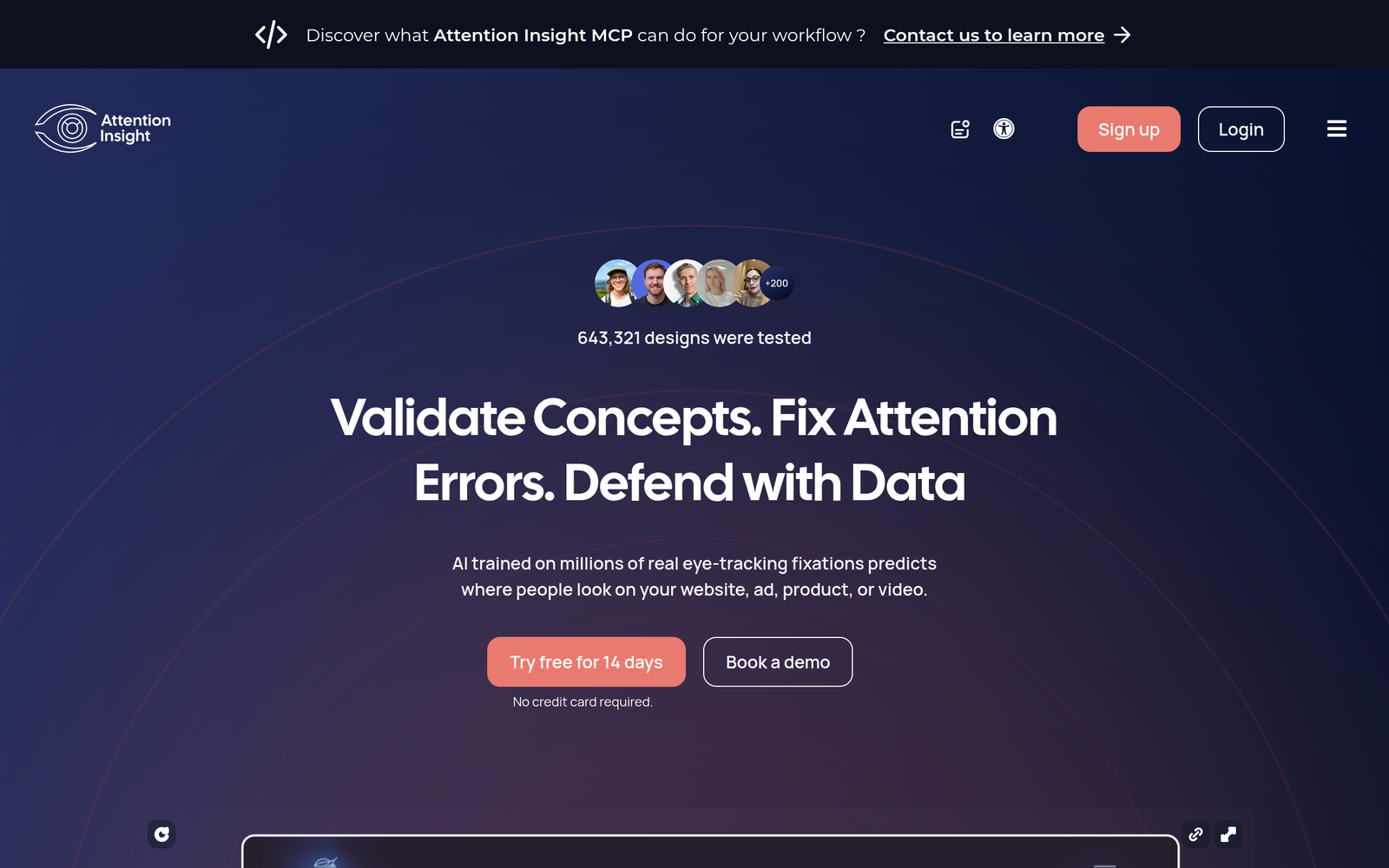
Attention Insight – AI predictive heatmaps for UX design

ai predictive heatmaps reveal where users look on your designs before live testing. Attention Insight helps UI/UX teams anticipate attention hotspots, speeding iteration and improving design decisions.

Category
For AI predictive heatmap for designs before testing

Quick Facts - About Attention Insight

Category UI/UX Design & Prototyping
Pricing Freemium
Platform Web
Main Features AI-driven heatmaps; Cross-device attention modeling; Exportable visuals; Design-tool integrations; Collaboration features; Real-time previews
Best For UI/UX designers, product teams, usability researchers
Language Support English
Integrations Figma, Sketch, Adobe XD
Deployment Cloud-based SaaS

What is Attention Insight ?

Attention Insight is an AI-powered tool that generates predictive heatmaps to simulate eye-tracking attention on designs. It analyzes visual elements, layouts and contrasts to forecast where users will focus, helping teams prioritize changes before usability tests.

The main problem it solves is reducing the need for early usability studies by providing a data-backed view of attention hotspots, benefiting UI/UX designers, product teams and researchers.

Description

1. AI-driven heatmap generation

  • Generates predictive heatmaps that estimate attention distribution on your designs before testing.
  • Works with multiple design formats and layout variants to compare attention patterns.

2. Cross-device attention modeling

  • Predicts attention across desktop, tablet, and mobile layouts.
  • Helps optimize responsive design and prioritization of elements across devices.

3. Exportable visuals and reports

  • Export heatmap visuals in PNG or SVG for presentations.
  • Includes shareable reports with hotspot annotations for stakeholders.

4. Design tool integrations

  • Connects with popular design tools to import designs quickly.
  • Supports smooth workflow without leaving your design app.

5. Collaboration and sharing

  • Team workspaces let members review insights together.
  • Annotations and task assignments help track design changes.

6. Real-time iteration previews

  • Live previews update as you tweak layouts, speeding iteration.
  • Helps validate attention shifts before testing rounds.
Reviews

There are no reviews yet.

Be the first to review “Attention Insight – AI predictive heatmaps for UX design”

Pricing & Plans Of Attention Insight

Flexible pricing with a Free tier and usage-based plans for individuals and teams.

  • Free: $0 – Basic heatmaps and limited exports for individuals.
  • Starter: Contact for pricing – Expanded access and higher limits for small teams.
  • Pro: $39/mo – Full predictive heatmaps and team collaboration.
  • Business: Contact for pricing – Scaled features for growing teams and workflows.
  • Enterprise: Contact for pricing – Custom SLA and advanced security.
  • Team: $89/mo – Multi-user access with centralized sharing and admin controls.

Pro's

  • Predicts attention hotspots before testing to guide design changes.
  • Exports visuals and reports for stakeholder reviews.
  • Supports multi-device layouts to optimize responsive design.
  • Team collaboration features simplify review and feedback.

Con's

  • AI heatmaps are predictions and not a substitute for real user testing.
  • Some advanced features may require higher-tier plans.

Popular Use Cases of Attention Insight

  • Before launching a new landing page, visualize which sections will attract attention and adjust layout accordingly.
  • Compare multiple hero section designs to identify attention hotspots and best performing layout.
  • Preview mobile layout variants to ensure critical actions stay above the fold.
  • Share heatmap insights with stakeholders to justify design decisions.

Alternatives of Attention Insight

Tool Best For How It Compares
Hotjar General heatmaps and recordings Offers classic heatmaps and session data but lacks AI predictive heatmaps for pre-testing.
Crazy Egg Visual analytics for websites Strong heatmapping features with overlays but not AI-driven pre-testing heatmaps.
UXCam Mobile app analytics Focuses on mobile UX with session replay, not primarily AI predictive heatmaps for design pre-testing.

Feedback

Representative user feedback:
“Predictive heatmaps save time and guide design tweaks before user tests.”

Representative user feedback:
“Helps prioritize changes based on attention hotspots, not just aesthetics.”

FAQs related to Attention Insight

  1. What is Attention Insight and how does it work?
    Attention Insight uses AI to generate predictive heatmaps that simulate where users would look on your designs.
  2. Can I share heatmaps with teammates?
    Yes, export visuals and shareable reports for collaboration.
  3. What platforms does it support?
    It is web-based and works with standard design workflows across desktop and mobile.
  4. Is the tool suitable for mobile app design?
    Yes, it can model attention across mobile layouts and responsive designs.

Start predicting attention today

Try Attention Insight now to preview where users focus before testing. See attention hotspots on your layouts and iterate quickly with clear, data-backed guidance. Start optimizing designs today.

Related Tools