Freepik AI Suite – AI design generator with 200M+ stock photos and vectors

ai design generator powers Freepik AI Suite, delivering quick visuals from templates and stock assets. This tool targets designers, marketers, and content creators who need branded imagery fast. With 39+ AI models and a unified stock library, it speeds up creative workflows.

Category
For AI generator + 200M+ stock photo/vector library

Quick Facts - About Freepik AI Suite

Category Graphic Design & Editing
Pricing Freemium
Platform Web
Main Features 39+ AI models; 200M+ stock library; unified AI + stock; brand kits; templates
Best For Design professionals, marketers, content creators
Language Support Multiple languages
Integrations Export to common formats; design workflows
Deployment Cloud-based

What is Freepik AI Suite ?

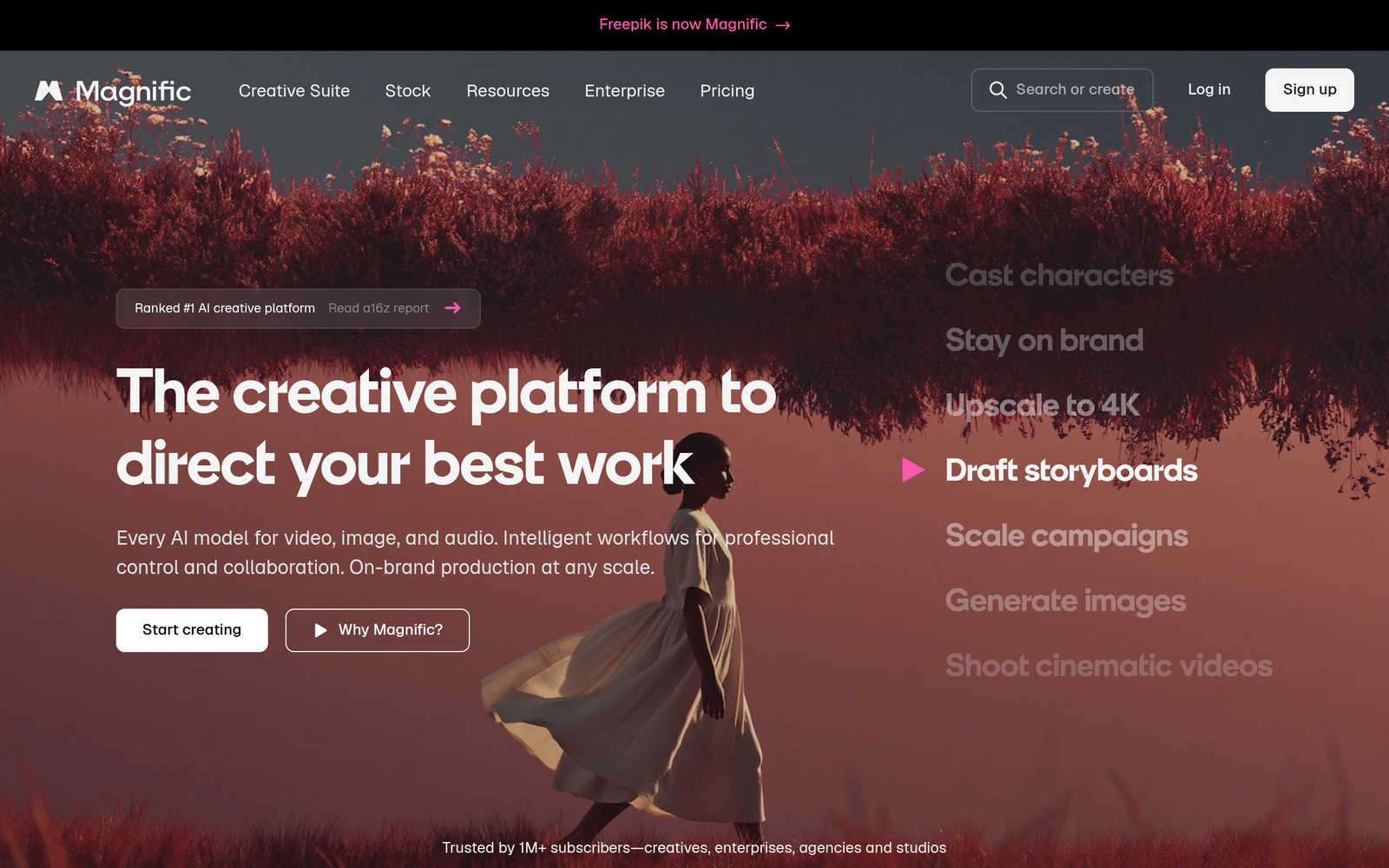
Freepik AI Suite is an AI-powered design platform that blends an ai design generator with access to a vast stock library in one subscription.
It uses 39+ AI models, including Flux, Imagen, and Kling, to create, edit, and customize visuals quickly. The main problem it solves is time-strapped design work; it helps designers, marketers, and content creators speed up asset production.

Description

1. 39+ AI models in one subscription

  • Access Flux, Imagen, Kling and more to generate, edit, and stylize visuals.
  • Combine models for varied results across banners, social posts, and product shots.

2. 200M+ stock photos and vectors

  • Huge library across categories like people, landscapes, icons, and illustrations.
  • Licensed assets that can be filtered to fit brand guidelines.

3. All-in-one design suite

  • One subscription covers AI generation and stock library access.
  • Streamlines asset creation without juggling multiple tools.

4. Brand kits and presets

  • Save brand colors, logos, and typography for consistent visuals.
  • Apply presets to new designs with a single click.

5. Flexible export formats and resize

  • Export PNG, JPG, SVG and vector formats for different channels.
  • Auto-resize for social, web, and print formats.

6. Templates and auto-suggestions

  • Curated templates kick off projects and accelerate design.
  • AI suggestions optimize layout, color, and asset choices from briefs.
Reviews

There are no reviews yet.

Be the first to review “Freepik AI Suite – AI design generator with 200M+ stock photos and vectors”

Pricing & Plans Of Freepik AI Suite

Pricing plans start with a Freemium tier and paid upgrades.

  • Free: Free – Access starter AI features with limited stock library.
  • Starter: $9/mo – Core AI models and a broader stock library for small teams.
  • Pro: $19/mo – Full model access and premium stock assets for advanced workflows.
  • Business: Contact for pricing – Expanded licenses and collaboration tools for teams.
  • Enterprise: Contact for pricing – Scalable deployment with enterprise-grade security.
  • Team: Contact for pricing – Shared licenses and admin controls for multiple designers.

Pro's

  • Consolidates AI generation and stock access in one subscription.
  • Access to 39+ AI models from Flux, Imagen, Kling and more.
  • Massive 200M+ asset library speeds up asset discovery.
  • Brand kits and presets ensure consistent visuals across campaigns.

Con's

  • Stock licenses may limit certain commercial uses without proper licensing.
  • AI outputs may need manual tweaks for brand alignment.
  • Cost can rise for teams with heavy usage.

Popular Use Cases of Freepik AI Suite

  • A freelancer generates social media banners for a client campaign in one session.
  • A marketing team builds a branded landing page hero and product images for a product launch.
  • A small retailer creates uniform product thumbnails for an e-commerce catalog.
  • A web designer tests multiple color and layout variations for a marketing landing page.

Alternatives of Freepik AI Suite

Tool Best For How It Compares
Canva Small businesses and social media Offers extensive templates and stock assets with integrated AI features for quick designs.
Adobe Firefly Professionals needing high-quality AI art Deep integration with Adobe ecosystem and vector formats for scalable outputs.
PicMonkey Quick social graphics Simple editing with built-in stock library and fast export options.

Feedback

Representative user feedback:
“Users want quick access to both AI generation and stock assets in one place.”

Representative user feedback:
“Teams need clear licensing and straightforward pricing for asset usage.”

FAQs related to Freepik AI Suite

  1. What is Freepik AI Suite best used for?
    It helps designers generate visuals and access stock assets in one subscription.
  2. Does Freepik AI Suite offer a free plan?
    Yes, a Freemium model with a free tier and optional paid upgrades.
  3. Which AI models are included?
    It includes 39+ models such as Flux, Imagen, Kling and more.
  4. Can I export assets in multiple formats?
    Yes, you can export in common formats like PNG, JPG, SVG and other vector formats.

Start Creating Branded Visuals Today

Try Freepik AI Suite now to generate assets and access millions of stock files in one place. See how quickly you can produce on-brand graphics for campaigns, websites, and social posts.

Related Tools