PhotoDirector AI – AI Photo Editing for Creators

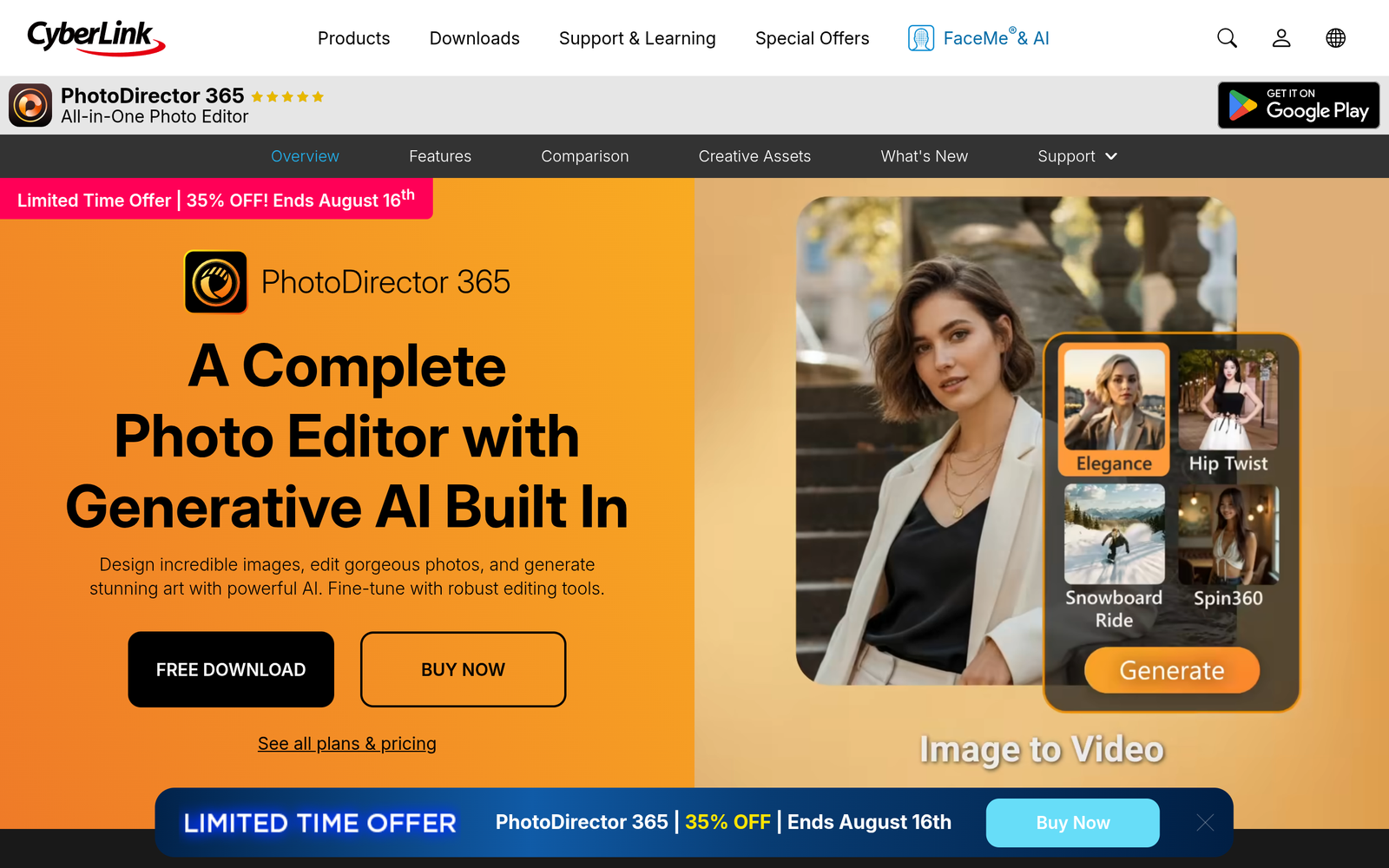
AI photo editing that helps creators craft standout visuals quickly. PhotoDirector AI blends sky replacement, style transfer, and object removal for faster, professional edits.

Category
For AI photo editing + design for creators

Quick Facts - About PhotoDirector AI

Category Graphic Design & Editing
Pricing Freemium
Platform Windows, macOS, Web
Main Features AI sky replacement, style transfer, object removal, AI color grading, batch processing, templates
Best For Creators, photographers, content creators
Language Support English UI; multilingual intent
Integrations CyberLink ecosystem; export to common formats
Deployment Desktop and cloud-based processing

What is PhotoDirector AI ?

PhotoDirector AI is an AI-powered image editing and design tool that uses machine learning to automate ai photo editing tasks such as sky replacement, style transfer, and object removal. It analyzes your photos, applies intelligent edits, and lets you fine-tune results in minutes.

This solves slow, manual edits and inconsistent looks, especially for creators, influencers, and small studios who need quick turnaround.

Description

1. Sky Replacement

  • Replace skies with realistic lighting and weather effects to match your scene.
  • Fine tune edges and color to blend seamlessly with the foreground.

2. Object Removal

  • Remove unwanted elements without artifacts or halo effects.
  • Preserve texture and lighting so the edit looks natural.

3. Style Transfer

  • Apply artistic or brand looks with one click.
  • Adjust intensity to balance realism and creativity.

4. AI Color Grading and Tone Mapping

  • Automatically balance exposure, contrast, and color across images.
  • Fine tune shadows, highlights, and vibrance with guided controls.

5. Batch Processing and Workspace Automation

  • Process multiple photos in one go to save time.
  • Save presets for consistent looks across campaigns.

6. Design Elements and Templates

  • Add text, overlays, and templates tailored for creators.
  • Export optimized social-ready sizes and formats.
Reviews

There are no reviews yet.

Be the first to review “PhotoDirector AI – AI Photo Editing for Creators”

Pricing & Plans Of PhotoDirector AI

Pricing plans include:

  • Free: Free – Basic AI editing with limited exports.
  • Starter: $4.99/mo – Core AI features and standard exports.
  • Pro: $7.49/mo – Full AI editing suite with unlimited exports and priority support.
  • Team: Contact for pricing – Shared presets and collaboration features for small groups.
  • Enterprise: Contact for pricing – Scaled deployment and governance options.

Pro's

  • Speeds up edits with AI sky replacement, object removal, and color grading.
  • Generates consistent looks across photos with presets and style transfers.
  • Offers templates and design elements tailored for creators.
  • Batch processing saves time on large shoots.

Con's

  • Some edits may require manual touch-ups for complex scenes.
  • Results depend on image quality and lighting conditions.

Popular Use Cases of PhotoDirector AI

  • Create a social media header image with a new sky and branding style.
  • Retouch product photos by removing distractions and applying a clean look.
  • Apply a consistent brand look to a photo series using style transfer.
  • Produce marketing assets with templates and ready-to-export sizes.

Alternatives of PhotoDirector AI

Tool Best For How It Compares
Luminar AI Photographers seeking creative AI effects Focused on artistic AI editing with a simpler interface than full Photoshop.
Adobe Photoshop Comprehensive professional editing Offers broad features and control; higher learning curve; AI features complement tasks.
ON1 Photo RAW RAW editing with integrated AI Strong RAW workflow with AI tools; different UX and export options.

Feedback

Representative user feedback:
“AI sky replacement works surprisingly well for quick social media posts.”

Representative user feedback:
“Style transfer and object removal save hours per project.”

FAQs related to PhotoDirector AI

  1. What can PhotoDirector AI edit?
    It can replace skies, remove objects, apply style transfers, and perform AI color grading for a consistent look.
  2. Is there a free version?
    Yes, there is a Free plan with limited features; paid plans unlock the full AI editing suite.
  3. Can I batch edit photos?
    Yes, PhotoDirector AI supports batch processing to apply edits to multiple photos at once.
  4. What export formats are supported?
    Export options include JPG, PNG, and TIFF with social-ready presets.

Start AI Editing with PhotoDirector AI Today

Try PhotoDirector AI now and get social-ready images in minutes. You will speed up edits, keep consistent looks across projects, and publish faster.

Related Tools