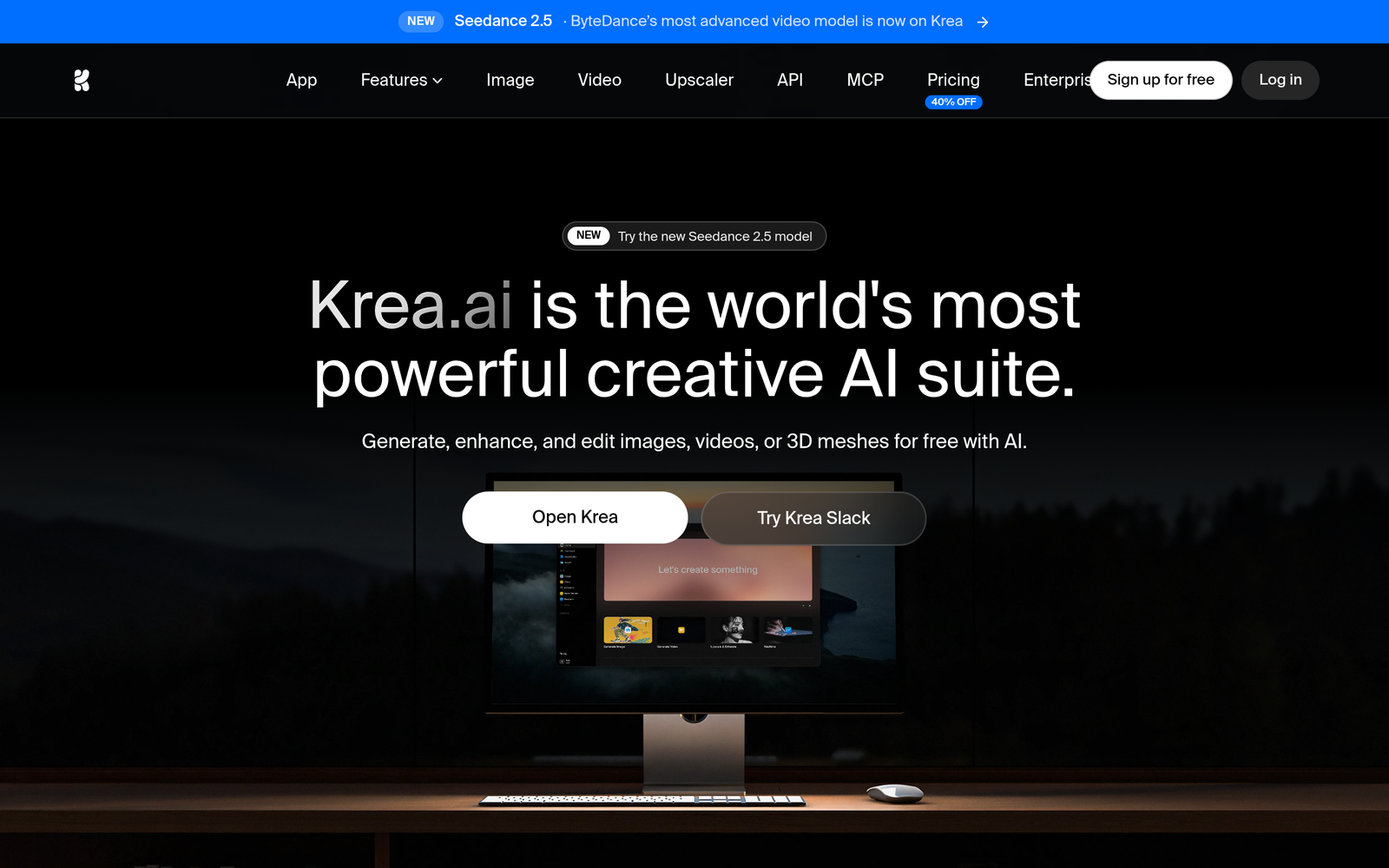
Krea AI – Real-time AI image generation for concept design

Real-time AI image generation powers Krea AI live sketch-to-design canvas, helping graphic designers prototype concepts quickly. It pairs a responsive canvas with instant visuals to speed up concept exploration.

Category
For Real-time AI image generation & design canvas

Quick Facts - About Krea AI

Category Graphic Design & Editing
Pricing Freemium
Platform Web
Main Features Real-time rendering, live canvas
Best For Concept designers and studios
Language Support English
Integrations None listed
Deployment Cloud

What is Krea AI ?

Krea AI is an AI-powered graphic design assistant that blends real-time AI image generation with a live sketching canvas. It lets you rough out ideas and see them materialize as you draw, adjusting composition, color, and style on the fly.

The main problem it solves is slow iteration during early design stages, and it benefits freelance designers, design teams, and product managers who need visual ideas fast.

Description

1. Real-time Sketch-to-Render

  • Converts rough sketches into rendered visuals as you draw.
  • Speeds concept exploration by showing immediate results.

2. Concept Canvas with Live Preview

  • Canvas updates in real time as you sketch, no manual refresh.
  • Helps compare layout options side by side.

3. Adjustable Styles and Color Palettes

  • Switch styles (minimal, bold, flat, etc.) and palettes instantly.
  • Supports brand color syncing for quick iterations.

4. Instant Asset Library and Text Integration

  • Suggests stock shapes, textures, and typography aligned with your concept.
  • Adds text with auto-wrapping and spacing tips.

5. Export and Handoff to Designers

  • Exports PNG/SVG assets and project notes for developers.
  • Generates specs and asset lists for handoff.

6. Real-time Collaboration

  • Multiple editors can sketch and view updates in real time.
  • Includes comments and versioning to track changes.
Reviews

There are no reviews yet.

Be the first to review “Krea AI – Real-time AI image generation for concept design”

Pricing & Plans Of Krea AI

Pricing is tiered with a free entry and paid options for teams and power users.

  • Free: Free – Basic access with limited features.
  • Starter: $10/mo – Entry paid tier with more exports and options.
  • Pro: $35/mo – Full feature set for individuals and solo teams.
  • Business: Contact for pricing – Collaboration and admin features for teams.
  • Enterprise: Contact for pricing – Scales with large organizations and SLA needs.
  • Team: Contact for pricing – Shared assets and multi-user workflows.

Pro's

  • Real-time generation keeps ideas flowing without waiting for renders.
  • Live sketch-to-design canvas speeds up concept exploration.
  • Brand color syncing helps maintain visual consistency across concepts.
  • Easy exports for handoff to developers and designers.
  • Built-in style presets accelerate iteration cycles.

Con's

  • Advanced features may require paid plans, limiting free users.
  • Real-time rendering can be resource-intensive on lower-end systems.
  • Learning curve for non-designers to get the most from the canvas.

Popular Use Cases of Krea AI

  • Freelance designer quickly prototypes a mobile app UI with live visuals as they sketch.
  • Marketing team iterates a landing page hero image using real-time concept exploration.
  • Product manager tests multiple feature illustrations during roadmapping sessions.
  • Animation team storyboards visuals for video projects using instant renders.

Alternatives of Krea AI

Tool Best For How It Compares
Canva General graphic design with AI features Easy to use and template-driven, but lacks a dedicated live sketching canvas in real time.
Figma Collaborative UI/UX design Strong collaboration; AI image generation is not its core focus, and live sketching is limited.
Adobe Firefly Generative AI for images Powerful AI generation; deeper integration with Adobe apps, but not focused on live sketch canvas collaboration.

Feedback

Representative user feedback:
“Real-time generation speeds ideation, but complex assets can slow output.”

Representative user feedback:
“Great live canvas for concept exploration, yet some features feel behind a paywall.”

FAQs related to Krea AI

  1. What is Krea AI best for in graphic design?
    It speeds early-stage concept visuals by generating real-time renderings from sketches.
  2. Can I export assets from Krea AI?
    Yes, you can export PNG/SVG assets and notes for handoff.
  3. Does Krea AI support collaboration?
    Yes, multiple users can sketch and comment on the same canvas in real time.
  4. What plans are available?
    Freemium access with paid Pro/Max options; pricing details vary by plan.

Start sketching with real-time AI generation now

Try Krea AI today to turn rough sketches into evolving visuals. See how concept ideas flow from your pencil to polished designs without leaving the canvas.

Related Tools