Slidesgo AI – ai presentation maker for educators

ai presentation maker Slidesgo AI helps educators create polished slides fast. It offers a free tier and a large template library to speed up lesson design.

Category
For Free AI presentation maker for educators

Quick Facts - About Slidesgo AI

Category Presentation Design
Pricing Free (Free to use with paid plans)
Platform Web
Main Features Template library, AI design tips, easy editor
Best For Educators and creators needing quick slide templates
Language Support English
Integrations None
Deployment Web-based

What is Slidesgo AI ?

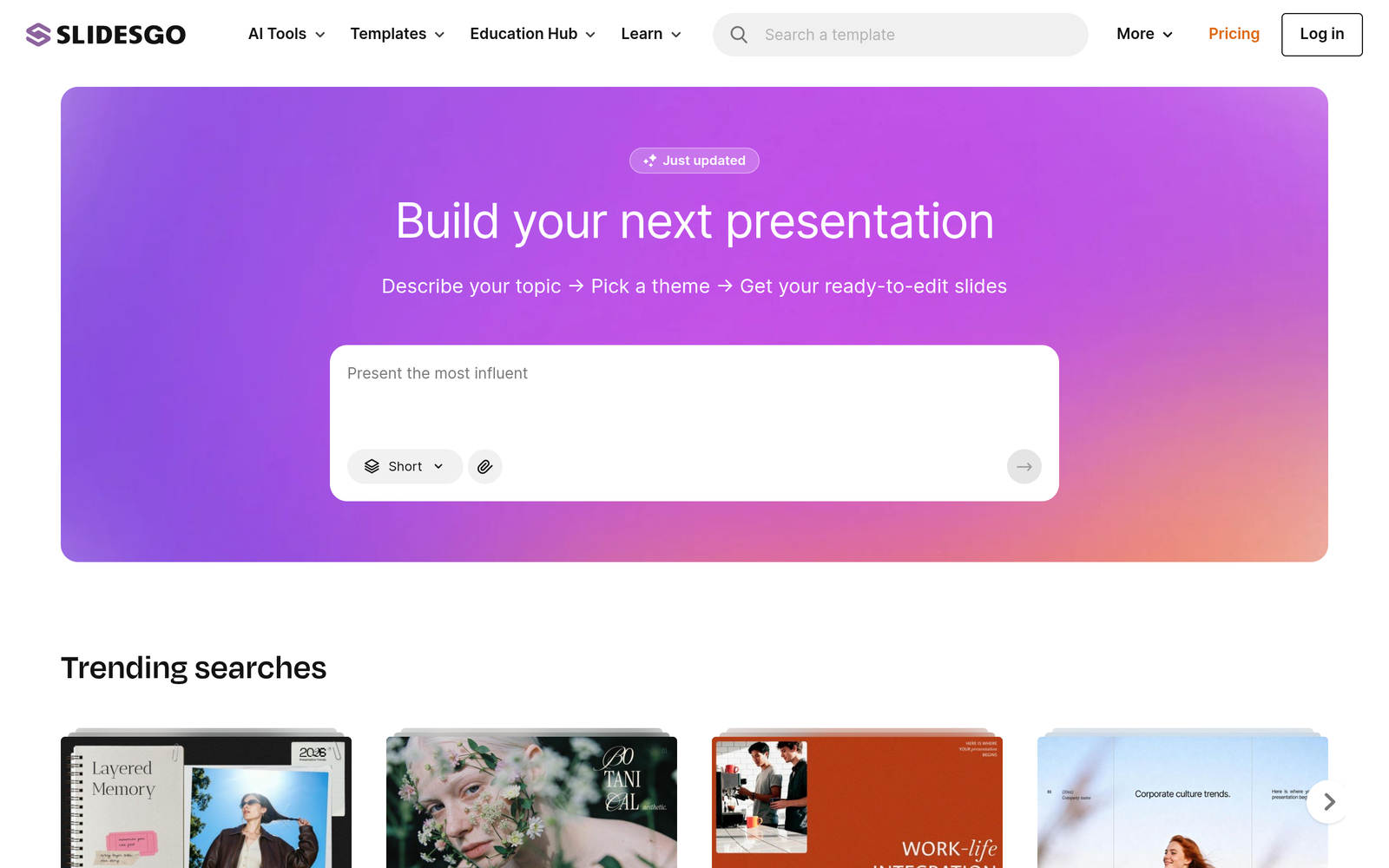
Slidesgo AI is an AI-powered tool that helps users design presentations by generating slide templates and visuals from a vast library of templates.

It solves the time crunch for educators and creators who need ready-made slides for lessons, meetings, and pitches, helping them produce consistent, professional visuals quickly.

Description

1. Huge template library

  • Access to a vast set of slide templates suitable for lessons, lectures, and workshops.
  • Templates span multiple topics and presentation styles, updated regularly.

2. Free educator tier

  • Free tier available for teachers and creators to use in classrooms.
  • Core templates and features are accessible without payment.

3. AI-powered design suggestions

  • Automatic layout and theme recommendations based on your content.
  • Helps maintain cohesion and a professional look across slides.

4. Simple customization and export options

  • Easy editing tools to adjust text, images, and colors without starting from scratch.
  • Exports to common formats for classroom sharing and presenting.

5. Classroom-ready templates and collaboration

  • Templates tailored for education workflows and lesson pacing.
  • Collaboration features let you share and co-edit with teammates.
Reviews

There are no reviews yet.

Be the first to review “Slidesgo AI – ai presentation maker for educators”

Pricing & Plans Of Slidesgo AI

Pricing starts with a Free tier and offers Premium options for educators and teams.

  • Free: Free – Core templates and features for educators.
  • Starter: Contact for pricing – Expanded template access for small classes.
  • Pro: Contact for pricing – Advanced design tools and faster exports.
  • Business: Contact for pricing – Collaboration features and priority support.
  • Enterprise: Contact for pricing – Large-scale deployment and admin controls.
  • Team: Contact for pricing – Shared workspaces for multiple authors.

Pro's

  • Huge template library speeds up slide creation for any topic.
  • Free tier lets educators prototype without paying.
  • AI-powered design suggestions improve visual consistency quickly.
  • Built-in editing tools simplify customization and branding.
  • Export options support classroom sharing and offline use.

Con's

  • Advanced analytics and team admin features may require paid plans.
  • Some templates may require a paid upgrade for premium assets.
  • Offline editing is limited compared to desktop-only tools.

Popular Use Cases of Slidesgo AI

  • A high school teacher creates a weekly lesson deck using ready-to-use templates.
  • A college lecturer designs a seminar with cohesive visuals in minutes.
  • A corporate trainer builds a series of training slides and shares them with trainees.
  • A research group prepares a conference poster deck using templated layouts.

Alternatives of Slidesgo AI

Tool Best For How It Compares
Canva General graphic design and presentations Strong multi-purpose design platform; Slidesgo AI focuses on education templates and ready-made designs.
Beautiful.ai Automatic slide design Similar auto-layout features; Slidesgo AI emphasizes educator templates and large template library.
Visme Data-driven presentations Excellent for data viz; Slidesgo AI centers on education templates and quick creation.

Feedback

Representative user feedback:
“Educators appreciate the free templates but want more classroom-ready slides.”

Representative user feedback:
“The templates save time, but advanced analytics are sometimes missing.”

FAQs related to Slidesgo AI

  1. What is Slidesgo AI?
    Slidesgo AI is an AI-powered presentation designer that helps create slides from templates and design suggestions.
  2. Is there a free plan?
    Yes, there is a Free tier with core templates and features suitable for educators.
  3. Can I export or share slides?
    Slides can be edited and exported to common formats for presenting in class or meetings.
  4. Does it support collaboration?
    Basic collaboration features are available, with more in higher-tier plans.

Start Creating Ready Slides Today

Try Slidesgo AI now to turn lesson ideas into polished slides. You’ll access a large template library and a free tier to prototype quickly.

Related Tools