Shotsnapp – AI device mockup & screenshot generator

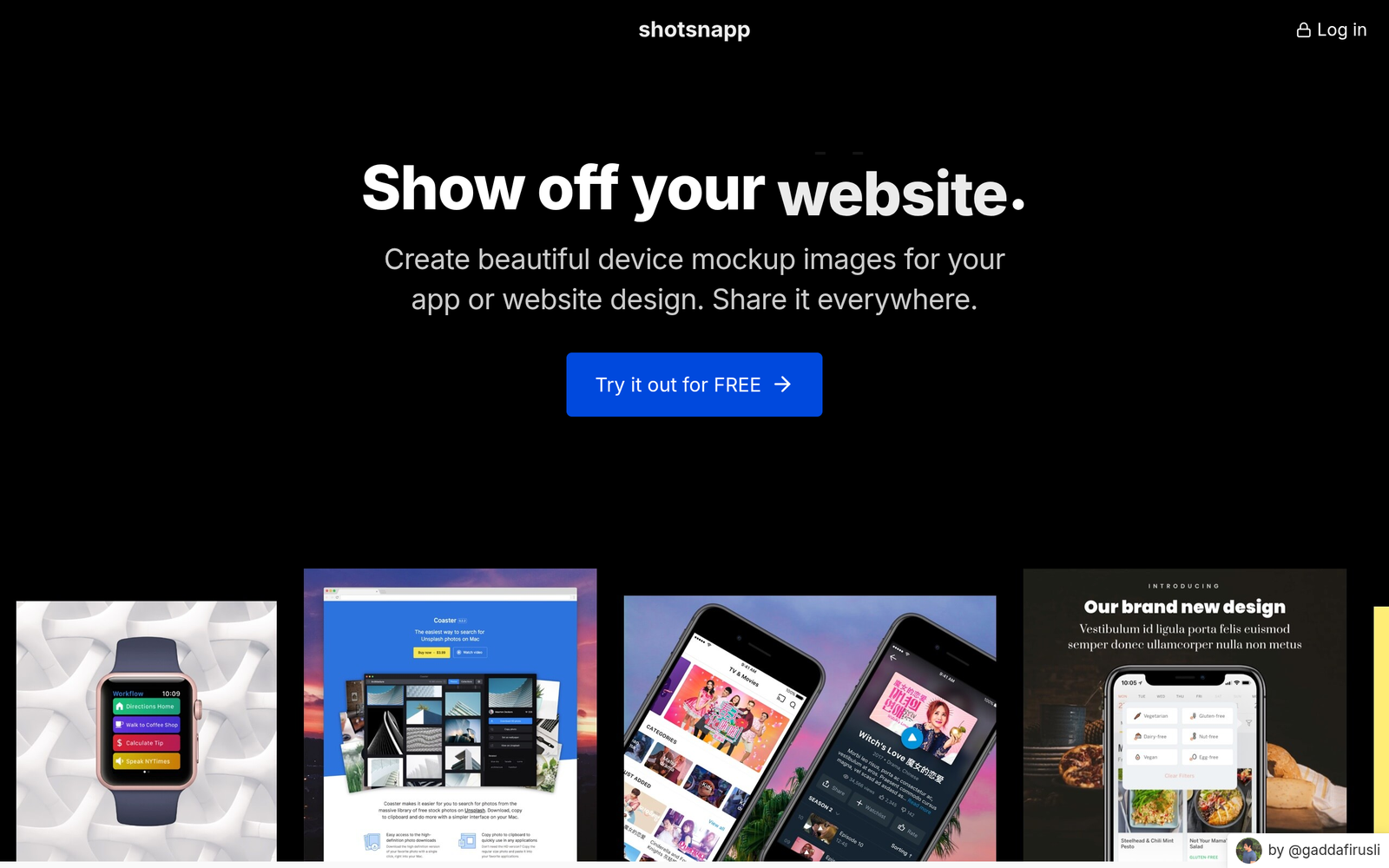
ai device mockup visuals let you design and preview interfaces quickly. Shotsnapp generates device frames and AI backgrounds to speed up mockups for product teams.

Category
For AI device mockup & screenshot generator

Quick Facts - About Shotsnapp

Category Mockup & Wireframing
Pricing Freemium
Platform Web
Main Features AI Backgrounds for Screens, App Store Screenshot Generator, Device Frame Library, Batch Export, Caption Suggestions, Team Sharing
Best For Product designers, startups, design teams
Language Support English
Integrations N/A
Deployment Web-based

What is Shotsnapp ?

Shotsnapp is an AI-powered tool that creates realistic device mockups and AI-generated screenshots. It combines a library of device frames with intelligent background generation to produce visuals that match your app design and branding. The main problem it solves is helping design teams and marketers quickly produce consistent, high-quality visuals for app stores, pitches, and portfolios without needing expert graphic design.

Description

1. AI Backgrounds for Screens

  • Generates AI-powered backgrounds tailored to each device frame.
  • Supports multiple themes and color palettes.

2. App Store Screenshot Generator

  • Produces platform-ready screenshots with proper aspect ratios and safe zones.
  • Includes automatic UI alignment and cropping.

3. Device Frame Library

  • Provides a library of common device frames for realistic previews.
  • Switch frames to compare layouts in seconds.

4. Batch Export and Formats

  • Exports PNG and JPG at high resolution and other formats as needed.
  • Preserves quality across exports.

5. Caption and Text Suggestions

  • AI-assisted captions and descriptions aligned with app store guidelines.
  • Ensures consistent messaging across screenshots.

6. Team Sharing and Collaboration

  • One-click sharing and project exports for teams.
  • Annotate screens and track feedback within the tool.
Reviews

There are no reviews yet.

Be the first to review “Shotsnapp – AI device mockup & screenshot generator”

Pricing & Plans Of Shotsnapp

Shotsnapp uses a Freemium model with a free tier and paid Pro plan.

  • Free: Free – Access to basic AI device mockup features with limited exports.
  • Starter: Contact for pricing – Basic set of features suitable for individuals exploring Shotsnapp.
  • Pro: $9/mo – Full feature access including AI backgrounds, device frames, and batch exports.
  • Business: Contact for pricing – Team collaboration features and priority support.
  • Enterprise: Contact for pricing – Scaled usage and enterprise-grade controls.
  • Team: Contact for pricing – Shared workspaces and advanced sharing options.

Pro's

  • Speeds up visual production by auto-generating device-ready screenshots.
  • AI backgrounds adapt to multiple device frames and themes.
  • One-click exports preserve quality across formats.
  • Prebuilt device frame library for realistic previews.

Con's

  • Free tier has export limits and fewer features.
  • AI background quality depends on prompts and may need tweaks.
  • Web-based tool may require internet connection.

Popular Use Cases of Shotsnapp

  • A startup designs a landing page by generating device mockups and store-ready screenshots.
  • A freelancer builds a portfolio with consistent app visuals for multiple projects.
  • A product marketing team tests different device frames to choose the best presentation.
  • A design team creates promo images for social media and ads using AI backgrounds.

Alternatives of Shotsnapp

Tool Best For How It Compares
Smartmockups Quick device mockups for marketing Broad library, but less emphasis on AI backgrounds for screenshots
Placeit Marketing visuals and templates Versatile templates; not focused on device frames and AI backgrounds
Mockuuup Studio High-quality device mockups Great mockups but lacks AI-generated backgrounds for screenshots

Feedback

Representative user feedback:
“Saves time creating device mockups, but AI backgrounds sometimes need tweaks.”

Representative user feedback:
“Would like more control over background styles and export options.”

FAQs related to Shotsnapp

  1. What is Shotsnapp best used for?
    It helps teams quickly generate device mockups and AI-enhanced screenshots for app store listings and marketing.
  2. Can I export in different formats?
    Yes, you can export high-resolution PNG and JPG images suitable for stores and presentations.
  3. Is there collaboration support?
    Yes, plans include sharing and commenting features to collaborate on mockups.
  4. What about pricing?
    Shotsnapp uses Freemium pricing with a paid Pro tier for full features.

Start crafting AI powered app previews now

Try Shotsnapp today to generate device mockups and AI backgrounds for your next launch. See ready-to-share screenshots that reflect your product and help you test ideas faster.

Related Tools