Blush – ai illustration design tool with AI-mixable illustration styles

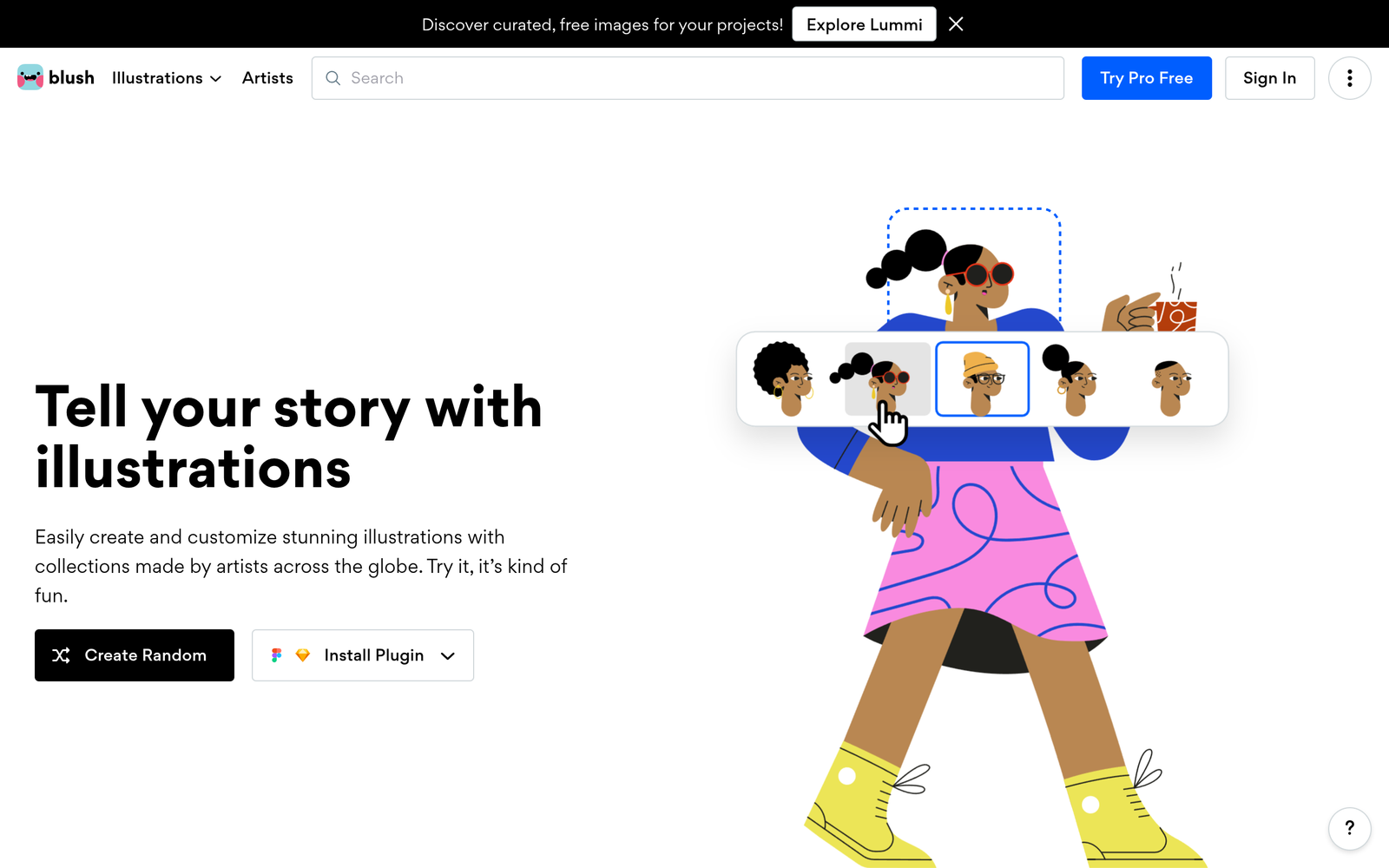
ai illustration design tool Blush lets you mix and match illustration styles from a catalog of artists. It helps designers craft unique icons quickly and explore visuals.

Category
For AI-mixable illustration design tool

Quick Facts - About Blush

Category Icon & Illustration
Pricing Freemium
Platform Web
Main Features Mix-and-match styles; export formats; library of artist styles
Best For Designers and brands creating icons and illustrations
Language Support English
Integrations None listed
Deployment Cloud-based

What is Blush ?

Blush is an AI-powered illustration platform that makes it easy to discover and combine illustration styles from a catalog of artist collaborations to craft custom icons and scenes. It helps teams use ai illustration design tool concepts to create on-brand visuals faster, benefiting product designers, marketers, and small studios.

Description

1. Art style library

  • Choose from a catalog of artist styles and moods.
  • Filter by color, mood, and line weight to refine options.

2. Style mixer

  • Drag and drop layers to compose a unique illustration.
  • Maintain brand consistency with guided palettes and ratios.

3. Export formats

  • Export SVG and PNG assets ready for web and apps.
  • Preserve vector quality and editable elements where needed.

4. Brand templates

  • Apply brand colors and assets to chosen styles for cohesive visuals.
  • Save templates for reuse across projects.

5. Collaboration & sharing

  • Share links for quick feedback and reviews.
  • Track revisions and comment directly on assets.

6. AI style suggestions

  • Get style recommendations that fit your existing palette.
  • Receive layout and color-palette suggestions to speed up design.
Reviews

There are no reviews yet.

Be the first to review “Blush – ai illustration design tool with AI-mixable illustration styles”

Pricing & Plans Of Blush

Pricing starts with a Free tier and Pro option;

  • Free: Free – Basic access with limited styles and exports.
  • Starter: Contact for pricing – More styles and higher export limits.
  • Pro: $9/mo – Full access to all styles, unlimited exports, and priority support.
  • Business: Contact for pricing – Team templates and admin controls.
  • Enterprise: Contact for pricing – Custom options for large teams.

Pro's

  • Access to a vast library of artist-inspired illustration styles.
  • Easy to compose icons and scenes with a visual style mixer.
  • High-quality exports suitable for web and app use.
  • Brand templates help keep visuals consistent across projects.

Con's

  • Library may not have every style you want, requiring mix with external assets.
  • Export limits or features may vary by plan.
  • Online-only access for the asset library and collaboration features.

Popular Use Cases of Blush

  • A product manager creates a cohesive icon set for a new app by mixing artist styles.
  • A marketing designer builds social media visuals matching the brand palette.
  • A startup drafts onboarding illustrations with reusable templates for onboarding screens.
  • A freelancer curates a client portfolio with multiple style options and export-ready assets.

Alternatives of Blush

Tool Best For How It Compares
DrawKit Designers creating modern vector illustrations DrawKit focuses on ready-made vector assets; Blush adds AI-mixable artist styles for custom combos.
Icons8 Teams needing broad icon libraries Icons8 offers a large icon library; Blush emphasizes style-m mixing from artist catalogs.
Noun Project Quick access to diverse icons Noun Project provides many icons; Blush adds illustration styles that can be mixed and matched.

Feedback

Representative user feedback:
“Mixing styles quickly saves time on design projects and briefs.”

Representative user feedback:
“The library is great, but more niche styles would help for varied clients.”

FAQs related to Blush

  1. What is Blush used for?
    Blush is used to create unique SVG/PNG illustrations by mixing styles from a catalog of artists to fit your brand.
  2. What formats can I export?
    You can export vector SVGs and raster PNGs suitable for web and apps.
  3. Is Blush good for teams?
    Yes, teams can share templates and collaborate on illustration sets.
  4. How does pricing work?
    Blush uses a freemium model; Pro access is available at a monthly price, with higher plans for teams.

Start building branded illustrations today

Try Blush now to blend artist styles into a single icon set for your product. You'll speed up design iterations and maintain a consistent brand look.

Related Tools