Rive – AI-assisted interactive motion design

interactive motion design that adapts in real time. Rive lets designers and developers create AI-powered, state-aware animations for apps and web experiences.

Category
For AI-assisted interactive motion design tool

Quick Facts - About Rive

Category 3D & Motion Design
Pricing Freemium
Platform Web-based editor, cross-platform
Main Features Real-time state-driven animations; Visual editor with live preview; Cross-platform export options; Collaboration and versioning; Asset and timeline management; Integration-ready exports
Best For Designers and developers building interactive, state-aware interfaces
Language Support English
Integrations Code export, design systems, handoff tooling
Deployment Cloud-based with local export options

What is Rive ?

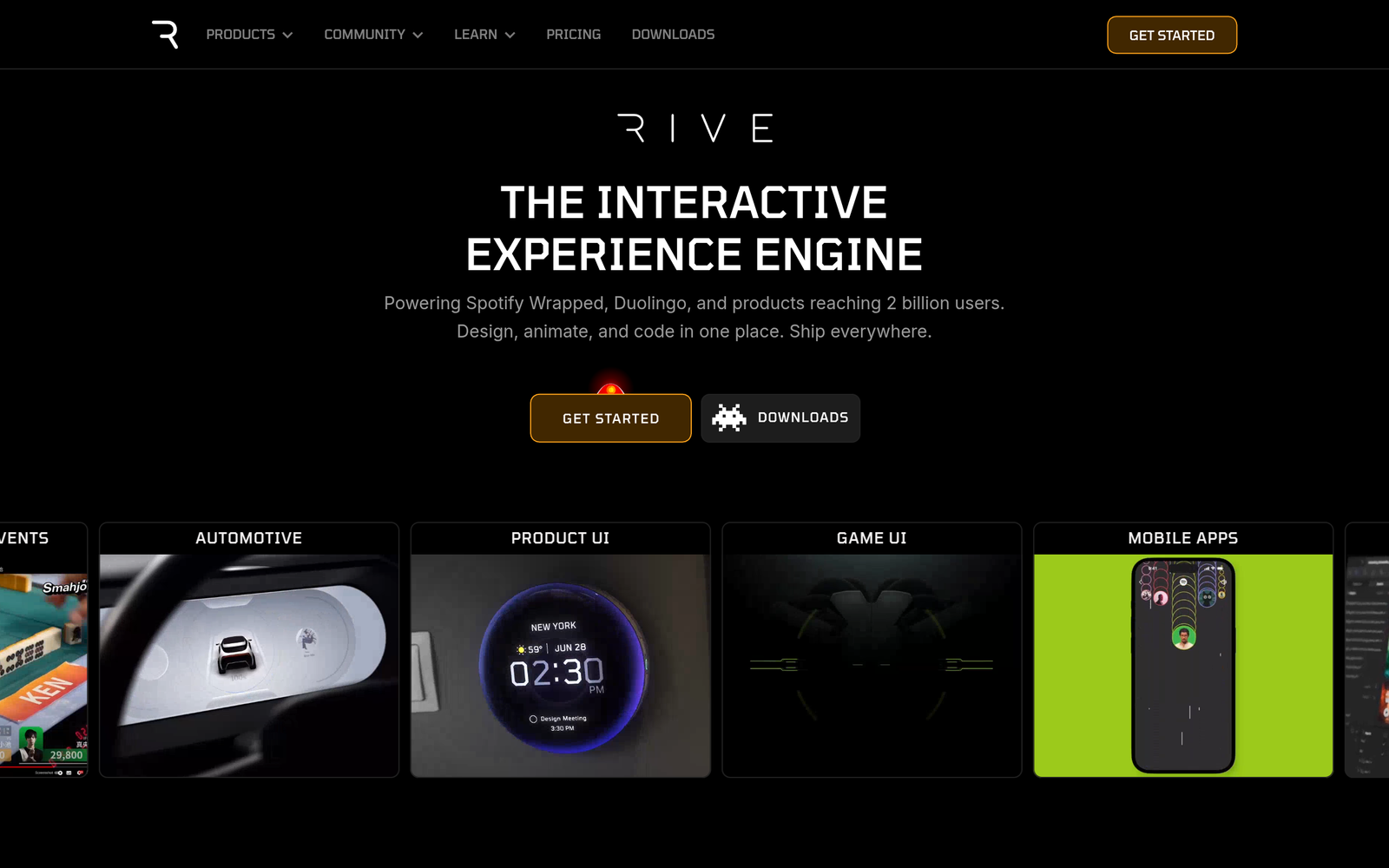
Rive is an AI-powered design tool that lets you craft real-time, interactive animations for apps and products. It uses a visual editor, live preview, and state-aware logic to drive motion based on app state.

The main problem it solves is the mismatch between static motion and changing app states, which slows iteration. Teams building mobile apps, web apps, and product experiences benefit most from faster prototyping of engaging, responsive motion.

Description

1. Real-time state-driven animations

  • Animations respond instantly to app state changes, enabling dynamic UI motion.
  • Works with state machines to map user actions to animation transitions.

2. Visual editor with live preview

  • Drag-and-drop interface for motion without code.
  • Live preview shows edits in real time on desktop and mobile canvases.

3. Cross-platform export options

  • Exports for web, mobile, and product assets.
  • Supports vector-based exports that scale without quality loss.

4. Collaboration and versioning

  • Team comments and version history streamline reviews.
  • Roles and permissions help manage contributors.

5. Asset and timeline management

  • Organize layers, timelines, and states in a single project.
  • Re-use components across scenes to speed work.

6. Integration and handoff friendly

  • Seamless handoff with design systems and engineering tooling.
  • Code export or runtime assets to embed in apps.

Reviews

There are no reviews yet.

Be the first to review “Rive – AI-assisted interactive motion design”

Pricing & Plans Of Rive

Pricing is freemium with paid Team and Enterprise tiers.

  • Free: Free – Access to core features with limits.
  • Starter: Contact for pricing – For growing teams needing more exports and collaboration.
  • Pro: Contact for pricing – For larger projects with advanced features.
  • Team: $18 / custom /mo – For teams needing collaboration and scale.
  • Enterprise: Contact for pricing – For large organizations needing advanced controls and security.

Pro's

  • Real-time, state-aware animations that respond to app changes.
  • Visual editor reduces coding, speeding up iteration.
  • Clear export paths for web and mobile deliverables.
  • Strong collaboration features with version history.
  • Live previews across desktop and mobile canvases.

Con's

  • May have a learning curve for non-designers.
  • Advanced features require paid plans with custom pricing.
  • Export options may require additional integration for some engines.

Popular Use Cases of Rive

  • Prototype onboarding flows where buttons trigger motion changes in real time.
  • Animate responsive navigation that adapts as the user interacts with the app.
  • Create interactive hero sections on a marketing site reacting to scroll or hover.
  • Prototype cross-platform motion for a mobile app with real-time state changes.

Alternatives of Rive

Tool Best For How It Compares
Spline 3D web/interactive design Strong in 3D scenes; simpler for basic motion pipelines
Blender Complex 3D animation and prototyping More features and depth but steeper learning curve for UI motion
Adobe After Effects 2D/3D motion graphics and motion design Excellent for film-style motion; less real-time app state interactivity

Feedback

Representative user feedback:
“Ease of creating interactive motion without coding is highly valued.”

Representative user feedback:
“Real-time state updates speed up prototyping, but exporting assets could be smoother.”

FAQs related to Rive

  1. What is Rive used for?
    To create real-time, state-aware animations for apps and websites.
  2. Does Rive offer code export or handoff?
    Yes; you can export assets and integrate with design systems.
  3. What platforms does Rive support?
    Web-based editor; exports to web, mobile, and product assets.
  4. Is there a free plan?
    Yes, it uses a freemium model with paid Team and Enterprise tiers.

Start building interactive motion today

Try Rive now to prototype responsive, state-aware animations for your app or website. You’ll see how your UI can react to user actions in real time.

Related Tools