Realtime Colors – Live color palette preview for UI mockups

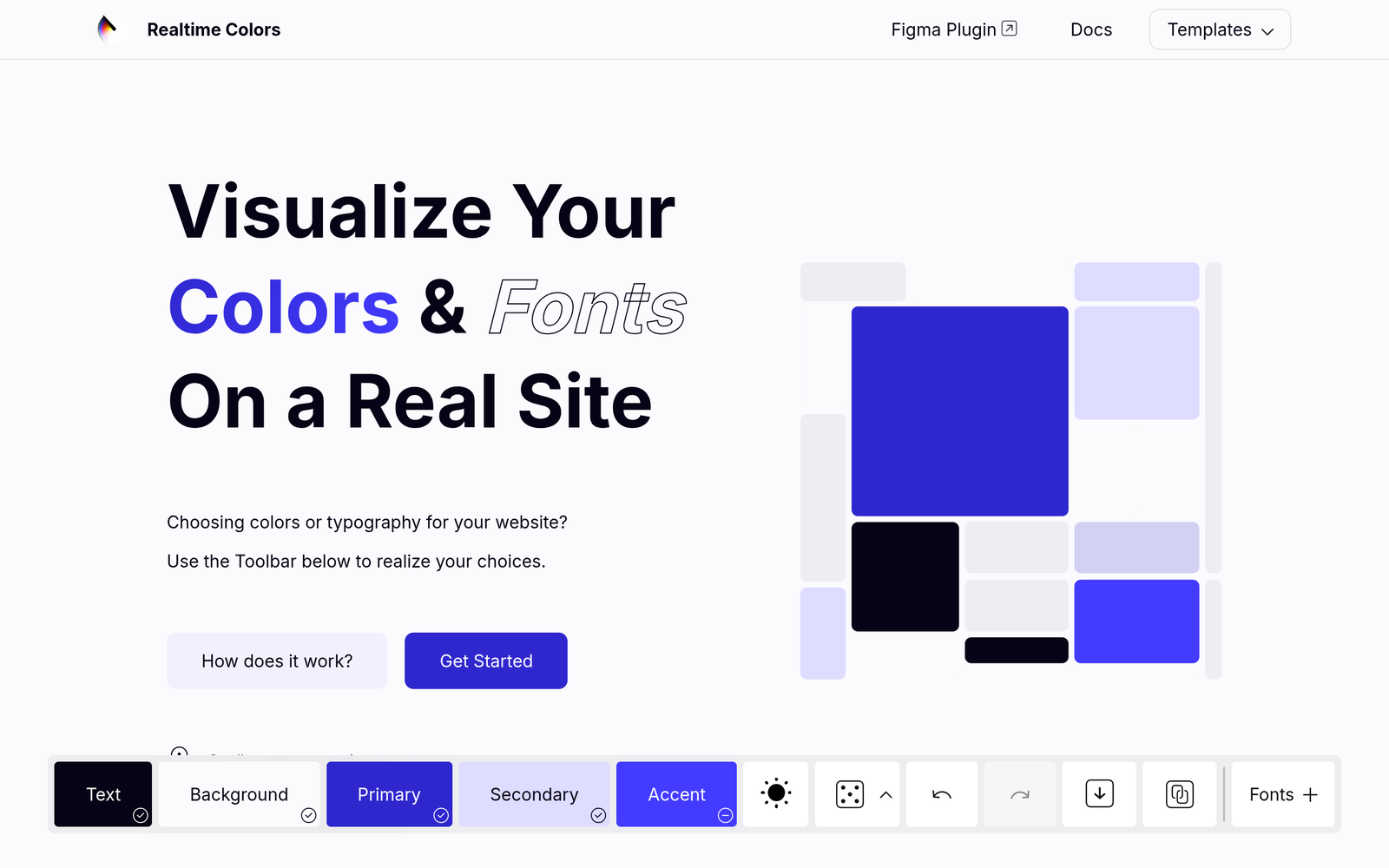
Live color palette preview lets designers preview color choices directly on real UI mockups. It shows the palette applied to a live sample webpage, helping teams assess contrast and visual harmony at a glance.

Category
For Live color palette preview on real UI mockup

Quick Facts - About Realtime Colors

Category Design Systems & Foundations
Pricing Freemium
Platform Web
Main Features Live color preview, Real-time UI sync, Accessibility checks, Palette sharing, Theme presets, CSS export
Best For Designers and frontend teams validating color choices in context
Language Support English
Integrations In-browser tool; no external integrations required
Deployment Web-based

What is Realtime Colors ?

Realtime Colors is an AI-powered color tool that previews a live color palette directly on your UI mockups. It renders the palette onto a live sample webpage so you can see colors in context.

The main problem it solves is testing color harmony in context, helping designers and frontend teams ensure accessibility and brand consistency across components.

Description

1. Real-time palette rendering

  • Colors are applied immediately to the live UI mockup sample without reloading.
  • Colors update in real time across components for fast iteration.

2. Live synchronization with UI mockups

  • Palette changes reflect on the sample webpage as you pick colors.
  • Supports multiple pages or components in the same session.

3. WCAG accessibility checks

  • Automatically flags contrast issues against WCAG guidelines.
  • Suggests color tweaks to improve readability and accessibility.

4. Palette sharing and collaboration

  • Share a live palette with teammates via a link in the tool.
  • Comment and annotate color choices for faster feedback.

5. Theme presets and custom palettes

  • Choose from built-in themes or create your own palettes from scratch.
  • Save palettes for reuse across projects.

6. CSS tokens and export options

  • Export hex, RGB values or CSS variables for your codebase.
  • Copy-ready snippets for dev handoff.
Reviews

There are no reviews yet.

Be the first to review “Realtime Colors – Live color palette preview for UI mockups”

Pricing & Plans Of Realtime Colors

Realtime Colors is free to use with no paid tiers.

  • Free: Free – Access core palette preview features at no cost.

Pro's

  • Instant, live color testing directly in UI mockups
  • No installation needed; runs in your browser
  • Exportable color tokens and CSS snippets
  • Built-in accessibility cues help improve contrast decisions
  • Shareable palettes streamline team feedback

Con's

  • Mostly in-browser preview; no offline desktop app
  • Limited integration with design token management systems
  • Manual steps may be needed to export tokens to some codebases

Popular Use Cases of Realtime Colors

  • A designer tests a new brand color in a live product dashboard to ensure contrast with dark mode
  • A frontend team compares multiple color combos on a real UI mockup to pick a final palette
  • Marketing creates landing page variants and validates which color scheme performs best in context
  • Designers share a palette with developers and gather feedback before coding

Alternatives of Realtime Colors

Tool Best For How It Compares
Coolors Quick palette generation Focuses on palette ideas rather than live UI preview in context
Adobe Color Adobe ecosystem integration Great for designers in Creative Cloud but not focused on live UI testing
Paletton Interactive color schemes Good for exploring schemes but lacks in-browser live preview on a real mockup

Feedback

Representative user feedback:
“This tool makes it easy to test colors in context and saves design time.”

Representative user feedback:
“Seeing colors applied to a live UI helps validate accessibility early in the design process.”

FAQs related to Realtime Colors

  1. What is Realtime Colors best used for?
    It helps designers preview colors directly on real UI mockups to test context and contrast.
  2. Can I export colors for production CSS?
    Yes, you can export hex, RGB values or CSS variables for your codebase.
  3. Does it check accessibility?
    Yes, it highlights contrast issues and offers guidance to improve readability.
  4. Is there a collaboration feature?
    Yes, you can share palettes and gather feedback within the live session.

Try live color testing now

Start testing colors in real UI contexts today with Realtime Colors. See how palettes perform across components and states, and share feedback with your team immediately.

Related Tools