

Animoto – AI Video Editing Tool for Fast Social Video Creation

Animoto is an AI-powered video editing tool designed for marketers, creators, and small businesses who want professional-quality videos without complex software.

Quick Facts - About Animoto

Category Video Editing
Pricing Freemium
Platform web, iOS, Android
Main Features Templates, Drag-and-drop editor, Stock media, Branding tools
Best For Social media marketers, small businesses
Language Support English, multilingual options
Integrations Social platforms, cloud storage
Deployment Web-based, cloud

What is Animoto ?

Animoto is an AI-powered video editing tool that helps you turn photos, clips, and music into polished videos with minimal effort. With templates, drag-and-drop editing, and intelligent automation, Animoto speeds up production for social videos, ads, tutorials, and product showcases.

Description

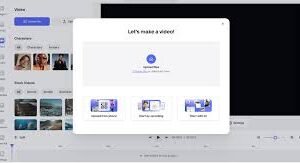
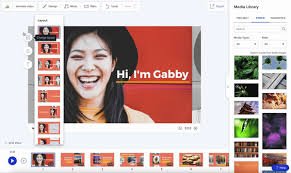
1. Drag-and-Drop Editor

  • Intuitive interface lets you assemble videos in minutes without editing experience.
  • Automatically aligns clips to your chosen aspect ratio for platforms like Instagram, TikTok, and YouTube.

2. Ready-Made Templates

  • Curated templates for marketing, social, and storytelling.
  • Templates adapt to your branding with color and logo presets.

3. Licensed Music & Stock Media

  • Extensive library of royalty-free tracks and stock clips.
  • Searchable assets speed up production and maintain consistency.

4. Branding & Customization

  • Add logos, fonts, and color palettes to match your brand.
  • Preserve brand consistency across all videos automatically.

5. Social-Video Outputs

  • Built-in optimization for square, vertical, and horizontal formats.
  • Direct export to major social networks or download in high definition.

6. Collaboration & Sharing

  • Team access and project sharing to streamline reviews.
  • Commenting and approvals keep feedback centralized.
Reviews

There are no reviews yet.

Be the first to review “Animoto – AI Video Editing Tool for Fast Social Video Creation”

Pricing & Plans Of Animoto

Animoto uses a tiered pricing model with a free tier and paid plans. Choose a plan that fits your video output and branding needs.

  • Free: $0 – Basic editing with Animoto branding and limited exports.
  • Starter: $9/month – More templates, stock media, and higher video length limits.
  • Pro: $19/month – HD exports, branding options, and enhanced support.
  • Team: $39/month – Collaboration, multiple seats, and priority assistance.

Pro's

  • Fast, template-driven workflow for creating social videos.
  • Branding and customization options keep content on-brand.
  • Extensive stock media and music library speeds up production.

Con's

  • Free plan includes watermark on videos.
  • Advanced editing features are gated behind higher-tier plans.

Popular Use Cases of Animoto

  • Personal use
  • Business marketing
  • Social media campaigns
  • Education and training videos

Alternatives of Animoto

Tool Best For How It Compares
InVideo Social video creation Offers extensive templates and live editing; strong marketing workflows
Canva Video Branding and quick edits Excellent for visual consistency; simpler editing compared to full-feature editors
Promo.com Marketing videos Focused on ads and campaigns with rich stock assets

Feedback

From PlatformName: Animoto helps non-designers produce polished videos quickly for social media.

From PlatformName: Drag-and-drop workflow saves time and reduces production friction.

FAQs related to Animoto

  1. Does Animoto offer a free plan?
    Yes, with limited features and branding in the videos.
  2. Can I import my own music?
    Yes, depending on your plan, you can use your own audio in projects.
  3. Is Animoto suitable for long-form tutorials?
    It excels at short-form social videos; long tutorials may require workarounds.

Create your first video today

Start a free trial and discover how Animoto can speed up your video production while keeping your brand consistent.

Related Tools