Descript – AI Video Editor for Smarter, Faster Video Production

Descript is an all-in-one AI-powered video editor that blends transcription, voice tools, and automated editing to help creators, marketers, and teams produce polished videos faster.

Quick Facts - About Descript

Category Video Editing
Pricing Freemium
Platform Web, Mac, Windows
Main Features Transcription, Studio Sound, Green Screen, Eye Contact, Generate Video, Avatars
Best For Content creators, podcasters, marketing teams
Language Support English with multilingual transcription options
Integrations Stock library, exports to social platforms
Deployment Cloud-based with desktop app

What is Descript ?

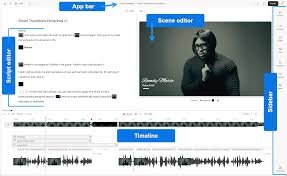
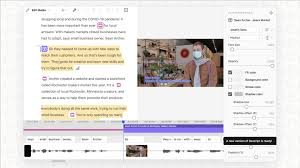
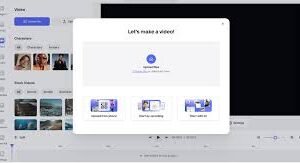
Descript is an AI-powered video editor that turns editing into a text-driven workflow. It combines transcription, AI-assisted editing, and screen recording into a single workspace so you can write, edit, and publish without switching apps.
Descript’s co-editor AI features like Studio Sound, Green Screen, and Overdub enable rapid production for podcasts, tutorials, and marketing videos, making it easier to create professional content.

Description

1. Transcription & Captions

  • Automatically transcribes audio and video with high accuracy for easy editing and searchable scripts.
  • One-click captions to improve accessibility and boost engagement across social platforms.

2. AI Co-Editor (Underlord)

  • Text-driven editing and AI-assisted trimming that speeds up revisions.
  • Directs the editor with simple prompts to rearrange scenes and refine pacing.

3. Studio Sound and Filler Word Removal

  • Automatic voice enhancement and noise reduction for broadcast-quality audio.
  • Remove filler words to tighten dialogue and improve viewer retention.

4. Green Screen and Eye Contact

  • AI-powered background replacement for clean, studio-grade visuals.
  • Eye Contact feature helps you appear to look at the camera while speaking.

5. Overdub and Avatars

  • Overdub provides voice cloning or AI voices for narration and international content.
  • Avatars offer on-camera presence without showing your face, ideal for tutorials or presentations.

6. Generate Video and Quick Design

  • Prompt-based video generation to create B-roll and scenes quickly.
  • Quick Design formats and templates that adapt to social and marketing specs automatically.
Reviews

There are no reviews yet.

Be the first to review “Descript – AI Video Editor for Smarter, Faster Video Production”

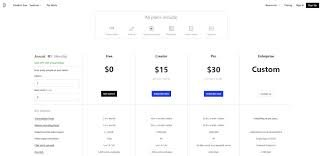
Pricing & Plans Of Descript

Descript offers a Free tier and paid subscriptions for individuals and teams. Pricing is based on media minutes and AI credits rather than transcription hours.

  • Free: $0 per month – 1 media hour, 100 AI credits, 720p export. Limited access to AI tools.
  • Hobbyist: $24 per month – 10 media hours, 400 AI credits, 1080p export. Access to Underlord and AI tools.
  • Creator: $35 per month – 30 media hours, 800 AI credits, 4K export. Full access to AI tools and stock library.

Pro's

  • Text-driven editing speeds up workflows.
  • Integrated transcription improves accessibility and SEO.
  • AI tools like Studio Sound and Eye Contact enhance quality fast.
  • 4K exports and unlimited stock media on higher plans.
  • All-in-one platform for editing, captions, translation, and publishing.

Con's

  • Free plan has limited minutes and AI credits.
  • AI features consume media minutes and credits, which can add up for heavy users.
  • Some users report occasional export or stability glitches with complex projects.

Popular Use Cases of Descript

  • Personal use
  • Business
  • Marketing
  • Education

Alternatives of Descript

Tool Best For How It Compares
CapCut Social videos Cheaper and simpler, lacks built-in transcription and AI co-editor features
Adobe Premiere Pro Professional editors Powerful but steeper learning curve; lacks integrated transcription-centric workflow
Final Cut Pro Mac users Excellent performance; fewer AI-assisted editing features built-in

Feedback

From G2: Descript speeds up editing with AI, but plan prices can be high for heavy users.

From Reddit: Descript is powerful for transcription and editing, but occasional export glitches happen.

FAQs related to Descript

  1. What is Descript?
    Descript is an AI-powered video editor that combines transcription, editing, and AI tools in one workspace.
  2. What can I do with Descript?
    You can transcribe, caption, translate, edit by text, generate video, and use AI features like Studio Sound and Eye Contact.
  3. Is there a free plan?
    Yes, there is a Free plan with limited minutes and credits; paid plans unlock more editing power.

Start Creating with Descript Today

Try Descript now to transform your video workflows with AI-powered editing, transcription, and publishing all in one place. Start free and scale as your content grows.

Related Tools