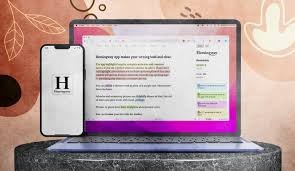
Hemingway App – AI Writing Style & Readability Assistant

Hemingway App helps you refine writing by highlighting hard-to-read sentences, passive voice, and overlong words to produce crisp, effective prose.

Category

Quick Facts - About Hemingway Editor

Category Writing & Readability
Pricing Freemium
Platform Web
Main Features Readability, Style, Edit Suggestions
Best For Bloggers, Students, Professionals
Language Support English
Integrations Clipboard, Web Apps
Deployment Online

What is Hemingway Editor ?

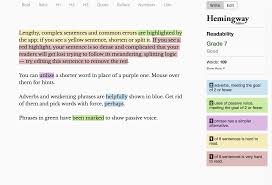
Hemingway App is an AI-powered writing assistant designed to improve readability and style. It analyzes your text and offers actionable suggestions to reduce complexity and tighten prose.

By flagging passive voice, lengthy sentences, and dense phrasing, Hemingway App helps writers produce clean, confident copy suitable for web, blogs, and professional documents.

Description

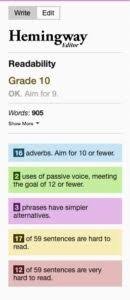
1. Readability Analysis

  • Visual readability score across grade levels.
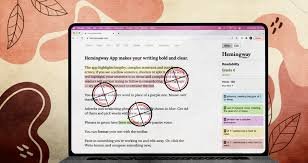
  • Highlights long sentences and dense phrasing for quick edits.

2. Sentence Length & Structure

  • Indicates average sentence length and suggests improvements.
  • Encourages shorter, punchier sentences for impact.

3. Passive Voice & Adverb Detection

  • Identifies passive voice usage with actionable rewrites.
  • Reduces unnecessary adverbs for stronger prose.

4. Clarity & Style Guidance

  • Offers style tips to improve tone and consistency.
  • Suggests simpler synonyms and clearer wording.

5. Real-time Suggestions

  • Inline hints while you type or paste text.
  • One-click edits to implement changes quickly.

6. Export & Formatting Readiness

  • Copy-ready text with clean formatting.
  • Supports plain text and ready-to-publish output.
Reviews

There are no reviews yet.

Be the first to review “Hemingway App – AI Writing Style & Readability Assistant”

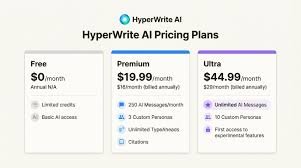
Pricing & Plans Of Hemingway Editor

Pricing is designed for individuals and teams with a free baseline. Upgrading unlocks offline editing and advanced style checks. Plans:

  • Free: Free – Basic online editor with readability checks.
  • Desktop Pro: 19.99 – One-time license for offline editing and full features.
  • Team/Business: Varies by usage – Multi-seat licenses for teams with collaboration features.

Pro's

  • Clear benefit
  • Clear benefit
  • Clear benefit

Con's

  • Honest limitation
  • Honest limitation

Popular Use Cases of Hemingway Editor

  • Personal use
  • Business
  • Marketing
  • Education

Alternatives of Hemingway Editor

Tool Best For How It Compares
Grammarly Grammar and style More comprehensive checks, but Hemingway focuses on readability and conciseness.
ProWritingAid In-depth writing analytics Broader reports; Hemingway is leaner on readability cues.
Readable Plain-language clarity Similar goal but different UX and pricing.

Feedback

From Hemingway App: “I tighten prose quickly and spot readability issues with ease.”

From Grammarly: “The clarity tips are practical and easy to apply.”

FAQs related to Hemingway Editor

  1. Is Hemingway App free?
    Yes, there is a free online editor with core readability checks.
  2. Can I use Hemingway App offline?
    Yes, the desktop Pro license allows offline editing.
  3. Is it suitable for long-form content?
    It helps shorten and clarify, but for lengthy manuscripts you may combine tools.

Start writing clearly today

Try Hemingway App to boost readability in minutes. Paste your text, see inline feedback, and tighten your prose for faster, more confident communication.

Related Tools