
InVideo AI – AI Video Editor for Creative Content

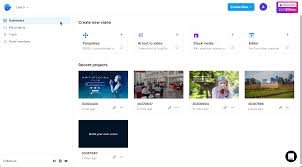
InVideo AI is an AI-powered video editing platform designed for creators, marketers, and teams who need fast, high-quality video production with templates, brand kits, and an intuitive editor.

Quick Facts - About Invideo AI

Category Video Editing
Pricing Freemium
Platform Web-based
Main Features AI edits, templates, stock media
Best For Content creators, marketers
Language Support English, Spanish, Portuguese, French, German
Integrations Cloud storage, stock providers, social platforms
Deployment Cloud-based

What is Invideo AI ?

InVideo AI is an AI-powered video editing assistant that helps you turn scripts into engaging visuals and craft compelling stories with AI-guided edits.

It combines smart templates, auto-cut, and voiceover capabilities to speed up production while preserving your brand identity.

Description

1. AI-Powered Editing Assistant

  • Automatically suggests cuts, transitions, and pacing tailored to your footage.
  • Preserves your storytelling goals while speeding up the edit process.

2. Smart Templates and Auto-Cuts

  • Access a library of industry-ready templates and automated editing suggestions.
  • One-click edits adapt to different aspect ratios for social platforms.

3. Text-to-Video and Voiceover

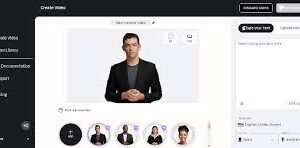
  • Convert text scripts into engaging video scenes with natural-sounding voices.
  • Customize tone, language, and voice to match your brand.

4. Rich Stock Library and Media Management

  • Integrated stock footage, images, and audio to enrich projects.
  • Easy media organization with folders and search filters.

5. Brand Kits and Team Collaboration

  • Define colors, fonts, and logos to auto-apply across videos.
  • Collaborate with teammates with permissions and shared templates.

6. Export in Multiple Formats and 4K

  • Export in MP4, MOV, and optimized formats for social networks.
  • Supports up to 4K resolution and batch rendering.
Reviews

There are no reviews yet.

Be the first to review “InVideo AI – AI Video Editor for Creative Content”

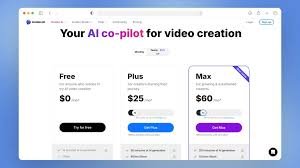
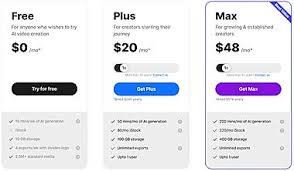
Pricing & Plans Of Invideo AI

InVideo AI offers a freemium model with scalable paid plans to unlock advanced features and higher export quality. Plans are designed for solo creators and teams.

  • Free: Free – Basic editing features with watermark.
  • Starter: $12/month – Essential templates, 1080p exports, and basic stock access.
  • Pro: $24/month – Full editing suite, 4K exports, and premium stock assets.
  • Business: $49/month – Team collaboration, advanced analytics, priority support.

Pro's

  • Fast AI-assisted editing for quick turnaround.
  • Large template library and integrated stock media.
  • Brand kits and collaboration features simplify team work.

Con's

  • Some advanced features are locked behind paid plans.
  • Free plan may include watermark on exports.

Popular Use Cases of Invideo AI

  • Personal use
  • Business
  • Marketing
  • Education

Alternatives of Invideo AI

Tool Best For How It Compares
Animoto Slideshow style videos Simple templates, less control
Canva Quick social videos Design-centric with broad features
Promo Marketing videos Strong for campaigns, but limited advanced editing

Feedback

From G2: “InVideo makes editing quick and painless with smart templates for creators on tight schedules.”

From Trustpilot: “Great value for social video editing and quick turnaround at scale.”

FAQs related to Invideo AI

  1. Is InVideo AI free to use?
    Yes, a Free plan is available with basic features and watermark; more features unlock with paid plans.
  2. Can I export in 4K?
    Yes, higher-tier plans support 4K exports depending on the chosen plan.
  3. Does it support team collaboration?
    Yes, Business and higher tiers offer team roles, shared templates, and workflow permissions.

Start Creating Stunning Videos with AI-Powered Editing

Launch your first AI-assisted edit today with InVideo AI. Try templates, stock media, and brand kits to accelerate your video workflow and publish confident, polished videos in less time.

Related Tools