
Pointer AI – On-Page AI Writing Assistant for Google Docs

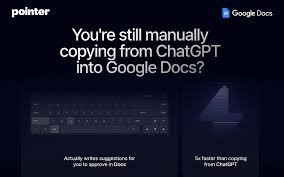
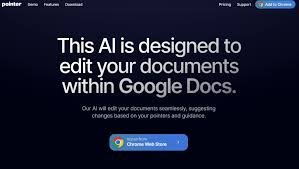
Pointer AI brings a new level of productivity to Google Docs by acting as your personal on-page writing assistant, refining tone, tightening language, and accelerating drafting without leaving your document.

Quick Facts - About Pointer AI

Category AI Productivity Tool
Pricing Freemium
Platform Google Docs (Chrome)
Main Features In-doc suggestions, tone tweaks, drafting help
Best For Writers, teams, students
Language Support English and multilingual drafting
Integrations Google Docs, Chrome Web Store
Deployment Cloud-based

What is Pointer AI ?

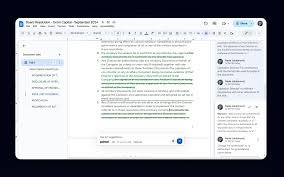
Pointer AI is an AI-powered writing assistant that lives inside Google Docs, offering real-time suggestions and edits as you type. It helps you refine tone, improve clarity, and maintain consistency across your documents. The tool integrates naturally with the Docs UI, presenting edits as native Draft Suggestions for a seamless workflow.

Description

1. Real-time In-Doc Suggestions

  • Inline edits appear as native Google Docs Suggestions for quick review.
  • Preserves formatting while offering concise improvements.

1. Tone and Style Tuning

  • Adjusts voice, formality, and readability without rewriting your content.
  • Applies consistent terminology across sections and teams.

1. Context-aware Drafting

  • Suggests sentence starts and outlines based on current content.
  • Leverages surrounding paragraphs to improve coherence.

1. Collaboration-friendly Workflow

  • Supports concurrent editing with visible suggestions for teammates.
  • Tracks edits and lets you accept or reject with one click.

1. Content Optimization and Clarity

  • Suggests concise word choices and eliminates filler.
  • Highlights opportunities to tighten language and improve impact.

1. Privacy and Security Controls

  • Runs with user consent and follows basic privacy best practices.
  • Offers settings to manage data usage and editing history.

Reviews

There are no reviews yet.

Be the first to review “Pointer AI – On-Page AI Writing Assistant for Google Docs”

Pricing & Plans Of Pointer AI

Pointer AI follows a tiered pricing model designed for individuals and teams. The Free tier provides core in-doc suggestions with limited usage. The Starter plan expands access to tone and style tuning, plus more suggestions. The Pro plan adds advanced drafting assistance, team collaboration features, and priority support. For larger teams or enterprise needs, the Business plan offers expanded quotas and dedicated onboarding. Prices are approximate and vary by usage and region.

  • Free: 0 – Core in-doc suggestions with limited usage.
  • Starter: $9/mo – Expanded tone/style tuning and more suggestions.
  • Pro: $19/mo – Advanced drafting, collaboration, and priority support.
  • Business: $49/mo – Expanded quotas and enterprise onboarding.

Pro's

  • In-doc editing boosts drafting speed without leaving Google Docs.
  • Consistent tone and terminology across documents.
  • Collaborative-friendly with transparent suggestions for teams.

Con's

  • Some features may require a paid tier for heavy users.
  • Performance may vary on slower connections.

Popular Use Cases of Pointer AI

  • Personal writing improvement within Google Docs.
  • Team collaboration and real-time editing.
  • Academic drafting and assignment writing.
  • Professional emails and business documents.

Alternatives of Pointer AI

Tool Best For How It Compares
Grammarly Grammar and style Excellent grammar checks; lacks in-doc, real-time suggestion flow inside Docs UI.
Jasper Long-form content Powerful generation; not as focused on precise in-doc editing within Google Docs.
Google Docs Smart Compose Native in-doc suggestions Less advanced editing polish; Pointer AI offers deeper tone and style adjustments.

Feedback

From Google Docs:
“Pointer AI speeds up drafting while keeping Docs formatting intact.”

From Chrome Web Store:
“Integrates directly into the Docs interface with seamless suggestions.”

FAQs related to Pointer AI

  1. What is Pointer AI?
    Pointer AI is an AI-powered writing assistant that lives inside Google Docs to provide real-time suggestions.
  2. Is my data secure?
    Pointer AI offers transparency controls and uses your document for suggestions with consent.
  3. Does Pointer AI work offline?
    Suggestions require online processing but can sync when you’re back online.

Boost your Google Docs writing today

Try Pointer AI in your documents now and experience faster drafting, clearer tone, and smoother collaboration directly where you work—inside Google Docs.

Related Tools