Vyond – AI Animated Video Maker for Business Transformation

Vyond is an AI-powered animation platform that helps teams produce professional explainer, training, and marketing videos quickly and with minimal design skills.

Quick Facts - About Vyond

Category Animation & AI Video Maker
Pricing Subscription + AI Credits (May 2025 update)
Platform Web-based, Desktop browser
Main Features AI video generation, AI avatars, 4M+ assets, translation, collaboration
Best For Marketing teams, Training & L&D, Internal comms
Language Support 70+ languages translation; 600+ voices
Integrations Shutterstock library; brand assets
Deployment Cloud-based SaaS

What is Vyond ?

Vyond is an AI-powered animation platform that helps teams communicate ideas clearly with animated videos.
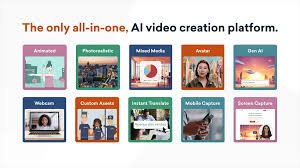
Vyond Go uses AI to generate scripts and videos from prompts, documents, or URLs, while Vyond Studio provides thousands of assets, templates, and styles to customize every project.

Description

1. AI-powered video generation

  • Generate scripts and videos from prompts, documents, or URLs using Vyond Go.
  • Accelerate ideation with automatic storyboarding and AI-assisted scene creation.

2. Massive asset library and templates

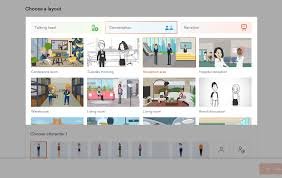
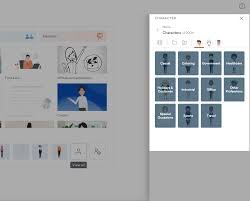
  • Access thousands of characters, props, backgrounds, and scenes across multiple styles.
  • Utilize industry-specific templates to shorten production time and ensure consistency.

3. AI avatars and voice capabilities

  • Choose from 1,100+ avatars and 650+ high-quality TTS voices with lip-sync.
  • Automatically translate narration and text to speech into 70+ languages.

4. Multilingual translation and localization

  • Instant translation of video scripts and captions into 70+ languages.
  • Localized text-to-speech options for global audiences.

5. Collaboration and brand management

  • Team spaces, shared folders, and advanced permissions for teams.
  • Brand Management Suite to enforce logos, colors, and typography across videos.

6. Flexible exports and captions

  • Export in MP4, GIF, and presentation-ready formats with optional captions.
  • In-browser editing with drag-and-drop controls for fast updates.

7. Accessibility and security

  • Captioning and accessibility features to reach diverse audiences.
  • Enterprise-grade security, permissions, and privacy controls for organizations.
Reviews

There are no reviews yet.

Be the first to review “Vyond – AI Animated Video Maker for Business Transformation”

Pricing & Plans Of Vyond

  • Starter: $58/mo per user billed annually – access to AI avatars, 650+ voices, screen and webcam recording, text to video, 10,000 credits per user per month.
  • Professional: $100/mo per user billed annually – all Starter features plus team collaboration tools, access to 4M+ Shutterstock assets, instant translation into 80+ languages, generative avatars from a text prompt, 20,000 credits per user per month.
  • Enterprise: $137/mo per user billed annually – all Professional features plus 130+ ultra high quality text to speech voices, Brand Management Suite, advanced collaboration, enterprise security features, virtually unlimited credits.
  • Agency: $167/mo per user billed annually – all Professional features plus unlimited rights transfers, Brand Management Suite, advanced collaboration, 400,000 credits per user per month.

Pro's

  • Rapid video creation with AI-assisted scripting and templates.
  • Extensive asset library and multiple animation styles for brand consistency.
  • Strong collaboration and brand governance features for teams and enterprises.

Con's

  • Pricing can be a challenge for small teams or nonprofits.
  • AI credits and usage management may require some setup and ongoing monitoring.

Popular Use Cases of Vyond

  • Personal use
  • Business
  • Marketing
  • Education

Alternatives of Vyond

Tool Best For How It Compares
Powtoon Quick explainer videos Less extensive AI features; strong templates and ease of use
Animaker Do-it-yourself marketing videos Great templates and icons; slightly less robust AI automation
Renderforest All-in-one marketing assets Broad offering beyond animation; fewer advanced animation controls

Feedback

From G2: “Users praise Vyond for ease of use and the extensive library of templates.”

From Capterra: “Vyond saves time and money by enabling in-house video creation with a rich template library.”

FAQs related to Vyond

  1. Is Vyond suitable for beginners?
    Yes. Its drag-and-drop interface, templates, and AI features enable quick production without prior animation experience.
  2. What formats can I export?
    You can export videos as MP4 or GIF, with options for captions and presentation-ready formats.
  3. Does Vyond support multiple languages?
    Yes. Vyond offers translation and localization features supporting 70+ languages.

Create your first animated video today

Sign up for a free trial or request a personalized demo to see how Vyond can accelerate marketing, training, and internal communications with AI-powered video creation.

Related Tools