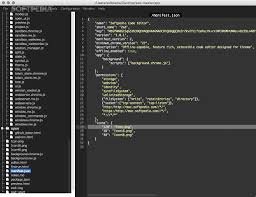
Zed – Ultra-fast GPU-accelerated code editor

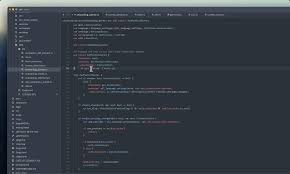
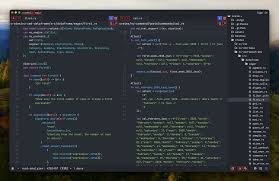
gpu-accelerated code editor Zed delivers ultra-fast editing for developers who rely on AI assistance. It speeds up coding with sub-50ms latency and a 120fps UI, helping teams stay in flow during long sessions.

Category
For Ultra-fast GPU-accelerated code editor

Quick Facts - About Zed

Category AI-Native IDE
Pricing Freemium
Platform Desktop – Windows, macOS, Linux
Main Features GPU-accelerated editing, Rust-powered core, sub-50ms latency, 120fps UI
Best For Developers needing ultra-responsive AI-assisted editing for large codebases
Language Support JavaScript, Python, TypeScript, Rust, Go, C/C++, and more
Integrations Git, GitHub, GitLab, LSP compatibility
Deployment Local-first with optional cloud backup

What is Zed ?

Zed is an AI-powered gpu-accelerated code editor designed for developers who demand speed and precision.

Built in Rust gives the editor a small footprint and reliable performance while keeping data local, solving latency in large projects for teams that require privacy and speed.

Description

1. Rust-powered core

  • Memory-safe operations and fast code execution for the editor engine.
  • Efficient parallel tasks keep editing snappy.

2. Sub-50ms latency

  • Responds instantly to keystrokes and commands.
  • Maintains fluid feedback even with AI features enabled.

3. 120fps UI

  • High refresh rate for smooth cursor movement and animations.
  • Less visual lag during complex code edits.

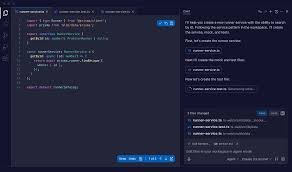
4. GPU-accelerated AI code assistance

  • AI completions and insights run on powerful GPU cores.
  • Faster suggestions during heavy editing sessions.

5. Local-first privacy

  • Edits and AI features run locally by default for data control.
  • Option to enable secure cloud backups.

6. AI-assisted navigation and refactoring

  • Smart code navigation and refactor suggestions powered by AI.
  • Helps reorganize large codebases with confidence.
Reviews

There are no reviews yet.

Be the first to review “Zed – Ultra-fast GPU-accelerated code editor”

Pricing & Plans Of Zed

Flexible pricing with a free tier and paid Pro plan.

  • Free: Free – Basic GPU-accelerated editing with limited prompts.
  • Starter: Contact for pricing – Basic expansion of features.
  • Pro: $20/mo (500 prompts) – Access to premium AI features and higher limits.
  • Business: Contact for pricing – Scaled usage for teams.
  • Enterprise: Contact for pricing – SLA and governance features.
  • Team: Contact for pricing – Collaboration and shared workflows.

Pro's

  • Sub-50ms latency keeps editing feel snappy even with AI tasks running.
  • Local Rust core improves privacy and reliability.
  • High 120fps UI provides smooth interactions during complex edits.
  • GPU-accelerated AI allows faster code suggestions and insights.
  • Cross-platform desktop support enhances team adoption.

Con's

  • Pro features are gated behind a paid plan, which may be costly for small teams.
  • AI suggestions may require tuning for accuracy across languages.
  • Initial setup can be heavier than lightweight editors for new users.

Popular Use Cases of Zed

  • A frontend team edits a large TypeScript project and uses AI to autocomplete and refactor as they work.
  • A data science project manages Python notebooks with AI-assisted code completion to speed up experimentation.
  • A Rust developer iterates on performance-critical code with low-latency edits and real-time feedback.
  • A startup prototypes ideas by quickly scaffolding features with AI-assisted templates.

Alternatives of Zed

Tool Best For How It Compares
Codeium AI-powered code completion across editors Zed emphasizes local GPU acceleration and sub-50ms latency, while Codeium relies more on cloud inference.
TabNine AI autocompletion with multi-language support TabNine uses local and cloud models; Zed claims lower latency via Rust and GPU.
Kite AI code suggestions for Python and JavaScript Kite focuses on Python-centric workflows; Zed offers broader language support with faster performance.

Feedback

Representative user feedback:
“Fast, responsive edits with real-time AI help, making coding flow smoothly every day.”

Representative user feedback:
“Great performance on large files, but occasional AI suggestions feel noisy at times.”

FAQs related to Zed

  1. What platforms does Zed support?
    Zed runs on Windows, macOS, and Linux.
  2. Does Zed work offline?
    Yes, it runs locally with optional cloud sync.
  3. What is included in the Pro plan?
    Pro adds higher usage limits and premium AI features.
  4. Can I integrate Zed with my existing toolchain?
    Yes, it supports Git and common language servers via LSP.

Start coding faster with Zed today

Try Zed now to experience instant feedback while you code. You will notice how fast your edits feel, even with AI features turned on.

Related Tools