

GitHub Copilot – ai pair programmer for coding in IDEs

ai pair programmer GitHub Copilot helps developers write code faster by suggesting lines and whole functions as you type. It integrates with VS Code and JetBrains to speed up daily coding and improve consistency.

Category
For AI pair programmer in VS Code & JetBrains

Quick Facts - About GitHub Copilot

Category IDE Extension
Pricing Freemium
Platform VS Code, JetBrains IDEs
Main Features Real-time code suggestions, Context-aware generation, Multi-language support, Test/documentation generation, Agent Mode
Best For Individual developers and teams seeking faster coding progress
Language Support JavaScript, Python, TypeScript, Java, Go, C#, and more
Integrations GitHub, VS Code, JetBrains IDEs
Deployment Client-side editor plugin

What is GitHub Copilot ?

GitHub Copilot is an AI-powered code assistant that sits in your editor and suggests context-aware code as you type. It uses machine learning to understand your project and adapt to your style, offering snippets, completing lines, and generating whole functions. The main problem it solves is reducing repetitive typing and speeding up learning curves for new codebases, benefiting individual developers and teams who want faster iteration and fewer context switches.

Description

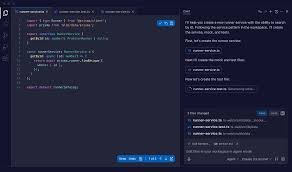
1. Real-time code suggestions

  • Suggets code as you type, often completing lines or blocks.
  • Keeps you in the flow by matching project style.

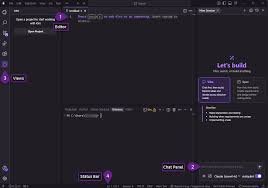
2. Editor integrations

  • Native support in VS Code and JetBrains IDEs.
  • Inline explanations and quick fixes via editor UI.

3. Multi-language support

  • Works across JavaScript, Python, TypeScript, Java, Go, C#, and more.
  • Generates idiomatic code for each language.

4. Context-aware generation

  • Uses current file context, comments, and project structure to tailor results.
  • Reduces irrelevant suggestions and boilerplate.

5. Test and documentation generation

  • Generates unit test skeletons and docstrings from prompts.
  • Speeds up test coverage and documentation tasks.

6. Agent Mode and team features

  • Agent Mode supports collaborative coding patterns in teams.
  • Promotes consistency across a codebase with shared prompts.

Reviews

There are no reviews yet.

Be the first to review “GitHub Copilot – ai pair programmer for coding in IDEs”

Pricing & Plans Of GitHub Copilot

Pricing is structured with a free tier and paid Pro, Business, and Enterprise options.

  • Free: Free – Basic code suggestions for individuals.
  • Starter: Contact for pricing – Entry-level option with essential Copilot features.
  • Pro: $10/mo – Individual plan with extended suggestions and priority support.
  • Business: $19/mo – Team features and collaboration enhancements.
  • Enterprise: $39/mo – Enterprise-grade controls and governance.
  • Team: Contact for pricing – Admins and policy controls for orgs.

Pro's

  • Faster coding with real-time suggestions tailored to your project.
  • Seamless editor integration in VS Code and JetBrains IDEs.
  • Support for multiple languages reduces context switching.
  • Ability to generate tests and documentation from prompts.

Con's

  • Occasional irrelevant suggestions requiring manual filtering.
  • Dependence on internet access for best results.

Popular Use Cases of GitHub Copilot

  • Angular app scaffolding: generate component templates and unit tests in a project.
  • Data science notebook coding: rapid Python code and helper functions generation.
  • Legacy code modernization: refactor snippets and type hints in TypeScript.
  • Cloud automation: write infrastructure-as-code scripts in a familiar language.

Alternatives of GitHub Copilot

Tool Best For How It Compares
Tabnine General AI code completion across IDEs Uses local models for fast suggestions and supports many languages.
Amazon CodeWhisperer Cloud-driven code generation for AWS workflows Integrates with AWS tooling and supports multiple languages.
IntelliCode Microsoft ecosystem IDE enhancements Project-aware models integrated with Visual Studio and GitHub Copilot ecosystem.

Feedback

Representative user feedback:
‘Saves time on boilerplate, but sometimes it suggests irrelevant code.’

Representative user feedback:
‘Excellent for learning new APIs, though it can overwhelm with options at times.’

FAQs related to GitHub Copilot

  1. What is GitHub Copilot?
    GitHub Copilot is an AI pair programmer that suggests code inside your editor to speed up coding.
  2. Is GitHub Copilot free?
    It offers a free tier with paid plans for individuals and teams.
  3. Which IDEs are supported?
    Copilot works in VS Code and JetBrains IDEs, among others.
  4. Which languages are supported?
    Copilot supports many languages including JavaScript, Python, TypeScript, and Java.

Start coding faster with Copilot today

Try Copilot now to cut boilerplate time and learn new APIs through smart suggestions. You’ll get context-aware help right in your editor across VS Code and JetBrains.

Related Tools