
Amazon Q Developer – AWS-native AI coding assistant for IDEs

aws-native AI coding helps developers write AWS-ready code inside their IDEs. It provides AI-assisted suggestions tailored to AWS services and CloudFormation templates, speeding up building and debugging.

Category
For AWS-native AI coding assistant

Quick Facts - About Amazon Q Developer

Category IDE Extension
Pricing Free to use with paid plans
Platform IDE plugins for popular editors
Main Features AWS-aware code completion; CloudFormation templates; security scanning
Best For AWS developers needing cloud-native coding help
Language Support JavaScript, Python, TypeScript, Java
Integrations AWS services, CloudFormation, IAM tooling
Deployment In-editor extension via IDE marketplace

What is Amazon Q Developer ?

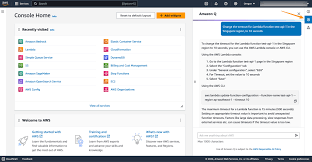
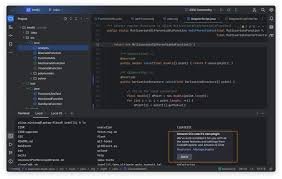
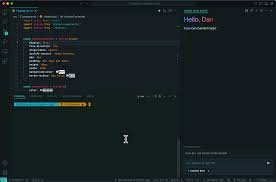
Amazon Q Developer is an AI-powered IDE extension that brings AWS-native AI coding capabilities into your editor. It analyzes your code, suggests AWS-aware completions, and can generate boilerplate for CloudFormation templates, all while staying inside your IDE. The main problem it solves is the mismatch between cloud specific best practices and generic coding assistants. It benefits developers building on AWS who want faster implementation, fewer misconfigurations, and better security posture.

Description

1. AWS-aware code completion

  • Generates context-relevant code for AWS services and CloudFormation resources.
  • Uses AWS best practices to suggest secure defaults and proper configurations.

2. CloudFormation template generation and validation

  • Helps create and validate CloudFormation templates directly in your IDE.
  • Includes template linting and live error highlighting.

3. Integrated security scanning

  • Scans code for common AWS security misconfigurations and risky patterns.
  • Shows actionable fixes and links to AWS security docs.

4. AWS-native guidance and examples

  • Provides AWS-specific code examples and service usage patterns.
  • Helps you learn best practices while you code.

5. IAM and policy-aware suggestions

  • Suggests least-privilege policies and validates current IAM constructs.
  • Highlights potential permission risks before deployment.

6. Debug and test workflow helpers

  • Offers in-editor debugging prompts and test scaffolds for AWS apps.
  • Helps run quick checks against AWS resources without leaving the IDE.
Reviews

There are no reviews yet.

Be the first to review “Amazon Q Developer – AWS-native AI coding assistant for IDEs”

Pricing & Plans Of Amazon Q Developer

Pricing plans include a Free tier with optional Pro upgrade.

  • Free: Free – Core features with limited usage.
  • Starter: Contact for pricing – Early access features for small teams.
  • Pro: $19/user/mo – Full feature set for individual developers needing AWS-native guidance.
  • Business: Contact for pricing – Team collaboration and admin controls for larger projects.
  • Enterprise: Contact for pricing – Scalable enterprise deployment and governance.
  • Team: Contact for pricing – Shared workspaces and role-based access for teams.

Pro's

  • AWS-native AI coding guidance built into your IDE
  • Deep CloudFormation support for template work and validation
  • Inline security checks that catch common AWS misconfigurations
  • Context-aware recommendations reduce boilerplate and errors
  • Clear IAM and policy suggestions to improve security posture

Con's

  • Requires ongoing IDE integration updates for new AWS services
  • Pro pricing may be a barrier for small teams
  • AI suggestions depend on context and training data

Popular Use Cases of Amazon Q Developer

  • Developer uses CloudFormation to automate AWS infrastructure and relies on the tool for template snippets and validation.
  • Security-focused engineer reviews IAM permissions and policy setup with AI-assisted recommendations.
  • Teams building serverless apps use the extension to speed up coding and ensure cloud service best practices.
  • New AWS service integration: the coder uses the tool to get service-specific code templates and examples.

Alternatives of Amazon Q Developer

Tool Best For How It Compares
GitHub Copilot General AI code completion across languages More general purpose; lacks AWS native security scanning emphasis
AWS CodeWhisperer AWS specific code suggestions with IAM/CloudFormation focus Better for AWS alignment but editor support may vary
Tabnine Language-agnostic AI completions Strong across languages but not cloud service specific

Feedback

Representative user feedback:
“AWS-focused coding aid saves time, but CloudFormation depth could improve.”

Representative user feedback:
“Solid security scanning, yet some AWS service hints feel generic.”

FAQs related to Amazon Q Developer

  1. Is Amazon Q Developer free to use?
    Yes, there is a Free tier and a Pro upgrade option; pricing details vary by plan.
  2. Which IDEs support the extension?
    The tool is delivered as an IDE extension and supports major editors via official plugins.
  3. What AWS features does it help with?
    It supports CloudFormation, IAM, and common AWS services with AWS specific guidance.
  4. How does the security scanning work?
    It analyzes code for misconfigurations and suggests fixes with links to AWS docs.

Start AWS-native AI coding in IDEs

Install the extension in your IDE and start receiving AWS-aware code suggestions, secure CloudFormation templates, and inline guidance as you type. Try it now to accelerate cloud-native development and reduce misconfigurations.

Related Tools