

Overchat AI – Multi-model AI coding hub for teams

Multi-model AI coding aggregator helps developers manage multiple AI models from a single interface. It brings ChatGPT, Claude, and Gemini together for faster comparisons and consistent workflows. This tool streamlines coding tasks by letting you switch models within your project without switching apps.

Category
For Multi-model AI coding aggregator

Quick Facts - About Overchat AI

Category Specialized / Other
Pricing Freemium with Pro plan
Platform Web
Main Features Multi-model prompts, unified switcher, output dashboard, code tooling, collaboration
Best For Developers and data scientists needing cross-model AI comparisons
Language Support English (primary)
Integrations Code editors, IDEs, chat platforms
Deployment Cloud

What is Overchat AI ?

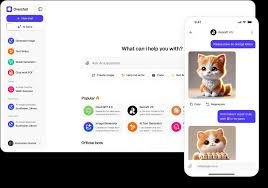
Overchat AI is an AI-powered platform that combines multiple AI coding assistants into one interface. It connects ChatGPT, Claude, and Gemini, allowing you to run prompts across models and compare outputs in parallel.

The main problem it solves is model silos: developers often juggle separate tools to test prompts across different AI engines. Overchat AI benefits software engineers, data scientists, and teams who rely on diverse models to optimize code, debugging, and exploration.

Description

1. Multi-model prompt runner

  • Run prompts against ChatGPT, Claude, and Gemini from a single UI.
  • Compare outputs side-by-side to choose the best result for your code task.

2. Unified model switcher

  • Switch between models without re-running prompts or reloading pages.
  • Preserves context for smoother transitions across engines.

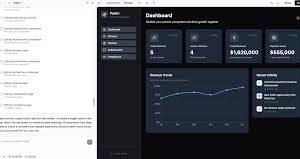
3. Output comparison dashboard

  • View model responses, runtimes, and confidence signals in one view.
  • Filter results by model, token usage, or latency to optimize performance.

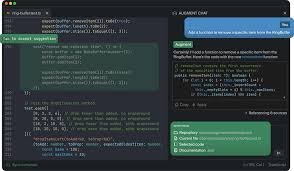
4. Code-aware tooling integration

  • Supports code completion, linting, and snippet generation across models.
  • Automatically formats outputs for direct integration into your project.

5. Collaboration and sharing

  • Share prompts and results with teammates in a single workspace.
  • Annotate responses and track decision history.

6. Access controls and privacy

  • Role-based access to protect sensitive code data.
  • Options for local processing or compliant cloud usage.
Reviews

There are no reviews yet.

Be the first to review “Overchat AI – Multi-model AI coding hub for teams”

Pricing & Plans Of Overchat AI

Pricing starts with a Free tier and paid Pro plan; additional tiers available.

  • Free: Free – Access core features with limited usage.
  • Starter: Contact for pricing – Basic features for individuals and lightweight projects.
  • Pro: $15/mo – Full feature set with priority support.
  • Business: Contact for pricing – Advanced collaboration and admin controls for teams.
  • Enterprise: Contact for pricing – Scalable deployment and enterprise-grade support.
  • Team: Contact for pricing – Shared workspace for small teams.

Pro's

  • Cross-model testing in one pane saves time for coding tasks.
  • Side-by-side output comparisons help pick the best approach faster.
  • Unified UI reduces context switching across AI engines.
  • Collaboration features streamline team reviews and decisions.

Con's

  • Quality varies by model and prompt, so results require human judgment.
  • Some advanced features are behind paid tiers, limiting free users.

Popular Use Cases of Overchat AI

  • Compare API client code suggestions from different models for a Python project.
  • Prototype algorithms by testing multiple model outputs in a single workspace.
  • Debug and optimize prompts by switching models without leaving the editor.
  • Collaborate with teammates by sharing prompts and results within a project.

Alternatives of Overchat AI

Tool Best For How It Compares
GitHub Copilot Best for IDE code completion Copilot focuses on integrated IDE suggestions; Overchat AI adds cross-model comparison.
Codeium Best for free AI coding assistant Codeium offers code completion; lacks multi-model cross-compare interface.
Tabnine Best for team-wide adoption Tabnine emphasizes speed and team adoption; Overchat AI adds model diversity and comparison.

Feedback

Representative user feedback:
“Cross-model comparisons save time and reduce code rewrites every day.”

Representative user feedback:
“I like testing prompts across engines, but it can feel slow to load results.”

FAQs related to Overchat AI

  1. What is Overchat AI best for?
    Developers and data scientists who want to compare outputs from multiple AI models in one interface.
  2. Does Overchat AI require coding skills?
    Basic coding tasks work well, and prompts can be crafted without deep programming knowledge.
  3. What models are supported?
    ChatGPT, Claude, and Gemini are available through a single interface.
  4. Is there a free plan?
    Yes, a Free tier is available; Pro is $15/mo for the full feature set.

Start comparing models in one workspace

Try Overchat AI today to see how easily you can run prompts across ChatGPT, Claude, and Gemini in a single view. You’ll gain faster decision-making on which model fits your task and cleaner code workflows.

Related Tools