Vectorizer.AI – AI raster-to-vector image converter for clean SVGs

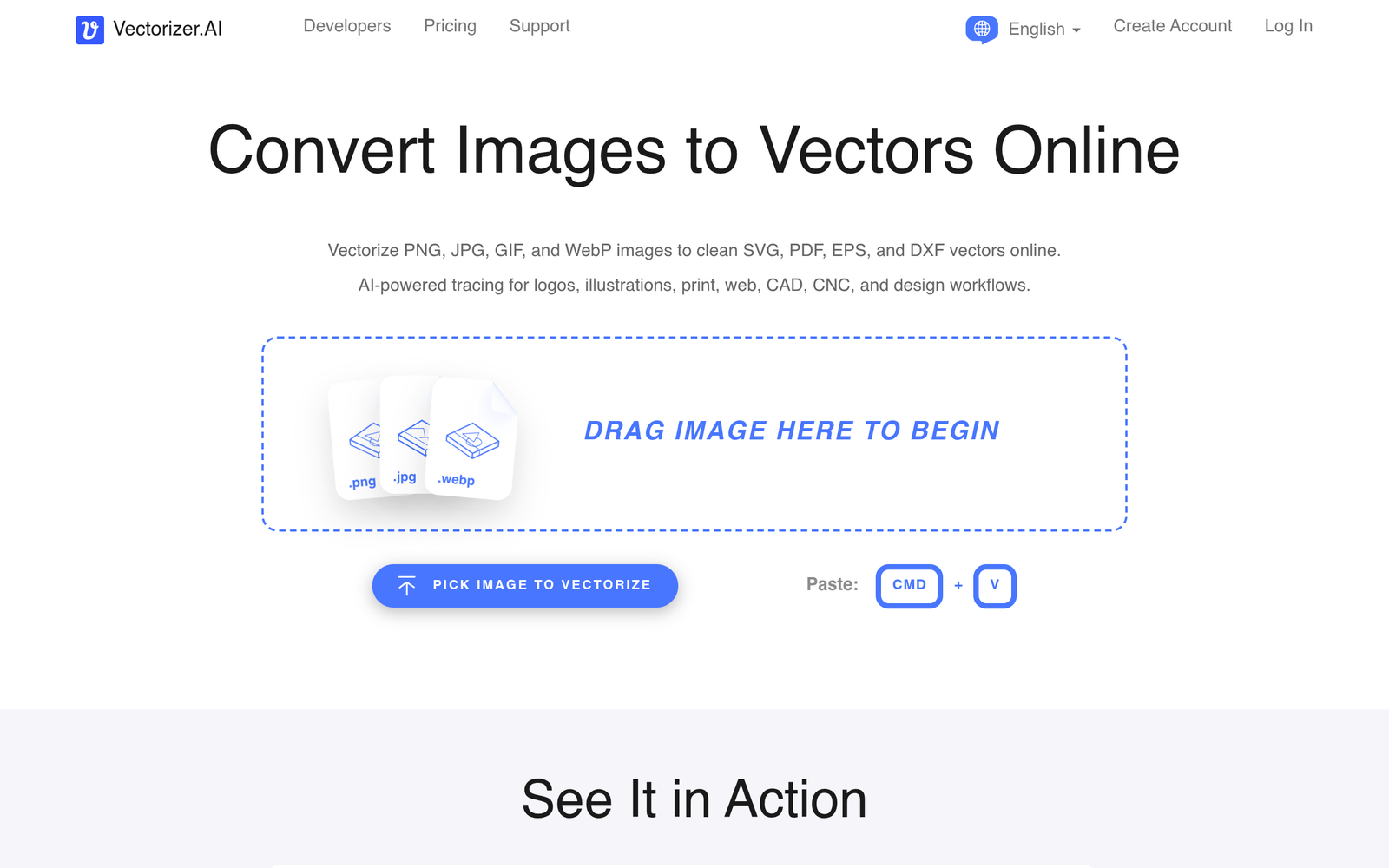
AI raster-to-vector image converter Vectorizer.AI makes it easy to convert any image into clean, editable SVG vectors. It is built for designers who need scalable artwork quickly, reducing the time spent redrawing assets.

Category
For AI raster-to-vector image converter

Quick Facts - About Vectorizer.AI

Category Graphic Design & Editing
Pricing Freemium
Platform Web
Main Features SVG vectorization; Batch conversion; Color control; Editable SVG export
Best For Graphic designers, branding teams, marketing agencies
Language Support English
Integrations N/A
Deployment Cloud-based

What is Vectorizer.AI ?

Vectorizer.AI is an AI-powered tool that converts bitmap images into editable vector SVGs. It analyzes raster data and outputs scalable vectors suitable for logos, icons, and illustrations. The main problem it solves is the tedious tracing and cleanup required to turn raster graphics into vectors. It benefits graphic designers, marketing teams, and product teams.

Description

1. Automatic raster-to-vector tracing

  • Converts raster images to clean SVG paths automatically.
  • Preserves shapes and curves with minimal artifacts.

2. Color and stroke optimization

  • Retains color blocks and stroke details for editable vectors.
  • Offers color control and palette options.

3. High-fidelity vector output

  • Generates precise paths for logos and icons.
  • Maintains sharp edges at any scale.

4. Batch and bulk conversions

  • Process multiple images in a single run.
  • Speeds up large design projects.

5. Editable SVG exports

  • Exports clean, editable SVG files ready for editors.
  • Preserves layers or groups for easy editing.

6. Background transparency support

  • Supports transparent backgrounds for flexible reuse.
  • Remains consistent across platforms.

Reviews

There are no reviews yet.

Be the first to review “Vectorizer.AI – AI raster-to-vector image converter for clean SVGs”

Pricing & Plans Of Vectorizer.AI

Pricing plans include a Free tier and paid options.

  • Free: Free – Basic vectorization with limited exports.
  • Starter: $9.99/mo – Core vectorization features with higher export limits.
  • Pro: Contact for pricing – Bulk processing, advanced color controls, and faster rendering.
  • Business: Contact for pricing – Team collaboration, multiple projects, and priority support.
  • Enterprise: Contact for pricing – Custom deployments and SLAs.
  • Team: Contact for pricing – Shared workspaces and admin controls.

Pro's

  • Output SVGs are clean and editable for designers.
  • Batch processing saves time on large projects.
  • Good vectorization for logos and icons with minimal cleanup.
  • Web-based, no installation needed.

Con's

  • Quality depends on input image; complex photos may need manual touch-up.
  • Free tier has export and feature limits.
  • Web-based tool requires internet connection for use.

Popular Use Cases of Vectorizer.AI

  • Convert a company logo from a PNG to scalable SVG for print materials.
  • Generate icon sets from bitmap sketches for a mobile app.
  • Prepare vector assets for a website design system.
  • Create scalable illustrations from raster artwork for marketing materials.

Alternatives of Vectorizer.AI

Tool Best For How It Compares
Vector Magic Professional vectorization with strong accuracy Excellent results on complex images, but costs extra and slower for large batches.
Inkscape Open-source vectorization via Trace Bitmap Free and flexible, but not AI-driven and may require manual tweaks.
Adobe Illustrator Integrated design suite for designers Powerful tracing features but requires a subscription and has a steeper learning curve.

Feedback

Representative user feedback:
“Converts images quickly, but SVGs often need minor cleanup for perfect results.”

Representative user feedback:
“Great for quick reuse on web projects, though batch limits can slow large campaigns.”

FAQs related to Vectorizer.AI

  1. What file formats does Vectorizer.AI export?
    SVG is the main export, with additional formats possibly offered in paid plans.
  2. Can Vectorizer.AI handle complex images and logos?
    It performs well on logos and icons; complex photos may need manual cleanup.
  3. Is Vectorizer.AI suitable for batch processing?
    Yes, batch processing is supported in paid plans.
  4. Is there a desktop app or is it web only?
    It is currently a web-based tool with no desktop app.

Start Vectorizing Your Images Today

Try Vectorizer.AI now and turn raster art into scalable SVGs in minutes. See how clean, editable vectors speed up your design workflow and improve branding assets.

Related Tools