Fotor – AI Photo Editor & Design Suite for Creators

ai photo editor that blends one-tap AI enhancement with design templates for quick visuals. It helps creators and teams produce polished images and graphics faster.

Category
For AI photo editor + graphic design suite

Quick Facts - About Fotor

Category Graphic Design & Editing
Pricing Freemium
Platform Web, iOS, Android
Main Features AI photo editor, one-tap AI enhancements, templates, background remover, collage maker
Best For Creators, small businesses, social media managers
Language Support Multiple languages
Integrations Export to social platforms and cloud storage services
Deployment Web-based and mobile apps

What is Fotor ?

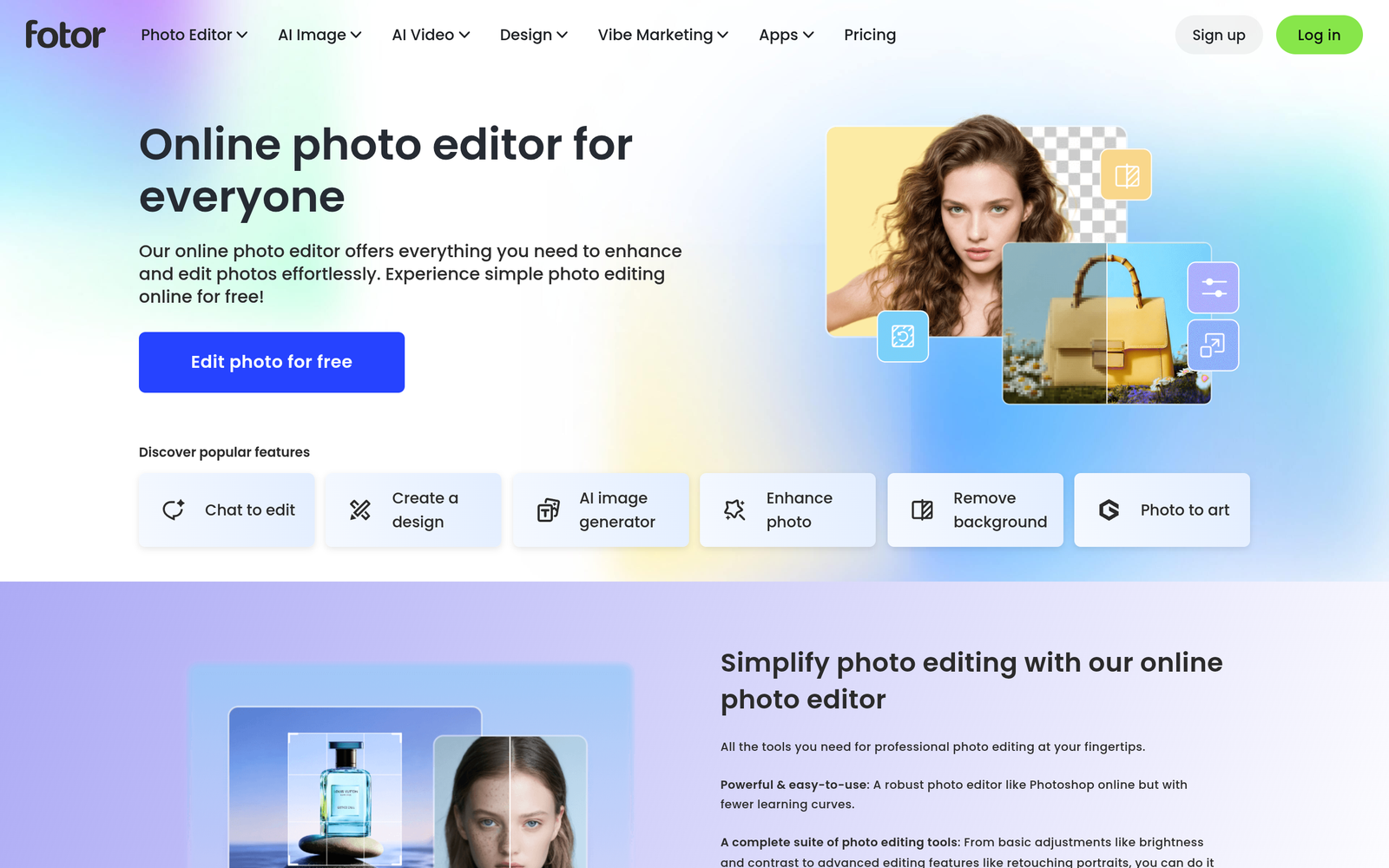
Fotor is an AI-powered platform that combines an AI photo editor with a full-feature graphic design suite. It uses AI to auto-enhance photos, apply templates, and generate design assets, helping users edit, create, and publish visuals in minutes. The main problem it solves is giving non-designers a fast, approachable way to produce professional visuals without learning complex software. It benefits social media managers, small businesses, and freelancers who need quick, branded visuals.

Description

1. AI Image Enhancement

  • One-tap AI enhancement automatically improves lighting, color, and sharpness.
  • Preserves natural look while improving overall image quality.

2. One-Tap Design Templates

  • Access a library of ready-to-use templates for social media, posters, and ads.
  • Templates adapt to your brand with simple customization.

3. Background Remover & Cutout

  • Remove or replace backgrounds with AI precision.
  • Exports with transparent PNGs for quick compositing.

4. Collage & Grid Designer

  • Create photo collages with flexible grids and layouts.
  • Drag-and-drop editing with preset styles.

5. Rich Export & File Customization

  • Export options for social sizes, print-ready, and web resolutions.
  • Exports in PNG, JPG, and other formats with quality controls.

6. Team & Brand Tools

  • Apply consistent branding via templates, fonts, and colors.
  • Collaborative editing and shared assets for teams.

7. Cross-Platform Access

  • Web-based editor accessible from any device with an internet connection.
  • Mobile apps for iOS/Android for on-the-go edits.
Reviews

There are no reviews yet.

Be the first to review “Fotor – AI Photo Editor & Design Suite for Creators”

Pricing & Plans Of Fotor

Pricing tiers offer a mix of free access and paid features.

  • Free: $0 – Access to basic editing and templates.
  • Starter: Contact for pricing – Basic features and templates for individuals.
  • Pro: $8.99/mo – Advanced AI features, larger library, higher exports.
  • Pro+: $19.99/mo – All Pro features plus premium templates and priority support.
  • Business: Contact for pricing – Team collaboration and brand kits.
  • Enterprise: Contact for pricing – Scaled rollout and admin controls.

Pro's

  • One-tap AI enhancements save time on edits
  • Extensive library of design templates for quick visuals
  • Background removal and collage tools boost versatility
  • Branding tools help maintain consistent visuals
  • Web and mobile access enables editing anywhere

Con's

  • Advanced features require paid plans
  • Template customization can be limited on the free tier
  • AI results may vary with very complex edits

Popular Use Cases of Fotor

  • Quickly generate branded Instagram stories for a product launch using AI enhancements and templates
  • Edit product photos for an e-commerce catalog with background removal and export options
  • Produce event posters by assembling photos in designer templates and share-ready formats
  • Create client-ready social media ads with brand kit templates

Alternatives of Fotor

Tool Best For How It Compares
Canva Easy templates and wide asset library Better template ecosystem but not focused on AI photo editing as much
Adobe Express Branding and professional print/web assets Integrates with Adobe ecosystem; steeper learning but powerful
PicMonkey Fast design tweaks and photo editing Strong editing tools; smaller template library

Feedback

Representative user feedback:
“Easy to use with one-tap AI upgrades, saves time on edits.”

Representative user feedback:
“Templates are helpful, but advanced customization can be limited in free tiers.”

FAQs related to Fotor

  1. What is Fotor primarily used for?
    Fotor blends AI photo editing with ready-made design templates to speed up social posts, ads, and branding visuals.
  2. Do I need to pay for full features?
    Yes, most advanced editing and templates are behind paid plans; a freemium tier offers core tools.
  3. Can I use Fotor on mobile?
    Yes, Fotor is available on web and mobile apps for editing on the go.
  4. Can I export files in different formats?
    Yes, you can export images in JPG, PNG, and other formats with various resolutions.

Start crafting visuals with Fotor today

Try Fotor now to edit photos with AI and apply templates for instantly branded visuals. You will cut design time and consistently publish polished graphics across social channels.

Related Tools