
Editaimg AI Image Editing Platform for Precise Retouching and Insertion

Editaimg is an AI powered image editing platform that streamlines professional photo manipulation with automated retouching, precise object insertion, and intelligent text edits for fast publish ready visuals.

Quick Facts - About Editaimg

Category AI Image Editing
Pricing Freemium with paid plans
Platform Web
Main Features Retouching, object insertion, text editing, watermark removal
Best For Social creators, ecommerce sellers, photographers
Language Support English, Spanish, French
Integrations Cloud storage exports, presets
Deployment Web based

What is Editaimg ?

Editaimg is an AI powered image editing platform designed to simplify complex photo tasks through automation. It combines advanced models for retouching, object insertion, and in image text editing to deliver natural looking results.

With a focus on preserving background integrity and seamless composition, Editaimg lets users perform precise edits like adding people to photos or removing difficult watermarks without needing graphic design skills.

Description

1. High-Precision Retouching

  • Subtle skin smoothing, color correction, and detail enhancement that stay natural.
  • Non destructive edits with adjustable sliders and preview.

2. Seamless Object Insertion

  • Insert people or items with realistic lighting, shadows, and perspective.
  • Positioning and masking that adapt to complex backgrounds.

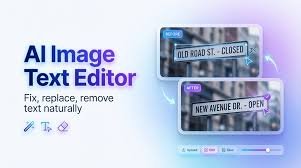
3. Intelligent Text Editing in Images

  • Replace or edit textual elements without quality loss.
  • Font matching and texture aware rendering for consistency.

4. Watermark Removal and Background Preservation

  • Remove watermarks while keeping background clean and undisturbed.
  • Edge aware inpainting to avoid artifacts.

5. Background Aware Editing

  • Edit to match horizon lines and color grading for cohesion.
  • Automatic scene consistency checks during edits.

6. Batch Processing and Workflow Automation

  • Queue multiple edits for faster turnaround.
  • Integrations with uploader workflows and export presets.
Reviews

There are no reviews yet.

Be the first to review “Editaimg AI Image Editing Platform for Precise Retouching and Insertion”

Pricing & Plans Of Editaimg

Editaimg offers a flexible pricing model with a free tier and scalable paid plans based on usage and features.

  • Free: 0 USD per month – Core editing tools with limited exports.
  • Starter: 9 USD/mo – More credits, faster processing, basic object insertions.
  • Pro: 29 USD/mo – Full toolset, batch processing, priority support.
  • Team: 99 USD/mo – Multi-user access, collaboration features, enterprise-grade exports.

Pro's

  • Natural looking edits with AI precision
  • Time saving for common photo tasks
  • User friendly interface suitable for non designers

Con's

  • Advanced edits may require a learning curve
  • Cloud based, requires internet connection for processing

Popular Use Cases of Editaimg

  • Personal use
  • Business product photos
  • Marketing and social media content
  • Education and presentation visuals

Alternatives of Editaimg

Tool Best For How It Compares
Photoshop with AI features Professional editors More control; steeper learning curve
Luminar AI Photographers User friendly; AI driven; fewer complex edits
Remove.bg Background removal Fast simple removal; limited other edits

Feedback

From ProductHunt: ‘Edits look natural and save hours of work for social media and ecommerce assets.’

From G2: ‘Impressive AI edits across challenging backgrounds with fast results.’

FAQs related to Editaimg

  1. What makes Editaimg different?
    Editaimg focuses on background aware edits and in image text handling for fast professional results.
  2. Is bulk editing supported?
    Yes, you can queue multiple edits for batch processing and export presets.
  3. Can I remove watermarks?
    Yes, using edge aware inpainting designed to preserve surrounding details.

Start Editing with AI Today

Try Editaimg free and experience how fast you can transform photos with precise retouching, realistic object insertion and in image text edits. Create ready to publish visuals for social, commerce and education in minutes.

Related Tools