Adobe Express – AI Design Tool for Social Media & Marketing Visuals

ai design tool that Adobe Express offers helps you create eye-catching social graphics quickly. It is meant for marketers, small teams, and creators who want fast, on-brand visuals. The primary benefit is speed and consistency across channels.

Category
For Quick AI design tool for social & marketing

Quick Facts - About Adobe Express

Category Graphic Design & Editing
Pricing Freemium
Platform Web, iOS, Android
Main Features Generative AI design, templates, brand kit, export options
Best For Marketers, small businesses, social teams
Language Support English, Spanish, French, others
Integrations Creative Cloud integration
Deployment Cloud-based

What is Adobe Express ?

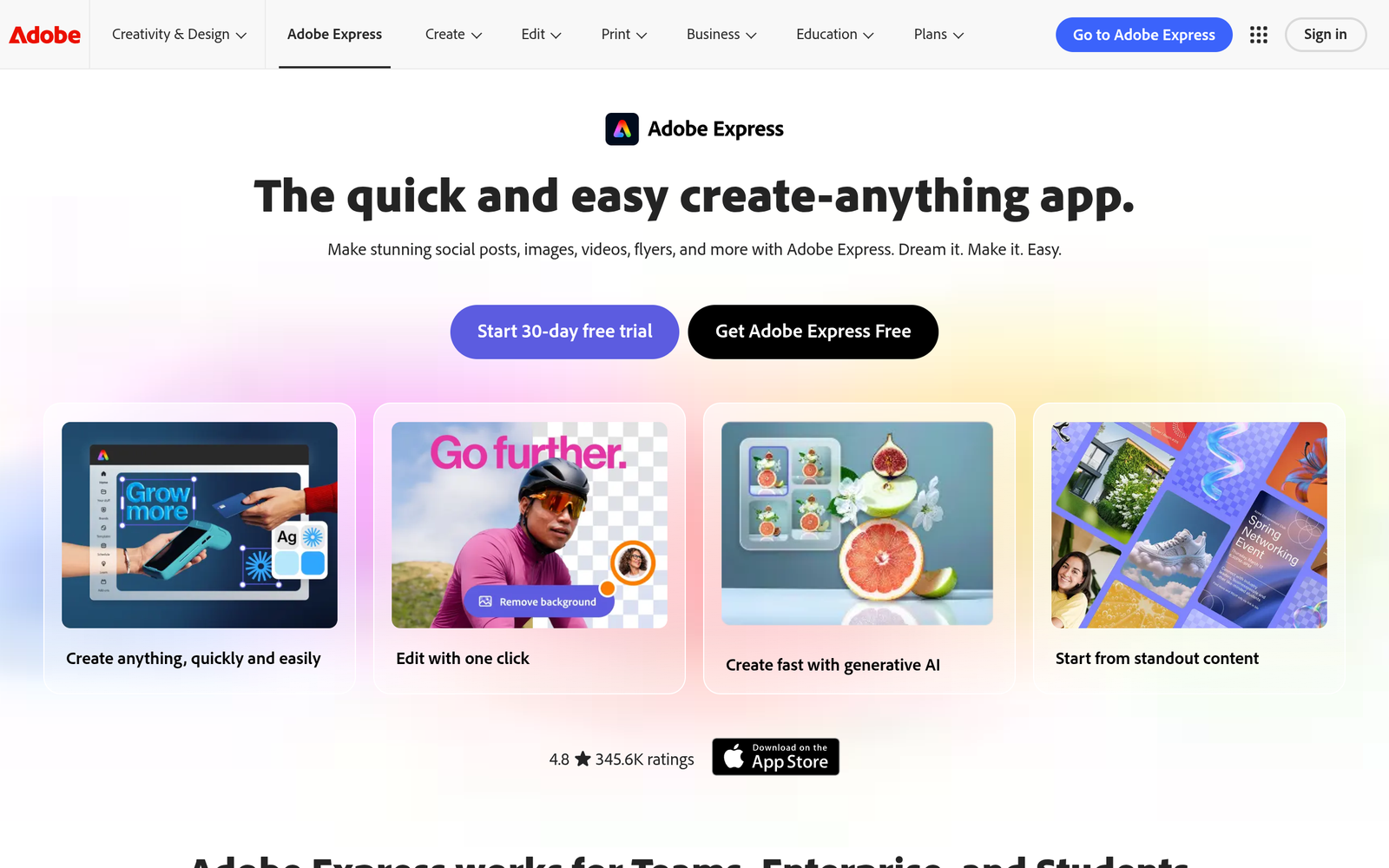
Adobe Express is an AI-powered design and editing platform that helps teams and individuals create social media graphics, ads, and marketing visuals quickly. Users access built-in Firefly generative fill and simplified Adobe tools to produce on-brand visuals without heavy design skills.

It solves the need for fast, on-brand visuals for teams, marketers, and creators who want professional results without hiring a dedicated designer. The result is faster production of shareable content with consistent branding.

Description

1. Generative AI design and Firefly fill

  • Create unique graphics with AI-powered ideas and textures.
  • Seamlessly fill images or craft visuals using built-in Firefly features.

2. Ready-made templates for social, marketing, and ads

  • Access templates sized for each platform and campaign type.
  • Save time by starting from ready-made layouts.

3. Brand kit and color palettes

  • Maintain consistency with saved logos, colors, and fonts.
  • Share brand assets across your team.

4. Simple editing tools for text, images, and layouts

  • Drag-and-drop editing with adjustable typography and alignment.
  • Resize and reposition elements with smart guides.

5. One-click export and resizing for different platforms

  • Export in multiple formats and sizes tailored to each social channel.
  • Preserve quality with high-resolution outputs.

6. Cloud-based workflow and asset sharing

  • Save work to the cloud and access from any device.
  • Share designs with teammates for feedback or collaboration.

Reviews

There are no reviews yet.

Be the first to review “Adobe Express – AI Design Tool for Social Media & Marketing Visuals”

Pricing & Plans Of Adobe Express

Pricing is Freemium with a paid Premium plan.

  • Free: $0/mo – Basic templates and limited saves for casual use.
  • Starter: Contact for pricing – Additional templates and storage for small projects.
  • Pro: $9.99/mo – Full design tools, higher export options, and premium templates.
  • Business: Contact for pricing – Team collaboration and branding features.
  • Enterprise: Contact for pricing – Scalable enterprise features and admin controls.
  • Team: Contact for pricing – Shared libraries and collaborative workflows.

Pro's

  • Fast start with ready templates and AI-assisted design.
  • Brings Firefly generative fill directly into the workflow.
  • Brand kit and asset syncing for consistent visuals.
  • Cloud-based saving and easy sharing with teammates.
  • Exports optimized for major social platforms.

Con's

  • Less control for advanced vector and photo-editing compared to dedicated tools.
  • Some advanced features locked behind paid plans.
  • Performance depends on internet connection and browser capabilities.

Popular Use Cases of Adobe Express

  • Create a branded Instagram carousel using templates and AI-generated visuals for a product launch.
  • Design Facebook ad banners with consistent brand colors and typography in minutes.
  • Produce email newsletter images that align with your marketing visuals.
  • Generate event posters and social cards for a conference or webinar.

Alternatives of Adobe Express

Tool Best For How It Compares
Canva All-purpose graphic design with templates Canva is easier for non-designers but less integrated with Adobe workflows
Visme Data-driven visuals and infographics Visme excels at charts and data visuals but lacks deep social templates
PicsMonkey Social media graphics and photo editing PicsMonkey is simpler but fewer advanced brand features

Feedback

Representative user feedback:
“Fast to learn, great for social posts, but free tier is limited.”

Representative user feedback:
“Adobe integration is a plus, though advanced features require a paid plan.”

FAQs related to Adobe Express

  1. What is Adobe Express best for?
    Quick social and marketing visuals with AI assistance.
  2. Is there a free version?
    Yes, Freemium with paid Premium features.
  3. Can I export in different sizes?
    Yes, you can resize and export for various platforms.
  4. Does it integrate with Creative Cloud?
    Yes, it syncs with your Adobe Creative Cloud assets.

Start creating social visuals today

Try Adobe Express now to turn ideas into ready-to-post graphics in minutes. Access templates, AI design tools, and a branded kit to boost engagement without a designer.

Related Tools