Brisk Teaching – ai teaching assistant for Google Docs & Slides

ai teaching assistant helps teachers bring AI into everyday workflows inside Google Docs & Slides. It aids planning and speeds up feedback for students.

For AI inside Google Docs & Slides for teachers

Quick Facts - About Brisk Teaching

Category Lesson Planning & Teacher Tools
Pricing Free (Free to use with paid plans)
Platform Chrome browser; Google Docs & Slides integration
Main Features Inline feedback, AI-assisted planning, real-time writing suggestions, templates, admin controls
Best For K-12 teachers and school staff
Language Support English
Integrations Google Docs, Google Slides, Chrome
Deployment Cloud-based; Chrome extension

What is Brisk Teaching ?

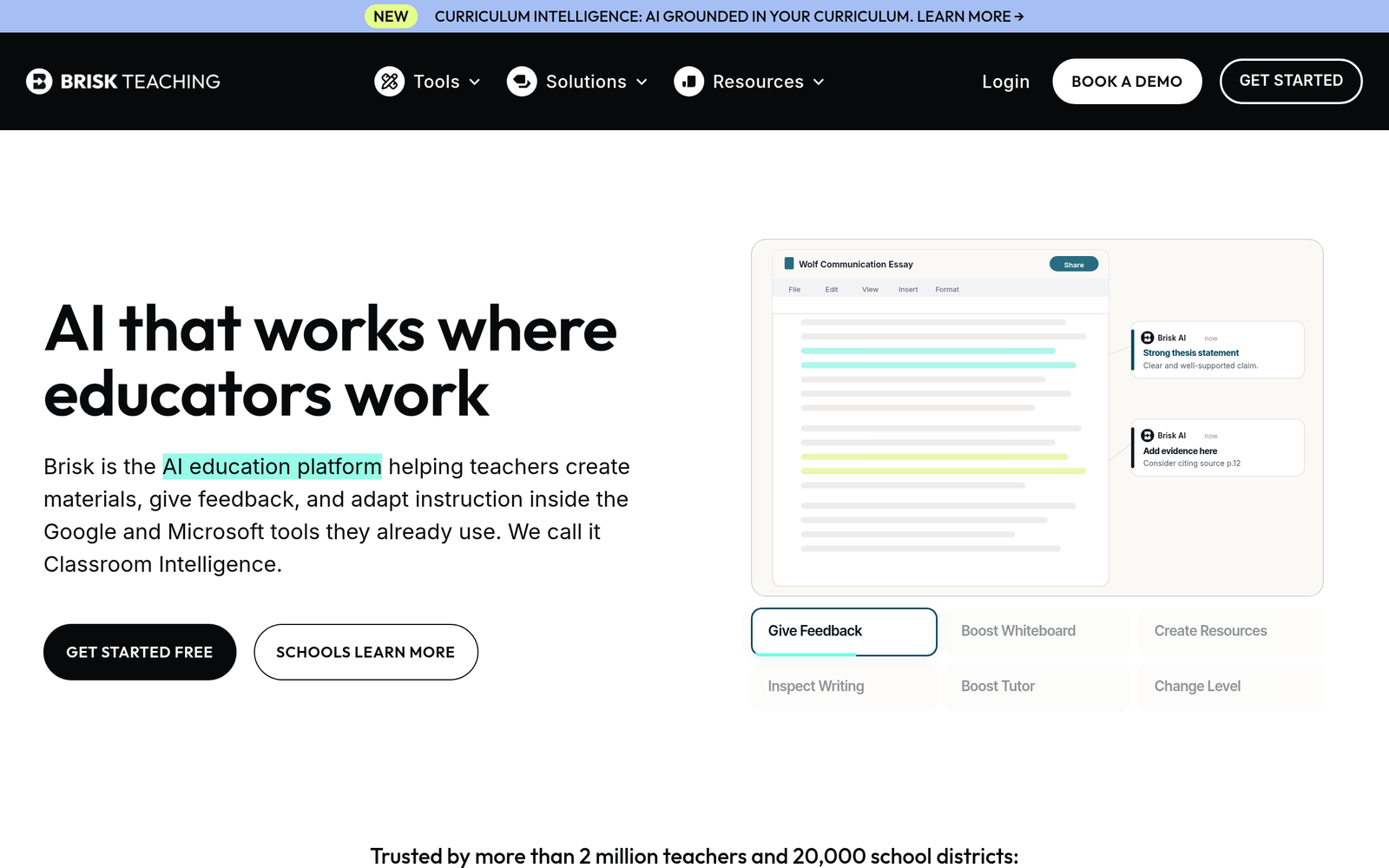
Brisk Teaching is an AI-powered tool that acts as an ai teaching assistant inside Google Docs & Slides via a Chrome extension to help teachers plan lessons and annotate student work inline.

It solves the problem of scattered feedback and time-consuming prep by bringing AI assistance directly into the places teachers work, benefiting busy classrooms.

Description

1. Chrome Extension Inline Feedback

  • Inline feedback appears directly in the document.
  • Supports grading workflows within Google Docs & Slides.

2. AI-assisted Lesson Planning Templates

  • Generates lesson plan outlines aligned to standards and objectives.
  • Allows teachers to customize and reuse templates across classes.

3. Real-time Writing Suggestions in Docs

  • Suggets clearer phrasing, improves readability, and adapts to grade level.
  • Accessible via keyboard shortcuts for quick edits.

4. Inline Student Feedback Templates

  • Offers ready-to-use inline feedback templates for common assignments.
  • Promotes consistent feedback across students and topics.

5. Admin Controls for Schools

  • Supports school-wide deployment with admin controls.
  • Integrates with Google Workspace admin policies.

6. Free Tier with Paid Plans

  • Free to use with paid Educator Pro and School plans.
  • Plans scale features and usage to fit classrooms and schools.
Reviews

There are no reviews yet.

Be the first to review “Brisk Teaching – ai teaching assistant for Google Docs & Slides”

Pricing & Plans Of Brisk Teaching

Pricing is available in several tiers for individuals and schools.

  • Free: Free – Core features with limits.
  • Pro: $9.99/mo – For individual educators needing full inline feedback and planning tools.
  • Business: Contact for pricing – School-wide deployment with admin controls and multi-user licenses.
  • Enterprise: Contact for pricing – District-scale deployment with integration options.

Pro's

  • Inline, context-aware feedback right in Google Docs and Slides.
  • Generates lesson plans and materials that align to standards.
  • Maintains consistent feedback through templates across assignments.
  • Single extension enhances workflow inside Google Workspace.
  • Admins can manage access for schools and classrooms.

Con's

  • Works best in Chrome and recent Google Workspace environments.
  • AI suggestions require teacher review to ensure accuracy and appropriateness.
  • Free tier may have feature or usage limits compared to paid plans.

Popular Use Cases of Brisk Teaching

  • A teacher generates a week-long unit plan directly inside a Docs document and adds aligned activities.
  • During grading, a teacher uses inline feedback templates to annotate student work in Slides.
  • The department creates reusable lesson templates for next year with standardized objectives.
  • The admin creates a school-wide rubric library and assigns access to teachers.

Alternatives of Brisk Teaching

Tool Best For How It Compares
Planboard Weekly lesson planning and scheduling Planboard focuses on planning and calendars; Brisk Teaching adds AI feedback inside Docs/Slides.
Additio Classroom planning and grading workflows Additio handles attendance and grading; Brisk Teaching emphasizes inline AI feedback in documents.
Educreations Creating and presenting interactive lessons Educreations centers on lesson creation; Brisk Teaching integrates AI feedback into existing docs and slides.

Feedback

Representative user feedback:
“Saves grading time and keeps inline feedback consistent across papers in Google Docs.”

Representative user feedback:
“Helps with planning, but some teachers want more robust privacy controls and standards alignment.”

FAQs related to Brisk Teaching

  1. What is Brisk Teaching and how does it work?
    Brisk Teaching is a Chrome extension that injects AI feedback and planning tools into Google Docs and Slides.
  2. Is Brisk Teaching free to use?
    Yes, there is a free tier with paid Educator Pro or School plans available.
  3. Which platforms does it work on?
    It works inside Google Docs & Slides via the Chrome extension and requires Google Workspace.
  4. Can Brisk Teaching be used by schools?
    Yes, with admin controls and school-wide deployment options.

Start using Brisk Teaching today

Start using Brisk Teaching now to bring inline AI feedback into your Google Docs & Slides work. You will save time on grading and plan lessons more efficiently.

Related Tools