
Cline – Autonomous coding agent for VS Code

Autonomous coding agent Cline brings an AI helper to VS Code for developers and teams who want to speed up coding. It helps write better code, navigate large projects, and speed up debugging.

Category
For Autonomous coding agent in VS Code

Quick Facts - About Cline

Category IDE Extension
Pricing Free (Free to use with paid plans)
Platform VS Code
Main Features Autonomous coding agent; Inline code generation; Context-aware recommendations; Test and boilerplate generation; Code navigation and quick fixes; BYOM ready
Best For Individual developers and teams using VS Code
Language Support Multiple languages within VS Code ecosystem
Integrations VS Code extension API, Git, Linting/Testing tools
Deployment Local within VS Code

What is Cline ?

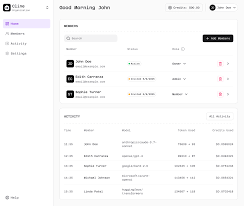
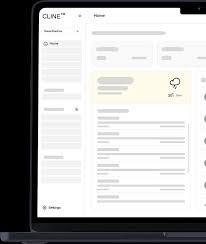
Cline is an AI-powered IDE extension that acts as an autonomous coding agent inside VS Code. It analyzes your codebase, suggests improvements, and can generate boilerplate or tests directly in the editor.

The main problem it solves is reducing repetitive tasks and context switching, letting developers focus on core logic. Solo developers and teams who want faster iteration and consistent coding patterns benefit most.

Description

1. Autonomous coding actions

  • Performs coding tasks within VS Code using AI guidance.
  • Can draft functions, refactor, and optimize code on demand.

2. Inline code generation

  • Generates code snippets directly in the editor as you type.
  • Supports multiple languages and frameworks commonly used in VS Code projects.

3. Context-aware recommendations

  • Uses your project context to tailor suggestions.
  • Minimizes noisy or irrelevant proposals.

4. Test and boilerplate generation

  • Creates unit tests and boilerplate for new features.
  • Keeps naming and structure consistent with your project conventions.

5. Code navigation and quick fixes

  • Offers navigation shortcuts and instant fix suggestions.
  • Integrates with the editor lint and problems pane to propose fixes.

6. BYOM ready and zero markup

  • Supports Bring Your Own Model API costs only, no extra markup is required.
  • Seamless integration with existing AI models and APIs.
Reviews

There are no reviews yet.

Be the first to review “Cline – Autonomous coding agent for VS Code”

Pricing & Plans Of Cline

Pricing is Free to start, with BYOM API costs applying for paid usage.

  • Free: Free to use with optional BYOM API costs; Access core features at no cost.
  • Starter: Contact for pricing – BYOM API usage applies; suitable for smaller teams.
  • Pro: Contact for pricing – BYOM API usage applies; scalable for growing projects.
  • Business: Contact for pricing – BYOM API usage applies; organizational features.
  • Enterprise: Contact for pricing – BYOM API usage applies; enterprise-grade controls.
  • Team: Contact for pricing – BYOM API usage applies; collaborative features.

Pro's

  • Maintains a single-workflow inside VS Code without context switching.
  • Auto-generates boilerplate and tests to accelerate feature work.
  • BYOM API costs only, avoiding heavy upfront license fees.
  • Backed by a large install base, improving reliability and support.
  • Context-aware code suggestions save developer time.

Con's

  • Performance and accuracy depend on the underlying AI model used.
  • Large projects may require model tuning for best results.
  • BYOM costs can scale with usage; monitor usage to control spend.

Popular Use Cases of Cline

  • Generate a new React component with tests from a feature brief.
  • Refactor a legacy function with in-editor suggestions and automated tests.
  • Add unit tests for a module during feature development.
  • Navigate a multi-file codebase to locate related functions and dependencies.

Alternatives of Cline

Tool Best For How It Compares
GitHub Copilot Code completion and AI-assisted coding inside IDEs Copilot provides incremental code suggestions, while Cline emphasizes autonomous in-editor actions and full-featured agent behavior.
Kite AI code completions with documentation Kite focuses on completions; Cline adds planning and automatic code generation within VS Code with BYOM options.
Tabnine AI-powered code completion across languages Tabnine centers on completions; Cline aims to act as an autonomous agent that can write substantial code segments and tests inside the IDE.

Feedback

Representative user feedback:
“Seamless VS Code integration, but BYOM pricing thoughts vary by usage.”

Representative user feedback:
“Autonomous coding actions save time, yet occasional misfires require quick review.”

FAQs related to Cline

  1. What is Cline?
    It is an AI-powered IDE extension that acts as an autonomous coding agent inside VS Code.
  2. Is Cline free to use?
    There is a Free tier; BYOM API usage may apply for paid features.
  3. What languages does it support?
    It supports multiple languages within the VS Code ecosystem, depending on the AI model in use.
  4. How does BYOM pricing work?
    BYOM means Bring Your Own Model; pricing is based on BYOM API usage rather than fixed plans.

Try Cline in VS Code Today

Install Cline in your VS Code setup and start seeing automatic code suggestions and tests appear in real time. Earn faster iteration and fewer repetitive tasks by coding with an AI agent inside your editor.

Related Tools