Grammarly – AI Writing Assistant with Grammar and Plagiarism Checks

ai writing assistant Grammarly helps you communicate clearly with real-time grammar, spelling, and plagiarism checks. It supports students and professionals across documents, emails, and posts.

For AI writing assistant + grammar + plagiarism

Quick Facts - About Grammarly

Category AI Writing & Academic Integrity
Pricing Freemium
Platform Web, Desktop, Mobile
Main Features Real-time grammar, plagiarism checker, style suggestions
Best For Students, professionals, educators
Language Support English (US, UK, AU)
Integrations Browser extensions, Microsoft Office, Google Docs
Deployment Cloud-based

What is Grammarly ?

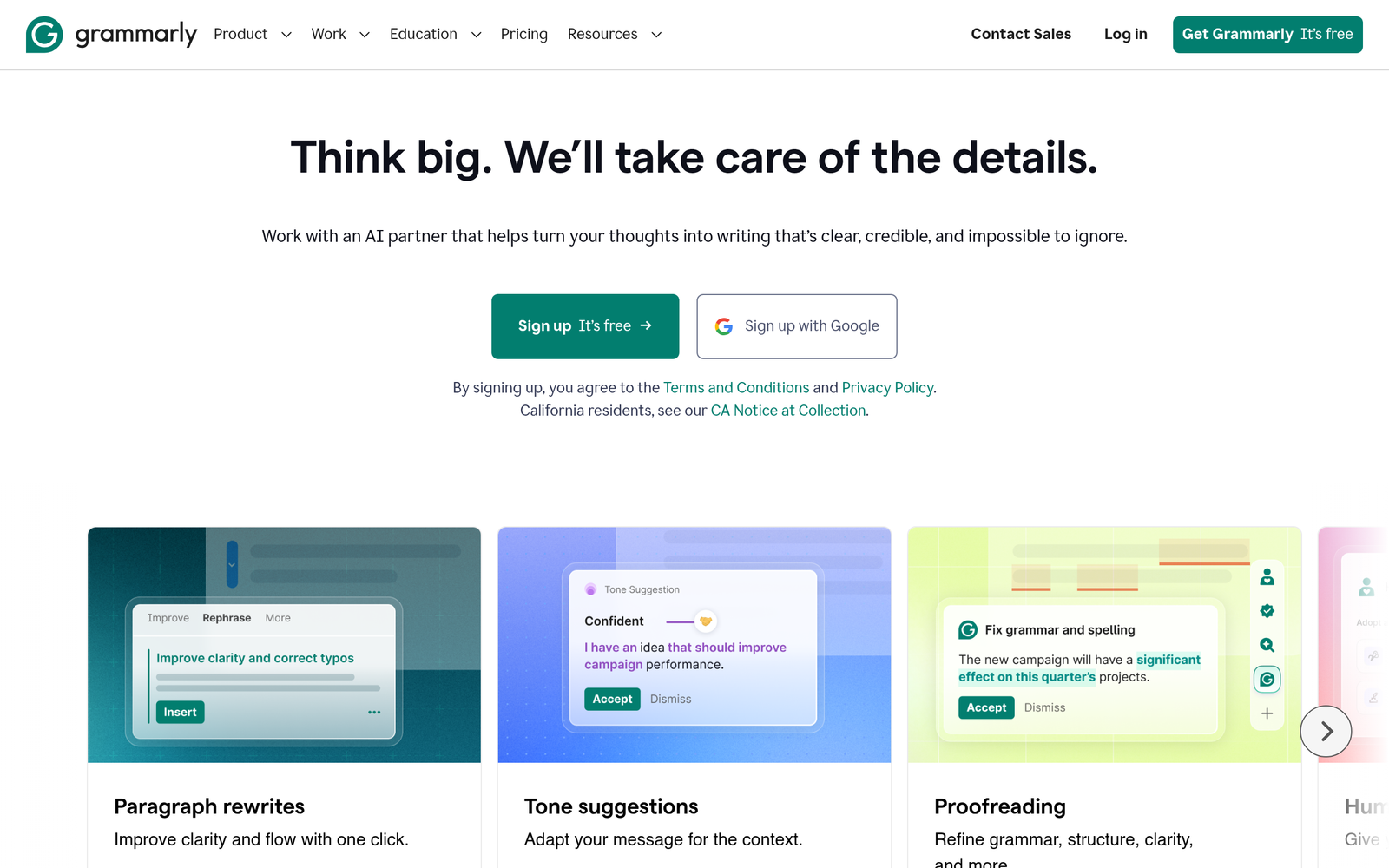
Grammarly is an AI-powered writing assistant that analyzes text in real time to suggest grammar, punctuation, style, and tone improvements.

As an ai writing assistant, it helps users catch errors before submission and improves writing quality for students, professionals, and educators.

Description

1. Real-time Grammar and Spelling Checks

  • Corrects mistakes as you type across apps and browsers.
  • Provides explanations to help you learn from errors.

2. Style, Tone, and Clarity Suggestions

  • Offers rewrite options to match formality and audience.
  • Highlights wordy phrases and suggests concise alternatives.

3. Plagiarism Checker and Citation Help

  • Detects unoriginal content across sources.
  • Guides citation style to help you avoid plagiarism.

4. Writing Goals, Context, and Feedback

  • Adapts suggestions to your goal (academic, business, casual).
  • Shows readability and impact metrics to guide edits.

5. Cross-Platform Availability and Integrations

  • Works in web editors, emails, docs, and mobile keyboards.
  • Supports browser extensions and Office integration.

6. Vocabulary, Style Tips, and Usage

  • Suggests precise word choices and reduces repetition.
  • Flags ambiguous terms and offers alternatives.

7. Edu and Institutional Support Features

  • Classroom policies and style guides for teachers.
  • Usage reports help monitor student progress.
Reviews

There are no reviews yet.

Be the first to review “Grammarly – AI Writing Assistant with Grammar and Plagiarism Checks”

Pricing & Plans Of Grammarly

Pricing overview.

  • Free: Free – Basic grammar and spelling checks with limited features.
  • Starter: $12/mo – Premium features for individuals including advanced grammar, style, and plagiarism checks.
  • Pro: $15/mo – Enhanced team and collaboration features for small groups, including admin controls.
  • Business: $15/mo – For teams with policy controls and shared style guides.
  • Enterprise: Contact for pricing – Custom pricing for large organizations with advanced controls.
  • Team: Contact for pricing – Flexible plan for growing teams with priority support.

Pro's

  • Real-time corrections across multiple text fields save editing time.
  • Plagiarism checks help maintain originality in submissions.
  • Tone and style suggestions improve target audience communication.
  • Cross-device and cross-application editing keeps writing consistent.
  • Education-focused options support school and classroom use.

Con's

  • Some advanced features require paid plans to access fully.
  • Plagiarism checks depend on source coverage and may miss some content.
  • Offline editing capabilities are limited for certain features.

Popular Use Cases of Grammarly

  • An undergraduate writes an essay and uses Grammarly to fix errors and check originality before submission.
  • A marketing manager drafts a proposal and uses tone suggestions to fit a formal audience.
  • A teacher creates feedback comments and uses plagiarism reports to guide student assignments.
  • An author prepares a manuscript and relies on readability metrics to improve clarity.

Alternatives of Grammarly

Tool Best For How It Compares
ProWritingAid In-depth writing analysis More detailed reports but less seamless integration than Grammarly
Turnitin Academic plagiarism detection Strong originality checks but weaker grammar features
Microsoft Editor Editing inside Office apps Good grammar checks but fewer advanced writing insights

Feedback

Representative user feedback:
“Real-time suggestions save time and improve overall writing quality.”

Representative user feedback:
“Plagiarism checks are useful but need broader source coverage for research.”

FAQs related to Grammarly

  1. What exactly does Grammarly check?
    Grammarly checks grammar, spelling, punctuation, style, and tone, with plagiarism checks on higher plans.
  2. Is Grammarly good for non-English writing?
    Grammarly focuses on English writing and its variants; non-English support is limited.
  3. Can I use Grammarly in my LMS or editor?
    Yes, it works with many web editors and Office apps via extensions and add-ins.
  4. What is the difference between Free and Premium?
    The Free plan covers basic grammar and spelling, while Premium adds style, tone, and plagiarism checks.

Start Improving Your Writing Today

Try Grammarly now to catch errors as you type and keep your writing clear. Use it across emails, essays, and posts to improve clarity and confidence.

Related Tools