Otter.ai – AI lecture transcription & meeting notes

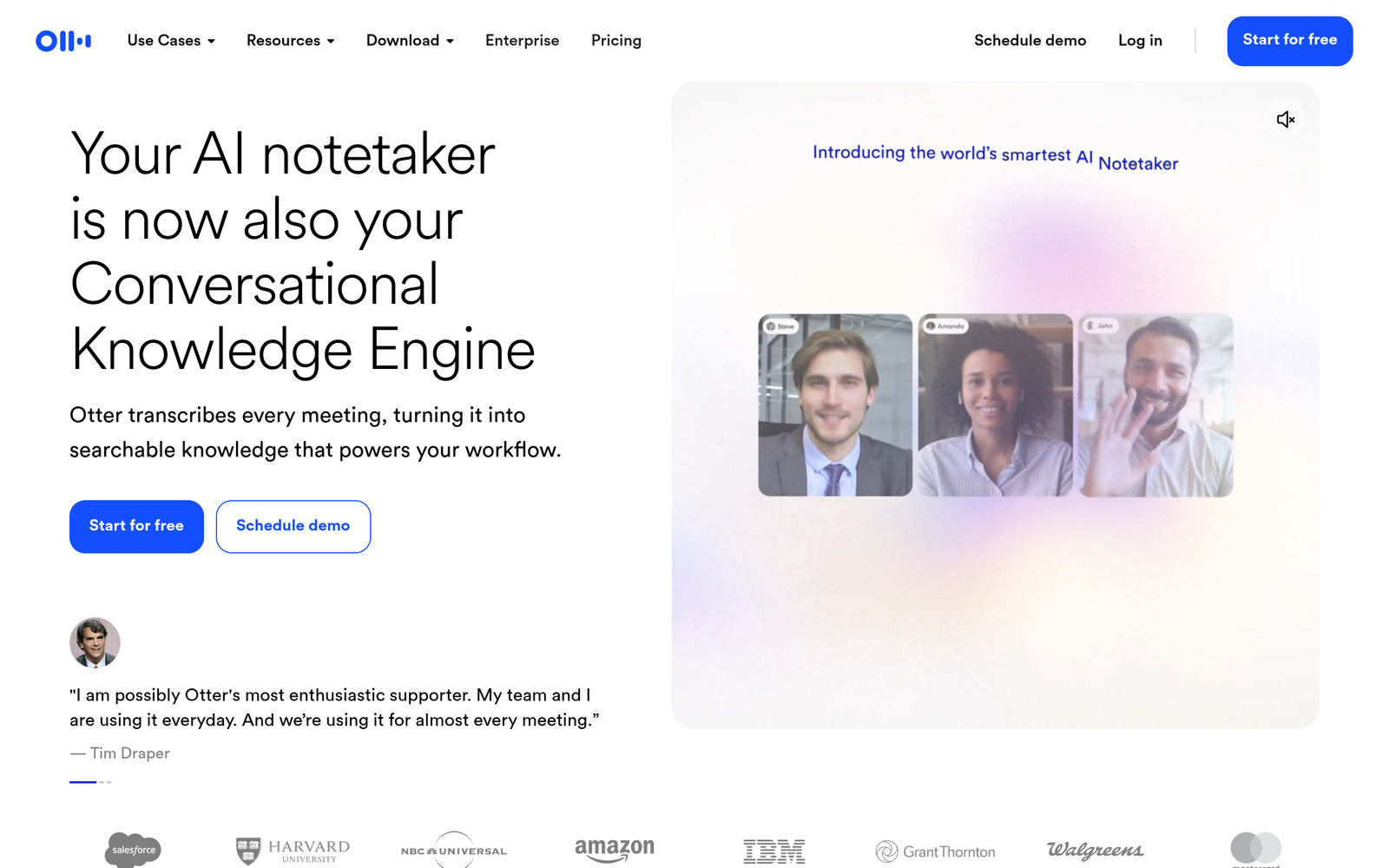
ai lecture transcription helps students and professionals capture spoken content in real time and turn it into searchable notes. It provides real-time transcription and auto-summaries to speed up review after lectures or meetings.

For AI lecture transcription + meeting notes

Quick Facts - About Otter.ai

What is Otter.ai ?

Otter.ai is an AI-powered note-taking and transcription tool that converts speech to searchable text in real time.

It processes live audio from lectures and meetings, tagging speakers and generating summaries to speed up review.

Description

1. Real-time transcription

  • Transcripts appear as speech happens, reducing lag between talk and notes.
  • Supports lectures, meetings, and interviews with speaker labeling.

2. Auto-summaries

  • Automatic summaries capture key points and action items for quick review.
  • Summaries are exportable and searchable within transcripts.

3. Speaker identification and attribution

  • Identifies speakers and tags their contributions for clarity.
  • Helpful for multi-speaker discussions and classroom settings.

4. Keyword search and highlights

  • Find terms instantly across all transcripts with robust search.
  • Highlights important phrases for quick skim.

5. Multi-device sync and collaboration

  • Syncs across devices so notes stay current for everyone.
  • Share transcripts and notes with teammates for collaboration.

6. Exports, notes, and integrations

  • Export transcripts to text or PDF formats for offline use.
  • Integrates with conferencing tools and cloud storage services to boost workflow.
Reviews

There are no reviews yet.

Be the first to review “Otter.ai – AI lecture transcription & meeting notes”

Pricing & Plans Of Otter.ai

Otter.ai offers a freemium model with paid tiers.

  • Free: Free – Basic transcription with limited monthly minutes and essential features.
  • Starter: Contact for pricing – More minutes and features for individuals.
  • Pro: $16.99/mo – AI transcription with longer limits and advanced exports.
  • Business: $30/mo – Team collaboration, admin controls, and priority support.
  • Enterprise: Contact for pricing – Custom SLAs, security, and onboarding.
  • Team: Contact for pricing – Shared workspace and multi-user features.

Pro's

  • Real-time transcription reduces note-taking time during lectures and meetings.
  • Auto-summaries help you review long content quickly.
  • Speaker labeling improves clarity in multi-speaker sessions.
  • Searchable transcripts make keyword lookups fast.

Con's

  • Accuracy depends on microphone quality and background noise.
  • Free plan has minute limits and feature restrictions.
  • Some advanced features may require higher-tier plans.

Popular Use Cases of Otter.ai

  • A student records a 90-minute lecture and exports notes for study guides.
  • A remote team records a weekly standup and shares action items with the group.
  • A researcher transcribes an interview and tags key terms for data analysis.
  • A professor creates a searchable archive of course lectures for student review.

Alternatives of Otter.ai

Tool Best For How It Compares
Fireflies.ai Team meeting transcripts and collaboration Strong conferencing integrations; Otter leans toward classroom and lecture notes with summaries.
Trint Long-form media transcripts Media-focused editing; Otter excels in real-time lecture use and study workflows.
Descript Editing audio/video with transcripts Editing-centric; Otter specializes in note taking and real-time transcription for learning.

Feedback

Representative user feedback:
“Students appreciate quick transcripts and searchable notes for studying after lectures.”

Representative user feedback:
“Teachers value real-time transcription during lectures, but occasional errors require proofreading.”

FAQs related to Otter.ai

  1. How accurate is Otter.ai for lectures?
    Accuracy depends on audio quality and speaker clarity; proofreading may be needed for critical notes.
  2. Can Otter.ai be used offline?
    Transcription relies on cloud processing, with limited offline use in some features.
  3. Does Otter.ai support multiple languages?
    Primarily English, with some language options depending on plan and availability.
  4. How can I share transcripts with teammates?
    Transcripts and notes can be shared or invited for collaboration within Otter.

Start Capturing Lectures and Meetings Now

Try Otter.ai today to see how real-time transcription and auto-summaries speed up studying and meeting follow-ups. You’ll get searchable transcripts and organized notes you can share with teammates.

Related Tools