Qoder – AI code editor and lightweight AI-Native IDE

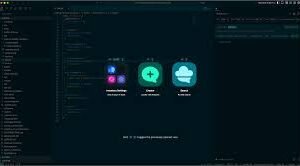
ai code editor Qoder is a lightweight AI-native IDE built for developers who want fast, focused coding. It helps solo developers and small teams speed up tasks with AI suggestions in a minimal interface.

Category
For Code-focused lightweight AI IDE

Quick Facts - About Qoder

Category AI-Native IDE
Pricing Freemium
Platform Web app with lightweight desktop options
Main Features AI-assisted code completion, context-aware snippets, lightweight footprint, real-time collaboration behind scenes, integrated terminal
Best For Developers who want a fast, code-focused AI IDE without heavy IDE bloat
Language Support Supports multiple languages with AI suggestions
Integrations Git, terminal, language servers, popular frameworks
Deployment Cloud-based with optional offline mode

What is Qoder ?

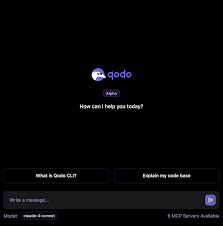
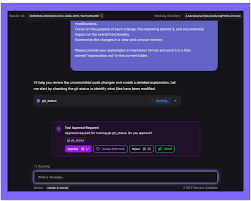
Qoder is an AI-powered code editor and lightweight IDE that brings AI-assisted coding directly into the editor, keeping startup time fast and the UI clean.
The main problem it solves is bloated, slow IDEs that get in the way of writing code, and it benefits solo developers and small teams who want quick AI help without feature bloat.

Description

1. AI-assisted code completion

  • Contextual suggestions speed up typing and reduce errors.
  • Works across multiple languages and popular frameworks.

2. Lightweight editor footprint

  • Starts quickly and uses minimal system resources.
  • Optimized UI to keep focus on code.

3. Inline AI refactoring suggestions

  • Offers safer code changes and highlights risks.
  • Helps maintain readability during edits.

4. Built-in terminal and snippets

  • Run commands without leaving the editor.
  • Store reusable code blocks for rapid reuse.

5. Language server and multi-language support

  • Leverages LSP for broad language compatibility.
  • Switch between languages within a project easily.

6. Lightweight collaboration hints

  • Change tracking supports reviews without heavy tooling.
  • Simple share workflow for small teams.

Reviews

There are no reviews yet.

Be the first to review “Qoder – AI code editor and lightweight AI-Native IDE”

Pricing & Plans Of Qoder

Pricing follows a Freemium model with multiple tiers to scale.

  • Free: Free – Basic features with limits.
  • Starter: Contact for pricing – Intro plan with core features and light usage limits.
  • Pro: $18/mo – Full AI-assisted coding environment with advanced features.
  • Business: Contact for pricing – For teams needing collaboration and admin controls.
  • Enterprise: Contact for pricing – Large-scale deployment with security options.
  • Team: Contact for pricing – Small teams with shared workspace.

Pro's

  • Fast startup and low resource usage
  • AI-assisted coding helps reduce mistakes
  • Lightweight UI keeps focus on writing code
  • Standalone AI-native IDE not a plugin
  • Good for solo developers and small teams

Con's

  • Fewer advanced features than heavyweight IDEs
  • AI suggestions may require careful review
  • Collaboration features may be basic in lower tiers

Popular Use Cases of Qoder

  • A solo developer prototyping a Python script with AI auto-completion
  • A frontend developer building React components with AI-assisted refactoring
  • A student learning to code with AI-guided debugging
  • A small team moving a project forward with a lightweight, shareable editor

Alternatives of Qoder

Tool Best For How It Compares
Cursor Lightweight AI-native IDE for code-focused work Qoder is lighter and more focused on solo development than Cursor, which has a broader feature set.
Replit Cloud-based, collaborative coding with AI features Replit offers cloud collaboration; Qoder emphasizes a lightweight desktop-like experience with AI in-editor.
GitHub Copilot AI-assisted coding within existing IDEs Copilot integrates into other IDEs; Qoder provides a standalone lightweight AI-native IDE.

Feedback

Representative user feedback:
“Fast and lightweight, users want more AI features and stronger language support.”

Representative user feedback:
“Solid for coding tasks, but collaboration features could be clearer”

FAQs related to Qoder

  1. What is Qoder?
    Qoder is a lightweight AI-native IDE with in-editor AI-assisted coding.
  2. How does it differ from Cursor?
    Qoder aims to be lighter and code-focused, with a standalone in-editor AI experience.
  3. Does Qoder work offline?
    Some features rely on cloud AI, so offline capabilities vary by plan.
  4. Which languages are supported?
    Qoder supports multiple popular languages via language servers and AI models.

Start coding with AI-powered speed today

Try Qoder now to experience fast AI-assisted coding in a lightweight IDE. Get your project moving quicker with fewer setup steps and instant AI help.

Related Tools