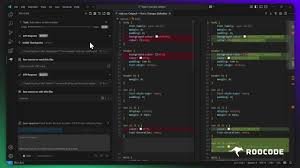
Roo Code – VS Code AI Extension for Multi-Model Coding

VS Code AI extension Roo Code brings an AI agent into your editor. It’s designed for developers who want multiple AI models and community-driven improvements, boosting productivity inside VS Code.

Category
For VS Code AI agent (Cline fork)

Quick Facts - About Roo Code

Category IDE Extension
Pricing Freemium
Platform VS Code
Main Features AI agent inside VS Code; extra model support; community fork; BYOM API readiness
Best For Developers needing multiple AI models in their IDE
Language Support English
Integrations VS Code; BYOM API
Deployment Local and Cloud

What is Roo Code ?

Roo Code is an AI-powered tool that runs as a VS Code IDE extension and AI agent. It forks Cline to add community-driven model support, letting developers pick from multiple AI models inside the editor. Roo Code answers the need for more model variety and community-driven improvements in IDE AI tools, benefiting developers and teams who want flexible AI workflows.

Description

1. AI Agent in VS Code

  • Offers inline suggestions and explanations as you code.
  • Keeps your workflow in the editor.

2. Multi-Model Support

  • Switch between AI models without leaving your workspace.
  • Compare outputs to choose the best model for a task.

3. Community Fork Enhancements

  • Gains access to extra model compatibility through community contributions.
  • Faster updates fueled by open-source collaboration.

4. BYOM Ready

  • Bring your own models via BYOM API integration.
  • Configurable prompts and deployment options.

5. Editor-Integrated Tasks

  • Run prompts and actions directly in VS Code.
  • Save per-project model configurations for consistency.
Reviews

There are no reviews yet.

Be the first to review “Roo Code – VS Code AI Extension for Multi-Model Coding”

Pricing & Plans Of Roo Code

Pricing is freemium with BYOM API costs for advanced usage.

  • Free: Free – Core features; BYOM API usage applies for advanced features.
  • Starter: Varies by usage – Access to extended model support and priority updates.
  • Pro: Contact for pricing – Scaled usage and enhanced features for individuals.
  • Business: Contact for pricing – Team collaboration features and SLAs.
  • Enterprise: Contact for pricing – Custom integrations and on-prem options.
  • Team: Varies by usage – Collaborative features for small teams.

Pro's

  • Multi-model support lets you compare outputs from different AI models inside the editor.
  • Direct VS Code integration keeps your coding flow uninterrupted.
  • Community fork brings extra model compatibility and faster updates.
  • BYOM API readiness allows bringing your own models when needed.

Con's

  • Model availability and performance depend on community activity and BYOM costs.
  • Some advanced features may require setup and learning curve.

Popular Use Cases of Roo Code

  • Individual developer compares outputs from multiple AI models inside VS Code while writing Python code.
  • A small team prototypes new features by switching models and reviewing suggestions in real-time.
  • A Dev learns a new framework by asking the AI for in-editor explanations and examples.
  • A lead engineer brings a custom BYOM model into Roo Code for domain-specific auto-completion.

Alternatives of Roo Code

Tool Best For How It Compares
GitHub Copilot General AI code completion and suggestions Integrates deeply with VS Code and multiple languages; Roo Code differentiates with a community fork and extra model support.
Tabnine AI code completion across editors Focuses on broad model coverage; Roo Code emphasizes multi-model choice and BYOM readiness within IDE.
Kite AI code completion in Python and JS Roo Code adds in-editor AI agent capabilities and community-driven model variety not just suggestions.

Feedback

Representative user feedback:
“Developers want more reliable model support and community-driven improvements for VS Code AI tools.”

Representative user feedback:
“Cutting-edge features are nice, but stability and clear pricing matter to teams.”

FAQs related to Roo Code

  1. What is Roo Code and how does it integrate with VS Code?
    Roo Code is an AI agent extension for VS Code that adds multi-model support via a community fork.
  2. Is Roo Code free to use?
    Yes, Roo Code is free to use with BYOM API costs applying for advanced features.
  3. Which platforms does it support?
    It runs inside VS Code on Windows, macOS, and Linux.
  4. How does Roo Code differ from other AI IDE extensions?
    It’s a community fork with extra model support and community-driven improvements.

Upgrade Your VS Code AI Workflow Today

Install Roo Code in VS Code now to access multi-model AI support and community improvements. Start coding with in-editor AI guidance and compare model outputs in real time.

Related Tools