SlidesAI – AI text-to-presentation for Google Slides

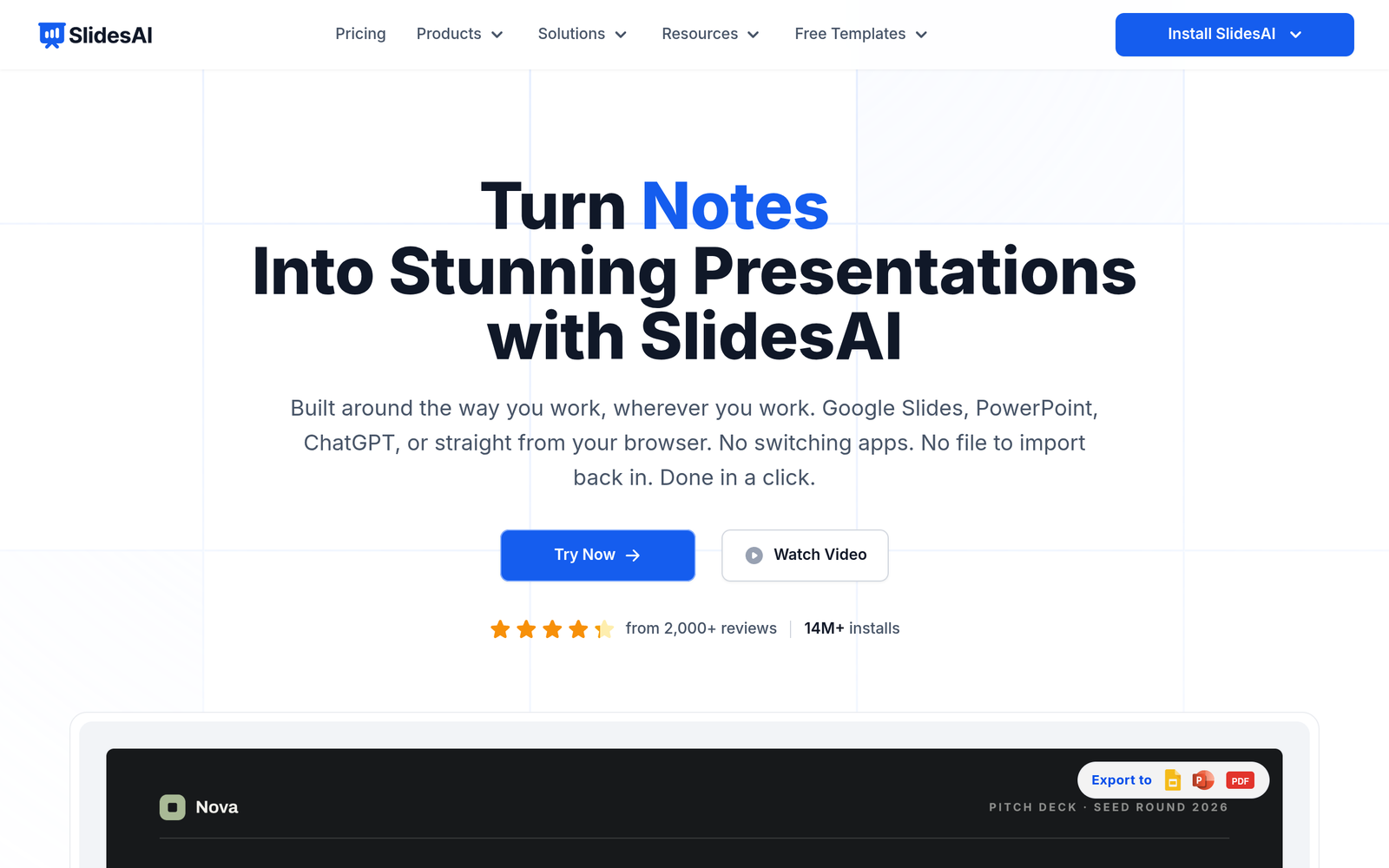
ai text-to-presentation makes it easy to turn notes into polished Google Slides decks. Designed for teams, educators, and marketers, it speeds up the slide creation process.

Category
For AI text-to-presentation for Google Slides

Quick Facts - About SlidesAI

Category Presentation Design
Pricing Free to use with paid plans
Platform Google Slides
Main Features Deep Slides integration, AI content generation, auto-layout, branding sync, templates
Best For Teams, educators, marketers creating decks in Google Slides
Language Support English UI and content generation
Integrations Google Workspace, Google Slides
Deployment Web-based

What is SlidesAI ?

SlidesAI is an AI-powered presentation design assistant that converts text into slide-ready content for Google Slides. It integrates deeply with Google Slides to auto-create layouts, styles, and transitions from your notes. The main problem it solves is turning rough notes into polished decks without leaving Google Slides, helping busy professionals, educators, and teams save time and maintain consistent branding.

Description

1. Deep Google Slides integration

  • Seamless in-editor creation and editing directly inside Google Slides.
  • Preserves your existing fonts, themes, and add-ons while generating content.

2. AI-generated slide content from text

  • Converts notes into slide-ready blocks with concise copy.
  • Offers multiple tone options and auto-summarization.

3. Auto-layout and design suggestions

  • Suggests layouts, images, and charts that fit content automatically.
  • Keeps slides balanced and visually consistent across the deck.

4. Theme and branding synchronization

  • Applies brand colors and logos across slides for consistency.
  • Enables quick template changes without manual edits.

5. Templates, assets, and quick-export

  • Provides slide templates and asset libraries to speed up deck creation.
  • Exports to Google Slides with one click or as PPTX when needed.

6. Collaboration and feedback workflows

  • Real-time co-editing hints and integrated version history.
  • In-slide comments and review flows for teammates.
Reviews

There are no reviews yet.

Be the first to review “SlidesAI – AI text-to-presentation for Google Slides”

Pricing & Plans Of SlidesAI

Pricing is tiered to fit individuals and teams.

  • Free: Free – Access to core AI slide generation with limited exports.
  • Starter: $9.99/mo – Basic paid tier with more exports and templates.
  • Pro: $9.99/mo – Advanced features including branding and higher limits.
  • Business: Contact for pricing – For teams needing more seats and priority support.
  • Enterprise: Contact for pricing – Custom enterprise features and SLAs.
  • Team: Contact for pricing – For small teams needing collaboration and admin controls.

Pro's

  • Generous free plan with usable features.
  • Deep Google Slides integration reduces context switching.
  • AI-generated content speeds deck creation.
  • Branding and templates ensure consistent visuals.

Con's

  • Advanced features may require paid plans.
  • Functionality depends on Google Slides ecosystem.
  • AI output may require human editing for complex decks.

Popular Use Cases of SlidesAI

  • A marketing team converts a client brief into a slide deck for a quarterly review in Google Slides.
  • A teacher turns lecture notes into a ready-to-deliver presentation for class.
  • An entrepreneur builds a concise investor pitch by summarizing notes into slides.
  • A project manager creates a project status update deck from meeting notes.

Alternatives of SlidesAI

Tool Best For How It Compares
Beautiful.ai Automated, consistent slide design Provides AI layouts but may have less Google Slides integration
Canva Versatile design with templates Strong templates but not as deep Google Slides integration
Slidebean Pitch deck optimization Good for quick decks but limited Google Slides workflows

Feedback

Representative user feedback:
“People say it saves time, but the AI copy often needs polishing.”

Representative user feedback:
“Users want better image suggestions and more template variety out of the box.”

FAQs related to SlidesAI

  1. What can SlidesAI do with Google Slides?
    It generates slide content from text and formats it to match your branding.
  2. Is SlidesAI free to start using?
    Yes, there is a free tier with paid upgrades.
  3. Can SlidesAI export slides to PowerPoint or PDF?
    Exports are done within Google Slides; you can download PPTX if needed from Slides.
  4. Does SlidesAI support team collaboration?
    Yes, collaboration features exist and vary by plan.

Start creating slides from text today

Try SlidesAI now to turn your notes into polished Google Slides decks in minutes. See your slide content, layout, and branding come together with minimal effort.

Related Tools