
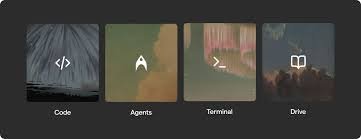
Warp 2.0 – AI-powered terminal with coding agent

ai-powered terminal that combines a CLI agent with an AI coding assistant. Warp 2.0 is built for developers who want faster command-line tasks and smarter automation. It helps teams ship features quicker with simpler workflows.

Category
For AI-powered terminal with coding agent

Quick Facts - About Warp 2.0

Category Terminal / CLI Agent
Pricing Freemium
Platform Cross-platform desktop and CLI
Main Features
  • AI-assisted shell commands
  • Coding agent in terminal
  • Open-source since Apr 2026
  • AI-native terminal UI
  • Team and Enterprise collaboration
Best For Developers and engineers who want AI help inside the terminal
Language Support English; supports code in multiple languages
Integrations Git integration and standard CLI toolchains
Deployment Desktop app with optional cloud sync

What is Warp 2.0 ?

Warp 2.0 is an AI-powered terminal that blends a traditional shell with an embedded coding agent. It lets you run commands, draft code, and automate tasks directly from your terminal, with AI-assisted recommendations and smart completions.

By bringing AI into the terminal, developers and engineers gain faster iteration, reduce context switching, and get coding help without leaving the shell.

Description

1. AI-assisted shell commands

  • Automates repetitive tasks with contextual AI prompts.
  • Integrates with standard CLI tools to speed up workflows.

2. Coding agent in terminal

  • Write, refactor, and test code from the command line.
  • Provides inline suggestions and code snippets as you type.

3. Open-source since Apr 2026

  • Source is publicly available for review and contributions.
  • Community-driven improvements and faster bug fixes.

4. AI-native terminal UI

  • Design focuses on AI-native interactions that feel natural in shell.
  • Commands and prompts are optimized for quick access.

5. Free tier with paid upgrades

  • Start using at no cost; upgrade for team features and SLAs.
  • Team/Enterprise plans unlock collaboration, governance, and security features.

6. Team and Enterprise collaboration

  • Collaborative features for teams with admin controls.
  • Centralized policy, audit logs, and deployment options.
Reviews

There are no reviews yet.

Be the first to review “Warp 2.0 – AI-powered terminal with coding agent”

Pricing & Plans Of Warp 2.0

Warp 2.0 uses a freemium model with paid Team and Enterprise plans.

  • Free: Free – Access core AI terminal features with coding agent basics.
  • Starter: Contact for pricing – For individuals needing more credits and faster AI responses.
  • Pro: Contact for pricing – For developers needing extra tooling and priority support.
  • Team: $16 / custom /mo – For teams with collaboration and admin controls.
  • Business: Contact for pricing – For teams needing governance and scale features.
  • Enterprise: Contact for pricing – For large organizations with security and deployment options.

Pro's

  • AI-assisted shell commands save time on repetitive tasks.
  • Coding agent helps write and adjust code directly in terminal.
  • Open-source status invites community improvements and transparency.
  • Free tier allows immediate experimentation without cost.
  • Team and Enterprise plans add governance and collaboration features.

Con's

  • AI prompts may output incorrect results, requiring verification.
  • Performance depends on environment and network connectivity.
  • Initial setup and onboarding can take time for new users.

Popular Use Cases of Warp 2.0

  • Debug a failing shell script by asking the AI to suggest fixes and run checks.

  • Generate boilerplate code for a new script directly in the terminal and test it in place.

  • Refactor a messy command-line workflow into efficient, reproducible steps with AI guidance.

  • Share a curated set of commands with teammates by exporting snippets to a project doc.

Alternatives of Warp 2.0

Tool Best For How It Compares
WezTerm Cross-platform terminal emulator Non-AI; strong performance and customization; Warp adds AI features on top
iTerm2 macOS power users Feature-rich terminal; lacks integrated AI coding agent
Hyper Web-based terminal feel Community plugins; fewer AI capabilities

Feedback

Representative user feedback:
“AI-powered terminal speeds up work, yet prompts require careful checking.”

Representative user feedback:
“Team features help with collaboration, but initial setup can be slow.”

FAQs related to Warp 2.0

  1. What is Warp 2.0?
    Warp 2.0 is an AI-powered terminal with a coding agent that runs inside your shell.
  2. Is Warp 2.0 open source?
    Yes, it became open source in April 2026, inviting community contributions.
  3. What platforms does Warp 2.0 support?
    It supports major desktop OS with a cross-platform CLI experience.
  4. How does pricing work?
    Warp 2.0 uses a freemium model with Team and Enterprise plans, with some features available in the free tier.

Start using Warp 2.0 today

Install Warp 2.0 and start coding in the terminal with AI help. You’ll speed up shell tasks, generate and refine code on the fly, and share commands with teammates in one place. Try it now to see how your daily workflow becomes smoother.

Related Tools