
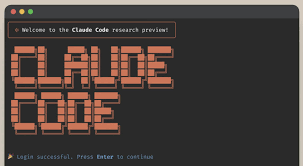
Claude Code – Terminal AI coding assistant for autonomous coding in the shell

terminal AI coding with Claude Code helps you run autonomous coding tasks directly in the terminal. It targets developers who live in shell environments and want faster code generation, testing, and iteration. The result is less context switching and quicker prototyping.

Category
For Terminal-based autonomous coding agent

Quick Facts - About Claude Code

Category Terminal / CLI Agent
Pricing Freemium
Platform CLI / Terminal
Main Features Autonomous coding in the terminal; Context-aware code generation; Scriptable task execution; Multi-language support; Testing and debugging helpers
Best For Developers who work primarily in the CLI and shell environments
Language Support Multiple languages via code generation, including Python, JavaScript, Bash
Integrations CLI tools, version control, CI/CD pipelines
Deployment Local terminal and cloud-based CLI sessions

What is Claude Code ?

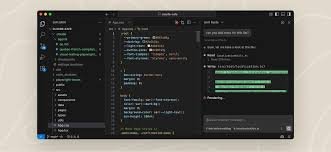
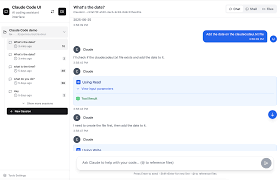
Claude Code is an AI-powered terminal / CLI agent that acts as an autonomous coding assistant inside your command line. It analyzes your workspace context, generates code snippets, runs tests, and executes tasks directly in the terminal, helping you stay in flow. The main problem it solves is the friction of moving between editors and the CLI; it helps developers, data scientists, and DevOps engineers accelerate coding workflows by staying in the terminal.

Description

1. Contextual Code Synthesis

  • Generates code snippets tailored to your current project context.
  • Uses in-session context to propose relevant patterns and functions.

2. CLI-Driven Task Orchestration

  • Orchestrates sequences of commands and scripts from the terminal.
  • Maintains a history of actions for repeatability.

3. Autonomous Iteration and Testing

  • Suggests tests and runs them within the terminal.
  • Reports failures with actionable fixes and explanations.

4. Code Snippet Library and Reuse

  • Stores reusable patterns and templates for quick insertion.
  • Supports tagging and easy retrieval from the CLI.

5. Secure Sandbox and Error Handling

  • Previews risky operations in a sandboxed environment.
  • Offers graceful fallbacks and clear error messages.

6. Language Coverage and Examples

  • Generates code in languages like Python, JavaScript, and Shell.
  • Includes usage examples and inline documentation.
Reviews

There are no reviews yet.

Be the first to review “Claude Code – Terminal AI coding assistant for autonomous coding in the shell”

Pricing & Plans Of Claude Code

Pricing is available in Free, Starter, Pro, Max, Team, and Enterprise plans.

  • Free: Free – Basic access with limited context and usage.
  • Starter: Varies by usage – Entry-level access for individuals seeking more runs.
  • Pro: $20/mo – Core autonomous terminal coding features.
  • Max: $100/mo – Maximum context and advanced controls for teams.
  • Team: $25/mo – Multi-user collaboration for teams.
  • Enterprise: Contact for pricing – Custom plans with SLAs and security.

Pro's

  • Reduces context switching by coding inside the terminal
  • Context-aware code generation speeds up iteration
  • Supports multi-language code generation for common stacks
  • Automates repetitive tasks and scripting in the CLI
  • Offers in-session testing and quick feedback

Con's

  • Relies on online AI models, which may affect latency and availability
  • Requires careful prompt design to get precise outputs
  • Context length and terminal environment limits can constrain complex projects

Popular Use Cases of Claude Code

  • Automate boilerplate code generation in long-running CLI tasks
  • Generate startup scripts and deployment manifests from a terminal session
  • Prototype algorithms directly in a REPL-like terminal
  • Refactor and optimize code snippets within the terminal workflow

Alternatives of Claude Code

Tool Best For How It Compares
GitHub Copilot CLI CLI-centric code generation Strong integration with GitHub ecosystem; focuses on suggestions rather than full autonomous tasking.
Kite Code completion in various editors Leverages in-editor completion rather than autonomous CLI tasking; broader language support.
Tabnine AI code completion Offers broad completion capabilities; less emphasis on terminal autonomous coding tasks.

Feedback

Representative user feedback:
“CLI users want reliable, fast code suggestions without leaving the terminal.”

Representative user feedback:
“It helps speed up tedious scripting, but prompts must be clear for best results.”

FAQs related to Claude Code

  1. What is Claude Code?
    Claude Code is a terminal AI agent that autonomously codes inside the CLI, generating and testing code directly in the shell.
  2. Can Claude Code run offline?
    It relies on cloud-based models; offline use is not supported.
  3. Which languages does it support?
    It can generate code in several popular languages like Python, JavaScript, and shell scripting.
  4. How do I start using Claude Code in the terminal?
    Install the tool, connect your CLI workspace, and begin issuing prompts for code generation and testing.

Start automating terminal coding today

Try Claude Code in your CLI today and see autonomous coding in action. You will generate, test, and iterate code without leaving the terminal, speeding up your workflow.

Related Tools