Kimi CLI – CLI coding assistant for developers in CLI

cli coding assistant Kimi CLI brings AI-powered coding to the terminal, helping developers write and refine code without leaving the shell. It serves solo coders and teams who work primarily in the command line, delivering faster iteration and contextual suggestions.

Category
For Moonshot AI’s CLI coding agent

Quick Facts - About Kimi CLI

Category Terminal / CLI Agent
Pricing Freemium (Free trials available)
Platform CLI / Terminal
Main Features Long-context Chinese AI for coding; Terminal-first workflow; Context-aware code generation; In-shell debugging
Best For Developers who code primarily in the terminal
Language Support Chinese, English
Integrations Local shell, Git, SSH
Deployment Cloud-based inference

What is Kimi CLI ?

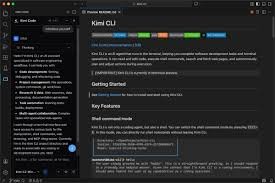
Kimi CLI is an AI-powered terminal and CLI agent that runs inside your shell to assist coding tasks. It uses a long-context Chinese AI model to generate code suggestions, explain errors, and propose refactors while you type.

The main problem it solves is keeping coding context when you work in the terminal, especially for longer sessions and for teams that prefer Chinese language support.

Description

1. Long-context Chinese AI model for coding

  • Maintains context across files and commands to generate relevant, cohesive code suggestions.
  • Trained on extensive Chinese coding patterns to improve accuracy in Chinese-language projects.

2. Terminal-first coding assistant

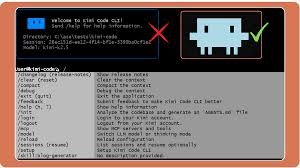
  • Integrates directly into your shell for inline prompts and code generation.
  • Supports quick edits and in-place refactoring without switching windows.

3. Context-aware code generation

  • Generates code that matches your project’s style and APIs.
  • Adapts suggestions based on recent edits and commands.

4. In-shell debugging and refactoring prompts

  • Prompts help diagnose errors and propose focused fixes.
  • Offers refactor suggestions that preserve behavior.

5. Freemium pricing with Pro option

  • Free plan for basic use and a paid Pro tier for advanced features.
  • Pro includes longer context and priority support.

6. Local project context awareness in real-time

  • Keeps track of opened files and recent commands for relevant outputs.
  • Works with local Git history to inform suggestions.
Reviews

There are no reviews yet.

Be the first to review “Kimi CLI – CLI coding assistant for developers in CLI”

Pricing & Plans Of Kimi CLI

Pricing is Freemium with a Pro option.

  • Free: Free – Basic CLI features for personal use.
  • Starter: Contact for pricing – Additional features and longer context.
  • Pro: $10/mo – Full feature set with extended context.
  • Business: Contact for pricing – Collaboration features for teams.
  • Enterprise: Contact for pricing – Advanced deployment options.
  • Team: Contact for pricing – Shared workspaces and permissions.

Pro's

  • Long-context Chinese model improves accuracy for Chinese-language coding tasks.
  • Terminal-first workflow reduces context switching for command-line users.
  • Inline prompts keep focus in the shell, speeding iterations.
  • Freemium access lets users test features before upgrading.
  • Real-time project context enhances code relevance and consistency.

Con's

  • CLI tools can be harder to discover than GUI IDEs for new users.
  • Depth of features depends on the Pro tier and model availability.
  • May require setup for non-standard shells or environments.

Popular Use Cases of Kimi CLI

  • Debug a multi-file bug in a Chinese codebase by asking Kimi CLI to propose fixes within the terminal.
  • Team conducts a large refactor and uses Kimi CLI to generate consistent snippets across files.
  • Solo developer needs speedups; requests inline optimizations and tests directly in the shell.
  • New project setup; generates boilerplate code aligned with existing project style.

Alternatives of Kimi CLI

Tool Best For How It Compares
GitHub Copilot In-editor code completion Strong IDE integration but not CLI-first; lacks long-context terminal workflow.
Kite Cross-editor AI coding Good multi-editor support but less focus on Chinese language and terminal context.
Tabnine AI code completion across editors Broad language coverage but IDE-centric; CLI support is limited.

Feedback

Representative user feedback:
“CLI users want reliable, context-aware suggestions without leaving the terminal.”

Representative user feedback:
“Chinese language support in AI coding tools is a welcome plus for our team.”

FAQs related to Kimi CLI

  1. What platforms does Kimi CLI support?
    It runs in the terminal on Unix-like systems and supports major shells like Bash and Zsh.
  2. Does Kimi CLI support Chinese language prompts?
    Yes, it uses a long-context Chinese AI model designed for coding tasks.
  3. Is there a free plan?
    Yes, there is a Freemium model with a Free plan and a Pro option at $10/mo.
  4. Can teams use Kimi CLI?
    Yes, there are team-oriented plans with collaboration features; pricing is available on request.

Start coding with Kimi CLI today

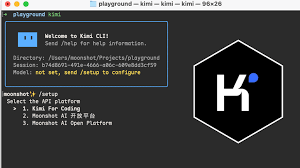
Install Kimi CLI in your terminal and start receiving context-aware coding help right away. You’ll save time on routine edits, accelerate new feature work, and keep your momentum without leaving the shell.

Related Tools