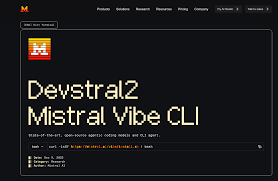
Mistral Vibe – Open-source coding agent for IDEs

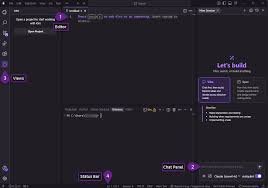
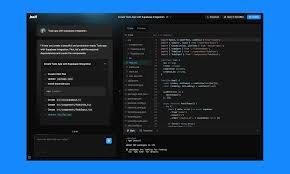
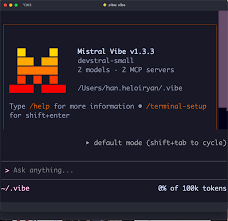
Open-source coding agent accelerates coding inside your IDE by leveraging Mistral-powered AI. It offers real-time, context-aware suggestions and boilerplate automation for faster development.

Category
For Mistral-powered open-source coding agent

Quick Facts - About Mistral Vibe

Category IDE Extension
Pricing Free (Free to use with paid plans)
Platform VS Code, JetBrains, and other major IDEs
Main Features Open-weight models, EU privacy-friendly design, BYOM API usage
Best For Developers who value privacy and open AI models
Language Support Multi-language support via Mistral models
Integrations VS Code, JetBrains IDEs, other editors
Deployment Hybrid (local IDE extension with cloud AI access)

What is Mistral Vibe ?

Mistral Vibe is an AI-powered open-source coding agent integrated into your IDE. It uses open-weight models to analyze your code context and generate intelligent suggestions and boilerplate snippets. This helps developers reduce time spent on repetitive tasks and improves consistency across projects.

Description

1. Context-aware coding

  • Auto-suggests code snippets based on file and project context.
  • Keeps suggestions relevant with language-aware embeddings.

2. In-editor coding assistant

  • Inline explanations and examples as you type.
  • Supports multiple languages commonly used with Mistral models.

3. Open-weight model support

  • Run AI reasoning locally or via BYOM API with privacy controls.
  • Open-weight model access avoids vendor lock-in.

4. Privacy and compliance controls

  • EU privacy-friendly by design with data handling controls.
  • Options to keep data within the org or region.

5. BYOM API integration

  • Pay only for BYOM API usage; no base model fees.
  • Seamless integration with your existing IDE setup.

6. Custom prompts and workflows

  • Save and reuse coding prompts across projects.
  • Template-driven automation for boilerplate tasks.
Reviews

There are no reviews yet.

Be the first to review “Mistral Vibe – Open-source coding agent for IDEs”

Pricing & Plans Of Mistral Vibe

Pricing starts with a Free tier and BYOM API usage costs apply for paid plans.

  • Free: Free – Core features with usage limits.
  • Starter: Contact for pricing – Extended features for individuals.
  • Pro: Contact for pricing – Advanced AI capabilities for heavy users.
  • Business: Contact for pricing – Team collaboration and governance.
  • Enterprise: Contact for pricing – Scalable enterprise-grade features.
  • Team: Contact for pricing – Shared workspace and admin tools.

Pro's

  • Open-weight model access supports privacy-conscious workflows.
  • Context-aware coding suggestions save time during coding sessions.
  • BYOM API option lets teams pay for usage without upfront licensing.
  • IDE integration with major editors reduces context switching.
  • Configurable prompts for project-specific automation.

Con's

  • Limited offline capabilities depending on model deployment.
  • Feature parity depends on IDE and plugin ecosystem maturity.
  • BYOM pricing can vary with usage levels.

Popular Use Cases of Mistral Vibe

  • A developer implements a new API client and uses Mistral Vibe to generate boilerplate code and proper error handling snippets.
  • A team uses the EU-compliant mode to keep code generation local and safe for sensitive projects.
  • An engineer uses real-time code explanations to learn a new language feature while coding.
  • QA automation tasks are accelerated by template-driven AI prompts that generate test scaffolds.

Alternatives of Mistral Vibe

Tool Best For How It Compares
Codeium Open-source AI coding assistance Offers free and paid tiers with emphasis on on-device options
Tabnine Code completion with AI Broad language support, cloud and local options; strong autocomplete.
Kite Inline AI code suggestions Legacy tooling with emphasis on language models; cloud-based.

Feedback

Representative user feedback:
“Open-source, privacy-friendly coding assistant that speeds up daily work in IDEs.”

Representative user feedback:
“Works well with BYOM models and keeps data local when needed.”

FAQs related to Mistral Vibe

  1. What IDEs does Mistral Vibe support?
    It supports major IDEs via the IDE extension ecosystem, including VS Code and JetBrains products.
  2. Is Mistral Vibe free to use?
    Yes, there is a Free tier; paid BYOM API usage costs apply for higher tiers.
  3. How does privacy work with Mistral Vibe?
    It is designed with EU privacy-friendly controls and options to keep data within your environment when using BYOM.
  4. What languages are supported?
    Open-weight models provide multi-language support for popular programming languages.

Start coding smarter with Mistral Vibe

Install the Mistral Vibe IDE extension today and start getting real-time, context-aware code suggestions. You will code faster with fewer boilerplate tasks while keeping data processing private and compliant.

Related Tools