OpenAI Codex CLI – Cloud coding in the terminal and desktop app

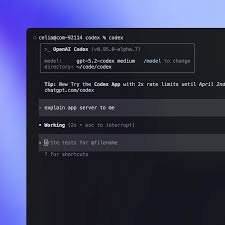
OpenAI Codex CLI is a cloud coding agent that runs in the terminal and as a desktop app. It brings GPT-5.4 powered guidance into your workflow to speed up cloud coding tasks for developers and teams.

Category
For Cloud coding agent (terminal + desktop app)

Quick Facts - About OpenAI Codex CLI

Category Terminal / CLI Agent
Pricing Freemium
Platform Terminal + Desktop
Main Features GPT-5.4 powered code suggestions; Cloud+local workflow; Context-aware sessions
Best For Developers working in cloud and remote environments
Language Support Multilanguage code assistance (language coverage depends on model)
Integrations Shell, editors via extensions, remote environments
Deployment Cloud-enabled CLI agent with desktop app client

What is OpenAI Codex CLI ?

OpenAI Codex CLI is an AI-powered terminal and desktop coding assistant that integrates cloud coding with local workflows. It uses GPT-5.4 to suggest code, generate snippets, and automate repetitive tasks inside your editor and shell.

The main problem it solves is fast, accurate coding in cloud environments where speed and consistency matter. It benefits developers who work across remote teams, CI/CD pipelines, and cloud-based projects.

Description

1. GPT-5.4 Powered Code Suggestions

  • Benefit: provides code blocks, fixes, and snippets directly in your shell or editor.
  • Supporting point: leverages GPT-5.4 context to stay relevant to your project.

2. Terminal and Desktop App Workflow

  • Benefit: seamless operation across terminal and GUI apps.
  • Supporting point: keeps session state synchronized across environments.

3. Cloud-Local Sync and Session Persistence

  • Benefit: edits and sessions persist between devices.
  • Supporting point: supports remote environments and local editors.

4. Contextual Snippets and Templates

  • Benefit: generates boilerplate templates tailored to your stack.
  • Supporting point: adapts to project context and language.

5. Inline Debug Hints and Testing

  • Benefit: suggests tests and debugging steps in place.
  • Supporting point: integrates with common test frameworks.

6. Multi-language Support and Editor Extensions

  • Benefit: works with multiple languages and editors.
  • Supporting point: expands with community extensions over time.
Reviews

There are no reviews yet.

Be the first to review “OpenAI Codex CLI – Cloud coding in the terminal and desktop app”

Pricing & Plans Of OpenAI Codex CLI

Pricing starts with a Free tier, then paid options for teams and individuals.

  • Free: Free – Access core terminal features with limited usage.
  • Starter: Contact for pricing – For individuals who want more sessions and faster pipelines.
  • Pro: Contact for pricing – For small teams needing collaboration and more compute.
  • Business: Contact for pricing – For teams requiring governance and enterprise features.
  • Enterprise: Contact for pricing – For organizations needing advanced security and scale.
  • Team: Contact for pricing – For large teams with admin controls.

Pro's

  • Direct GPT-5.4 insights in terminal speed coding cycles.
  • Seamless cross-environment workflow between terminal and desktop apps.
  • Context-aware sessions reduce repetitive setup per project.
  • Inline code templates save boilerplate time.
  • Multi-language support broadens coding coverage.

Con's

  • Relies on internet connectivity for AI features.
  • Not a full IDE replacement in every scenario.
  • Language coverage varies with model availability.

Popular Use Cases of OpenAI Codex CLI

  • Rewrite a Python script to run on a remote cloud VM using the Codex CLI.
  • Generate React component boilerplate for a new UI feature in a project via the terminal.
  • Debug and run tests for a Node.js service inside a cloud environment.
  • Automate repetitive coding tasks in CI/CD pipelines from the CLI.

Alternatives of OpenAI Codex CLI

Tool Best For How It Compares
GitHub Copilot IDE-centric AI code completion Strong IDE integration but not a standalone CLI agent.
Codeium Open-source and customizable code completion Offers on-device models and privacy options; not GPT-5.4 in a CLI context.
Tabnine Language-agnostic completion Primarily IDE plugins; limited CLI workflows.

Feedback

Representative user feedback:
“Saves time with quick coding tips right in the terminal.”

Representative user feedback:
“Great for cloud environments, but it needs offline mode options.”

FAQs related to OpenAI Codex CLI

  1. What is OpenAI Codex CLI?
    It is an AI-powered terminal and desktop coding assistant that uses GPT-5.4 to help you write code faster.
  2. Can I use Codex CLI for cloud development?
    Yes, it supports cloud coding tasks in both the terminal and desktop app.
  3. What languages does Codex CLI support?
    It supports multiple languages; exact coverage depends on model and integrations in your environment.
  4. What about pricing?
    It uses a Freemium model with paid Plus/Pro/Teams options; pricing may vary by usage—contact for pricing.

Start coding with Codex CLI today

Start coding smarter with Codex CLI today and see faster iterations in cloud projects. Get GPT-5.4 powered guidance inside your terminal and desktop app, helping you ship code with fewer back-and-forths.

Related Tools